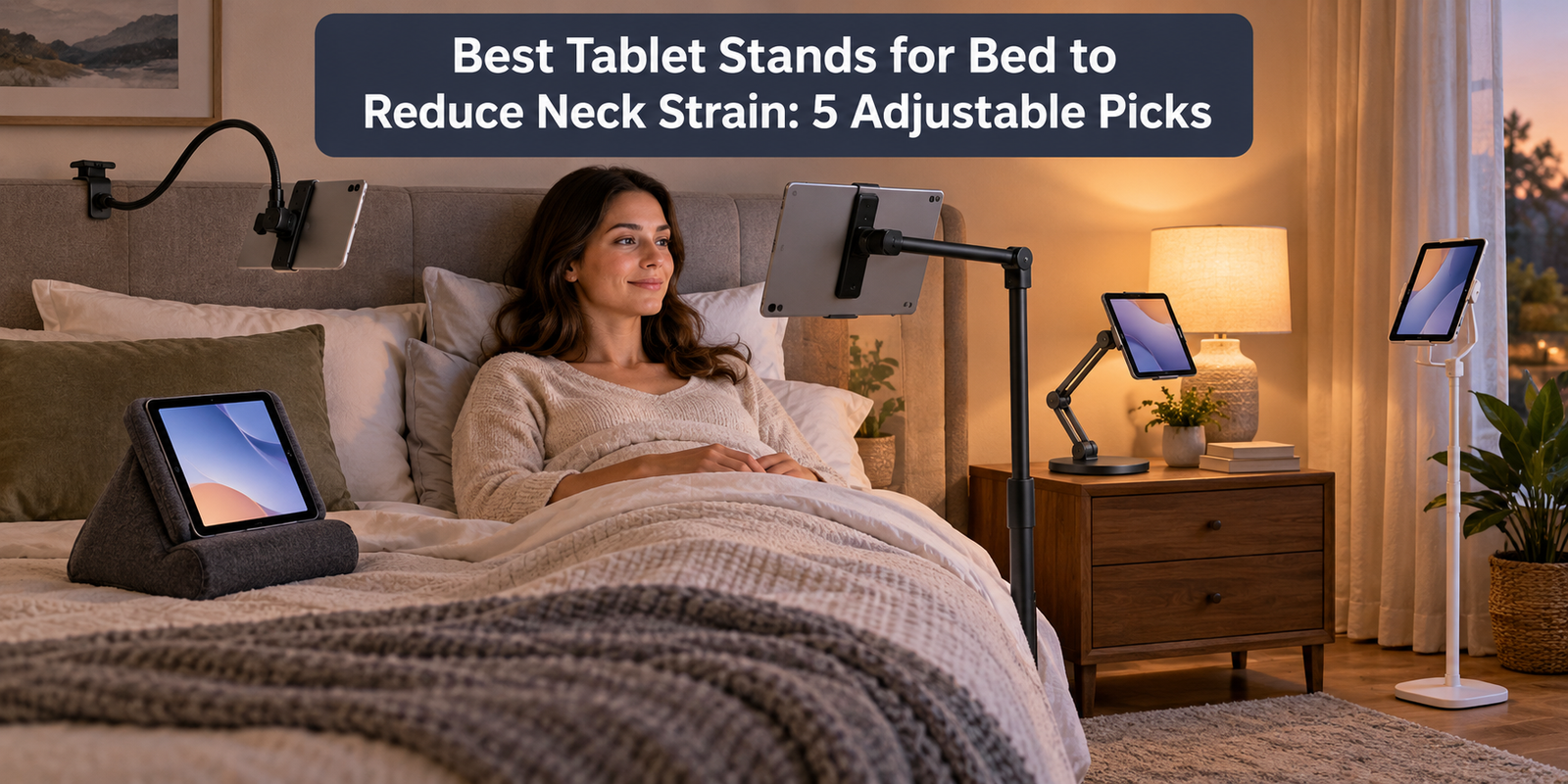
Using a tablet in bed can become uncomfortable when the screen rests on your chest or lap. A well-positioned stand raises the display and frees your arms, making a relaxed viewing position easier.
Floor stands offer reach without attaching to furniture. Clamp mounts save space but need a strong headboard or table. Pillow stands are portable but usually sit lower.
We selected five useful designs for different bedrooms, tablet sizes, and budgets. Specifications and availability can change, so verify compatibility and current terms before ordering.
Quick Comparison
Table of Contents
| Pick | Best for | Mounting style | Device range or key feature |
|---|---|---|---|
| LEVO G2 Deluxe | Best overall | Weighted floor stand | 30–56-inch height, five-axis arm |
| Lamicall Gooseneck | Best clamp mount | Headboard/table clamp | 4.7–13-inch devices, 800 g capacity |
| Flippy Tablet Pillow | Best soft stand | Freestanding foam pillow | Three viewing angles |
| AboveTEK TS-196B | Best rigid tabletop arm | Weighted desktop base | 15-inch articulated aluminum arm |
| CTA Digital Compact Gooseneck | Best compact floor option | Floor stand | Compatible with 7–13-inch tablets |
1. LEVO G2 Deluxe Tablet Floor Stand — Best Overall
The LEVO G2 Deluxe positions a tablet beside the bed without clamping to furniture. Its weighted floor base and horizontal arm also keep the device off the mattress.
LEVO lists a height range of 30 to 56 inches and a five-axis articulated arm. The holder is designed for a broad selection of iPads, Kindle devices, Samsung tablets, and other models. The base has wheels, making it easier to roll the stand away when not in use. View the LEVO G2 Deluxe specifications.
 Why we like it
- Wide height range accommodates beds, sofas, and chairs
- Articulated arm provides more precise positioning than a basic gooseneck
- Weighted floor base does not depend on headboard shape or table thickness
- Wheels make a relatively substantial stand easier to reposition
Keep in mind: It occupies floor space and costs more than clamp or pillow stands. Measure the gap beneath and beside the bed to confirm the base can roll close enough. A floor stand should remain stable with the arm positioned according to the manufacturer’s instructions.
Best for: Frequent tablet users who want stable, highly adjustable, hands-free viewing in bed.
Amazon.com: LEVO G2 Deluxe Tablet Floor Stand, Adjustable iPad Stand for Bed & Bedside | Premium 5-axis arm reaches over chairs and over beds, extra-tall 30-56 in height, locking casters, hands-free, zero gravity : Electronics
2. Lamicall Gooseneck Tablet Holder — Best Clamp-Mounted Pick
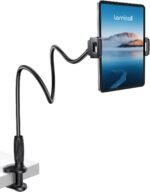
The Lamicall Gooseneck Holder saves floor space. Its clamp attaches to a headboard, bedside table, desk, or another flat surface, and the flexible arm bends toward eye level.
The manufacturer says the holder fits devices from 4.7 to 13 inches and supports up to 800 grams. Its base clamp fits flat surfaces from 0.2 to 3.15 inches thick, while the device holder rotates 360 degrees for portrait or landscape viewing. Lamicall recommends bending the arm into an S, Z, or loop shape for better stability. It also notes that slight movement during frequent touchscreen use is normal. See the Lamicall Gooseneck Tablet Holder.
 Why we like it
- Fits many phones, e-readers, and tablets
- Clamp saves floor and nightstand space
- Flexible arm provides broad positioning freedom
- Padded contact areas help protect the device and furniture
Keep in mind: A flexible arm can wobble when you tap or type. It works best for streaming, reading, and video calls rather than intensive touchscreen work. Confirm the combined weight of your tablet and case stays within the limit, and never clamp it to weak trim or an unstable surface.
Best for: Small bedrooms and users who primarily watch or read rather than type on the screen.
3. Flippy Tablet Pillow Stand — Best Soft, Portable Stand
The Flippy uses a lightweight foam body instead of metal arms or clamps. Place it on your lap, mattress, or bedside surface and rotate it for one of three angles.
Flippy says the low angle is intended for lap use, travel, or lying in bed; the middle angle suits a couch or table; and the upright side works for streaming or reading. It fits tablets, e-readers, and books, and includes a side pocket and carry strap. The exterior uses a soft, wipe-clean cover. View the Flippy Tablet Pillow Stand.
 Why we like it
- No assembly, clamping, or floor space required
- Three fixed angles make setup quick
- Lightweight construction is easy to move and store
- Works with books and e-readers as well as tablets
Keep in mind: A pillow stand cannot raise a screen as high as a floor stand. If it sits on your lap, you may still look downward. It is best when your upper body is already supported in a semi-upright position and the selected angle keeps the screen close to your natural line of sight.
Best for: Reading, travel, dorm rooms, and anyone who wants a simple stand without mechanical parts.
4. AboveTEK Flexible Arm Aluminum Stand TS-196B — Best for the Bedside Table
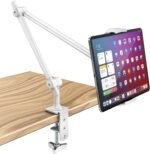
The AboveTEK TS-196B combines a heavy desktop base with an articulated aluminum arm. Place it on a stable bedside table and extend the arm toward the bed.
The stand uses a 15-inch arm with 360-degree rotation and multi-angle folding. AboveTEK says its holder fits many 4- to 11-inch tablets, provided one device dimension falls within the 4.5- to 7.5-inch holder range. Rubber padding protects the tablet, and cable cutouts help keep the charging port accessible. The included Allen keys adjust joint resistance. See the AboveTEK TS-196B.
 Why we like it
- Rigid articulated arm should move less than a long flexible gooseneck
- Weighted base avoids furniture clamps
- Joint tension can be adjusted for the device
- Cable routing supports charging during longer sessions
Keep in mind: Compatibility is based on holder dimensions, not only the tablet’s advertised screen size. Bulky cases may need to be removed. Keep the base fully supported on a sturdy table, and fold the upper and lower sections in opposing directions as the manufacturer recommends for stability.
Best for: Users with a solid nightstand who want a compact, adjustable metal stand.
5. CTA Digital Compact Gooseneck Floor Stand — Best Compact Floor Stand
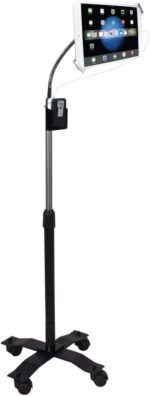
CTA Digital’s Compact Gooseneck Floor Stand supports 7- to 13-inch tablets and uses a flexible neck to bring the device toward the bed.
The compact model suits buyers who want a floor mount without the larger frame, wheels, or extensive articulation of the LEVO. View CTA Digital tablet floor stands.
 Why we like it
- Freestanding design does not depend on furniture
- Compatible with common 7- to 13-inch tablets
- Smaller footprint than many commercial-style floor mounts
- Flexible neck enables portrait or landscape positioning
Keep in mind: Check the exact product dimensions, tablet thickness range, and base clearance before buying. As with any long gooseneck, tapping the screen may cause movement. Position the base where it will not create a trip hazard.
Best for: Buyers who want a straightforward floor stand without paying for a larger wheeled system.
How to Choose a Tablet Stand for Bed
Match the Mount to Your Bedroom
 Start with the available attachment points and floor space. A clamp mount needs a strong, flat edge within reach. A desktop model needs a sturdy nightstand. A floor stand requires room beside or beneath the bed, while a pillow stand needs only mattress or lap space.
Verify Device Size and Weight
Do not rely only on screen size. Check the holder’s opening range, weight capacity, and supported thickness. Measure the tablet with its case installed if you do not want to remove it. Large tablets and rugged cases place more leverage on long arms and clamps.
Position the Screen, Then Support Your Body
 The stand should bring the screen toward you; you should not crane your neck toward the stand. Support your back and shoulders, keep your head over your torso, and position the center of the screen roughly near or slightly below eye level. Keep enough viewing distance that the eyes feel comfortable.
Consider Touchscreen Use
A long gooseneck is convenient for passive viewing but often moves when tapped. Choose a rigid articulated arm or pillow stand if you frequently type, draw, or play touchscreen games. A separate Bluetooth keyboard or remote can reduce repeated reaching.
Prioritize Stability
 Follow the manufacturer’s recommended arm shape and weight limit. Tighten adjustable joints correctly, keep a floor base flat, and attach clamps only to sound furniture. Avoid placing a heavy tablet directly above your face unless the holder is specifically designed for that orientation and the device is securely captured.
Tips for Reducing Neck Strain While Using a Tablet in Bed
- Raise the screen instead of repeatedly bending your head forward.
- Support the upper back so you are not sliding down the pillows.
- Keep shoulders relaxed and elbows supported when interacting with the screen.
- Change position and take regular movement breaks.
- Increase text size rather than pulling the face toward the display.
- Stop and reassess the setup if you develop persistent pain, numbness, tingling, weakness, dizziness, or headaches.
A stand does not treat an injury or guarantee pain-free posture. Seek professional advice for persistent or worsening symptoms.
Frequently Asked Questions
What type of tablet stand is best for bed?
A floor stand offers the broadest positioning range and does not rely on furniture. A clamp stand is better for limited floor space, while a pillow stand is the easiest to move and store. The best choice depends on your bed frame, room layout, tablet weight, and how often you touch the screen.
Can a tablet stand reduce neck strain?
It can help by raising the display and reducing the need to hold the tablet or look sharply downward. Results still depend on screen height, viewing distance, back support, duration of use, and individual health factors.
Are gooseneck tablet holders stable?
They are usually stable enough for reading and video viewing, but some movement during tapping is normal. Shorter, thicker arms tend to resist motion better than long, thin ones. Bending the arm into the shape recommended by the manufacturer can also improve stability.
Is it safe to mount a tablet above the bed?
Use only a compatible holder with secure device retention, stay within its weight limit, and attach it to a solid surface. Inspect the clamp and joints regularly. For extra caution, position the tablet in front of the upper chest rather than directly over the face.
Do tablet stands work with protective cases?
Some do, but thick cases can exceed the holder’s opening range or weight capacity. Compare the case-covered device dimensions with the stand specifications before purchase.