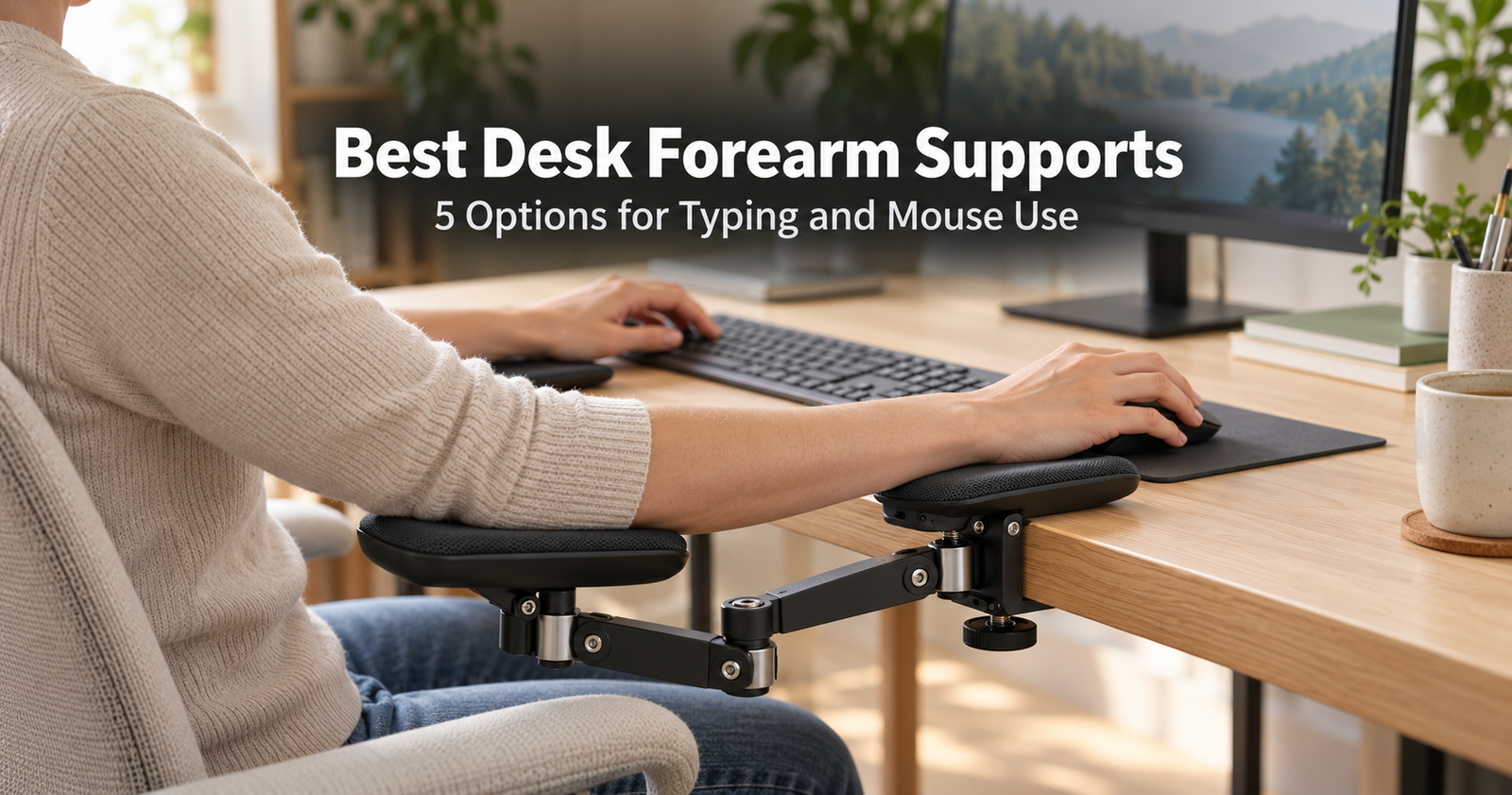
A home-office setup usually starts with a chair, desk, and monitor. The place where your arms rest can be easy to overlook. If your chair arms do not reach the desk comfortably, or the desktop offers little resting space, a desk-mounted support may be worth considering.
Desk forearm supports come in several forms. Articulating armrests move with your arm, adjustable cradles provide a smaller resting point, and desk extensions add a broader surface near the keyboard or mouse.
The right choice depends on how you work and whether the support fits your desk. Clamp clearance, platform height, available movement, and the space left for your chair all matter.
Here are five products to compare, with Amazon links and practical buying advice.
Quick Comparison
Table of Contents
| Product | Support style | Adjustment or movement | Main fit check |
|---|---|---|---|
| VIVO MOUNT-ARM01 | Rotating armrest | Height, swivel, rotation | Desktop thickness and minimum support height |
| BONTEC Adjustable Arm Rest | Extendable armrest | Extension and rotation | Clamp and desk-material compatibility |
| Ergorest 332 | Articulating forearm support | Moving support assembly | Exact clamp, arm, and pad configuration |
| BONTEC Foldable Desk Extender | Broad platform | Folds down | Desk-edge fit and folded clearance |
| VIVO DESK-EXT09 | Compact desk extension | Folds down | Desktop edge and installed position |
Shopping note: Folding helps with storage; it does not necessarily provide working-height adjustment. Confirm the selected model and package contents before ordering. The DESK-EXT09 link opens an Amazon search.
1. VIVO Clamp-on Adjustable Arm Rest — MOUNT-ARM01
For Comparing Height Adjustment and Rotation
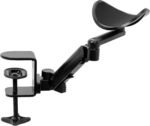
The VIVO MOUNT-ARM01 provides an armrest on a clamp-mounted assembly. VIVO lists 360-degree rotation, 90-degree swivel, and a 1.4–3.9-inch height adjustment range. Its stated maximum desktop thickness is 2.2 inches.
The moving support format is worth considering when you want a resting point that can be repositioned for mouse use. Its usefulness depends on whether the pad sits at a comfortable height relative to your keyboard, mouse, and chair.
 Features to compare:
- Adjustable support height.
- Rotating and swiveling assembly.
- Clamp-on installation.
- Compact resting surface.
Before buying: Check the minimum support height carefully. If the desk already feels high relative to your chair, adding an above-desktop support may not produce the arrangement you want.
Inspect the underside of the desk too. An apron, drawer, or frame can prevent the clamp from seating correctly.
Amazon link: VIVO MOAmazon.com: VIVO Clamp-on Adjustable Arm Rest, 360° Rotation | Black, Universal Desk Cradle, Elbow Cushion Armrest, Above Table Extension Platform Arm Support w/ Steel Base, MOUNT-ARM01 : Office ProductsUNT-ARM01 Adjustable Arm Rest
2. BONTEC Adjustable Desk Arm Rest
For an Extendable Armrest Arrangement
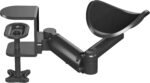
The BONTEC listing describes an aluminum armrest with extension and rotation, intended for either left- or right-handed use.
An extendable format gives you another way to position the support near your usual working area. Compare its reach with the distance between your chair and input devices rather than choosing by maximum extension alone.
The most useful position is one that lets you continue working naturally. A support that forces you to move the keyboard or mouse farther away may create a less convenient setup.
 Features to compare:
- Extendable support assembly.
- Rotating arrangement.
- Aluminum construction.
- Left- or right-side use.
Before buying: Read the exact listing’s clamp specifications and desk-material restrictions. A clamp opening wide enough for your desk does not establish that the desktop material is suitable.
Check whether moving parts will interfere with your keyboard tray, chair arms, or neighboring equipment.
3. Ergorest 332 Forearm Support
For an Articulating Support Design
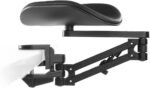
The Ergorest 332 is an option to compare when movement with the arm is a priority. The referenced Amazon listing specifies a 200mm pad, 125mm arm length, and a clamp for desktops 15–43mm thick.
Those measurements describe the selected configuration. Similar Ergorest products can have different pads, arms, and clamps, so match the model details carefully.
Think about where the pad will contact your forearm and the movement you need during your normal tasks. A product’s total reach is only useful when its range suits your workstation.
 Features to compare:
- Articulating support format.
- Defined pad and arm dimensions.
- Desk-mounted clamp.
- Configuration choices within the range.
Before buying: Check how many units are included. If you want support on both sides while typing, do not assume a single-product listing supplies a pair.
Also confirm that the specified clamp accommodates both the desktop thickness and the available underside clearance.
4. BONTEC Foldable Desk Extender Tray
For a Broader Resting Surface
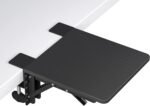
The BONTEC foldable extender provides a platform rather than a moving arm cradle. The referenced listing describes a 9.5 × 9.1-inch tray and a 90-degree folding design.
This format is worth comparing when you want additional surface near the front edge of the desk. It may also appeal to people who prefer to reposition their arm over a platform.
However, adding surface toward your chair changes the way you approach the desk. Measure that projection before ordering.
 Features to compare:
- Broad support platform.
- Clamp-on mounting.
- Folding arrangement.
- Additional surface near the desk edge.
Before buying: Check whether the tray leaves enough room to sit close to the keyboard. Measure the space beneath it when folded so it does not collide with drawers, chair arms, or other equipment.
5. VIVO Clamp-on Desk Extension — DESK-EXT09
For a Compact Support or Mouse Platform
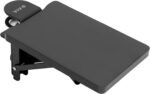
The VIVO DESK-EXT09 adds a small platform to the desk edge. VIVO lists a 5.9 × 9.1-inch surface, a 90-degree folding bracket, and compatibility with desktops 0.5–3.5 inches thick.
The manufacturer excludes lipped or beveled edges. It also describes using the platform as a mouse surface, with a mouse pad purchased separately.
The compact size gives you a smaller platform to assess against your available space. Check whether it accommodates your usual mouse movement or intended resting position.
 Features to compare:
- Compact platform.
- Folding bracket.
- Clamp-on installation.
- Possible use as a mouse surface.
Before buying: This product extends the desktop surface; it does not provide independent working-height adjustment. Check its installed position against your chair, keyboard, and mouse.
How to Choose a Desk Forearm Support
Identify What You Want to Change
Start with the task that feels awkward. Do you need a resting point beside the mouse, more surface in front of the desk, or support that moves with your arm?
A small cradle and a broad desk extension serve different purposes. Choose the support style before comparing prices.
Measure the Desk Edge
Record desktop thickness and inspect its shape. Beveled edges, decorative lips, underside frames, and drawers can prevent a clamp from fitting.
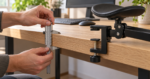 Follow the product’s restrictions for glass, hollow-core, composite, or other desktop materials. Ask the desk manufacturer if suitability is unclear.
Check the Working Height
Compare the installed support height with your chair, keyboard, and mouse. Assess whether you can use it comfortably without lifting your shoulders or reaching awkwardly around the pad.
Remember that an adjustable product still has a minimum height.
Check Movement and Reach
 For an articulating support, consider the area through which it moves. For a platform, consider the space available on its surface.
Your usual mouse movement, keyboard width, and neighboring equipment should fit within the arrangement. Avoid positioning a support so that it pushes essential items farther away.
Decide Whether You Need One or Two
One unit may suit a mouse-side setup. Supporting both arms while typing may require two units or a different arrangement.
Check package contents and available desk edge before ordering a pair. Leave space for your chair and for getting in and out of the workstation.
Consider Contact and Cleaning
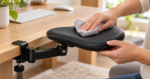 Compare pad size, edge shape, surface material, and cleaning instructions. A narrow or poorly positioned support can feel different after a longer session than during a quick trial.
Check the return policy so you can assess the product with your actual tasks.
Setting Up Your Support
Begin with your usual seated arrangement. Position the keyboard and mouse within convenient reach, then place the support where your arm naturally rests.
Secure the clamp according to its instructions. Test movement slowly and check for interference with chair arms, drawers, cables, and keyboard trays.
Try several positions during real work. If the support makes typing or mouse movement more awkward, reassess its placement and height. Leave room to change position during the day.
Frequently Asked Questions
Is a forearm support the same as a wrist rest?
They support different areas. A forearm support contacts part of the arm, while a wrist or palm rest is generally positioned near an input device. Check each product’s intended use.
Can a desk support replace chair armrests?
It may provide a useful resting area at the desk, but it serves a different location and range of tasks. Assess the chair and desk together.
Can I use one with a standing desk?
Check both products’ instructions and test clearance throughout the desk’s movement. Watch for cable tension and contact with other furniture.
Are folding desk extensions height adjustable?
Not necessarily. A folding bracket may simply let you put the platform away. Verify whether working height can actually be changed.
Will a forearm support prevent pain?
Comfort depends on the person, task, and complete workstation. Treat a support as a fit-dependent accessory rather than a guaranteed solution for symptoms.
Which Option Should You Compare First?
Compare VIVO MOUNT-ARM01 and BONTEC’s adjustable armrest when repositioning matters. Investigate Ergorest when an articulating forearm-support format is your priority.
Choose between the BONTEC extender and VIVO DESK-EXT09 when you want a platform. Desk compatibility and the installed working position should guide the decision.