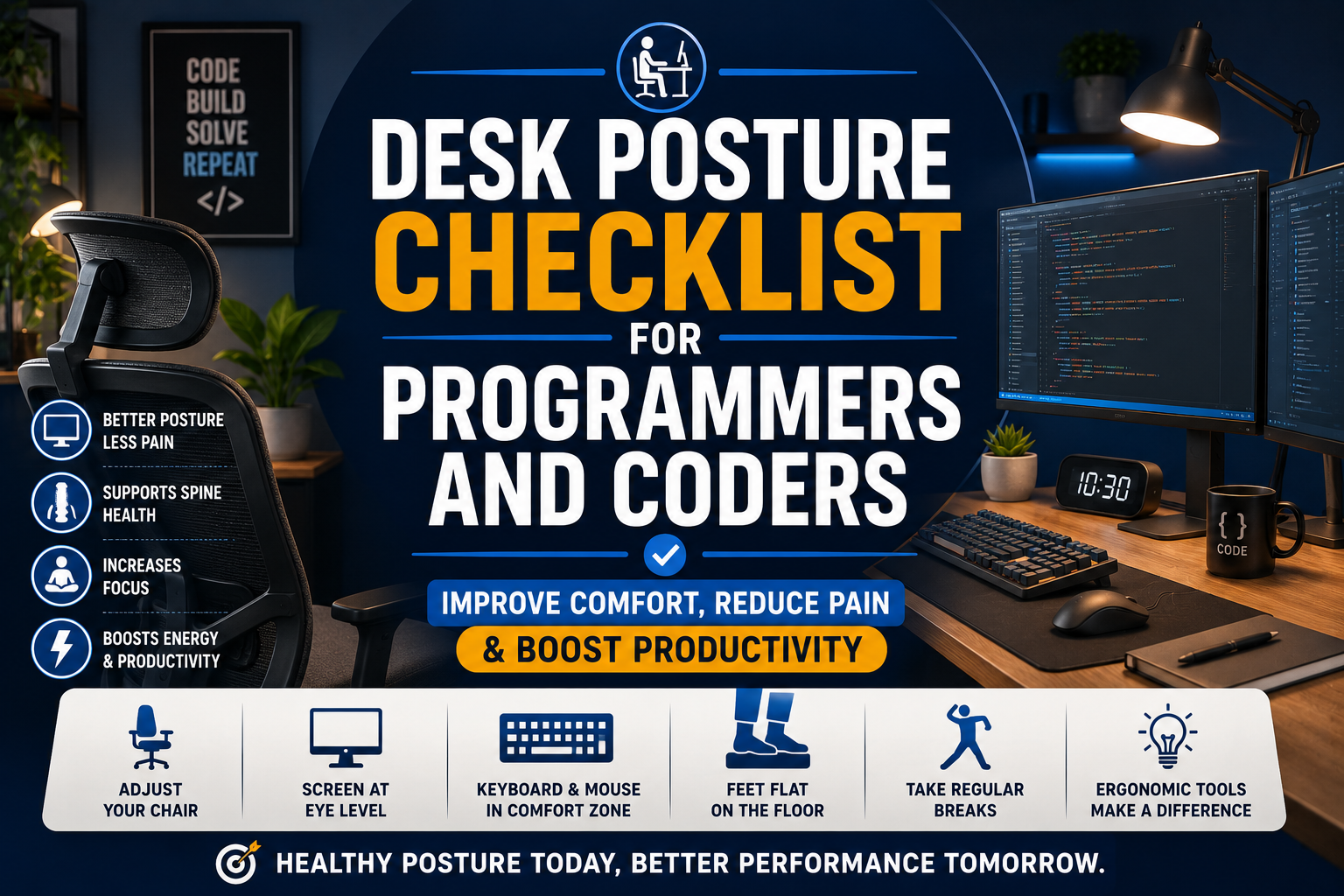
Programming often requires hours of uninterrupted concentration, but long coding sessions can take a toll on your body. Neck stiffness, lower back pain, sore wrists, shoulder tension, headaches, and eye strain are common complaints among developers who spend most of their day at a desk.
The good news is that many of these problems can be prevented with proper workstation ergonomics and healthy posture habits. A well-designed workspace not only reduces discomfort but can also improve focus, productivity, and long-term health.
This guide provides a complete desk posture checklist for programmers and coders, along with recommended ergonomic products that can help you create a more comfortable and efficient workstation.
Why Posture Matters for Programmers
Table of Contents
Software developers often spend 6–10 hours per day sitting in front of a computer. Poor posture places continuous stress on the neck, shoulders, spine, hips, and wrists.
Common symptoms include:
- Neck pain
- Rounded shoulders
- Upper back stiffness
- Lower back pain
- Wrist discomfort
- Eye strain
- Hip tightness
- Reduced circulation
- Fatigue
- Frequent headaches
Improving posture can help minimize these issues while making long coding sessions more comfortable.
The Ultimate Desk Posture Checklist
✅ 1. Keep Your Monitor at Eye Level
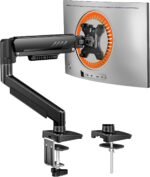 Your monitor should be positioned so the top of the screen is at or slightly below eye level.
This helps prevent:
- Forward head posture
- Neck strain
- Upper back tension
Recommended Product
✅ 2. Sit with Your Back Fully Supported
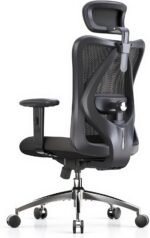 Choose a chair that supports the natural curve of your lower back.
Look for:
- Adjustable lumbar support
- Reclining backrest
- Adjustable seat height
- Breathable mesh material
Recommended Product
✅ 3. Keep Feet Flat on the Floor
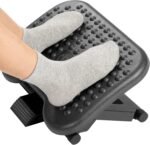 Your knees should remain at approximately a 90-degree angle.
If your feet don’t comfortably reach the floor, use an ergonomic footrest.
Benefits
- Better circulation
- Reduced lower back pressure
- Improved hip alignment
Recommended Product
✅ 4. Position Your Keyboard Correctly
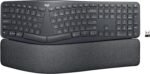 Your keyboard should allow your elbows to remain close to your body at about 90 degrees.
Avoid reaching forward while typing.
Recommended Product
✅ 5. Keep Wrists Neutral
 Your wrists should remain straight while typing.
Avoid bending them upward or downward.
Consider using:
- Wrist rests
- Split keyboards
- Vertical mice
Recommended Products
Vertical Mouse
Split Keyboard
https://www.amazon.com/s?k=split+keyboard
✅ 6. Place Your Mouse Close to the Keyboard
Avoid reaching outward repeatedly.
Keeping your mouse close reduces shoulder fatigue and wrist strain.
✅ 7. Relax Your Shoulders
Many programmers unknowingly elevate their shoulders while coding.
Remember to:
- Keep shoulders relaxed
- Avoid shrugging
- Take deep breaths
✅ 8. Maintain Proper Viewing Distance
Your monitor should sit approximately 20–30 inches away.
This helps reduce:
- Eye fatigue
- Neck movement
- Blurry vision
✅ 9. Follow the 20-20-20 Rule
Every 20 minutes:
- Look at something 20 feet away
- For at least 20 seconds
This reduces digital eye strain.
✅ 10. Stand Up Every 30–60 Minutes
Even perfect posture becomes uncomfortable if maintained too long.
Take short breaks to:
- Stretch
- Walk
- Refill your water bottle
- Reset your posture
Ergonomic Accessories Every Programmer Should Consider
1. Adjustable Laptop Stand
Raises the screen to eye level while improving airflow.
2. External Keyboard and Mouse
Ideal for laptop users.
Separating the screen from the keyboard dramatically improves posture.
3. Standing Desk
Alternate between sitting and standing throughout the day.
Benefits include:
- Reduced back pain
- Better circulation
- Increased energy
- Improved focus
4. Anti-Fatigue Mat
Perfect for standing desk users.
Provides cushioning while standing.
5. Blue Light Blocking Glasses
Can reduce eye fatigue during long coding sessions.
6. Seat Cushion
Memory foam cushions improve comfort during long hours of sitting.
7. Monitor Light Bar
Improves workspace lighting without creating screen glare.
Simple Stretches Between Coding Sessions
Take 2–3 minutes every hour to perform:
Neck Stretch
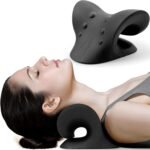 Tilt your head slowly toward each shoulder.
Hold for 20 seconds.
Shoulder Rolls
Roll shoulders backward 10 times.
Repeat forward.
Chest Stretch
 Interlock your fingers behind your back.
Open your chest.
Hold for 20–30 seconds.
Wrist Stretch
Extend one arm.
Gently pull your fingers backward.
Repeat on both sides.
Hip Flexor Stretch
 Stand and step one foot backward.
Lean forward slightly.
Hold for 30 seconds.
Common Posture Mistakes Programmers Make
Avoid these habits:
❌ Leaning toward the monitor
❌ Sitting on the edge of the chair
❌ Crossing legs for long periods
❌ Looking down at a laptop screen
❌ Resting wrists on hard desk edges
❌ Working for hours without breaks
❌ Slouching while reading code
❌ Using a chair without lumbar support
Benefits of Good Desk Posture
Maintaining healthy posture can lead to:
- Less neck pain
- Reduced back pain
- Improved breathing
- Better circulation
- Greater productivity
- Increased focus
- Fewer headaches
- Better energy levels
- Reduced muscle fatigue
- Long-term spinal health
Frequently Asked Questions
How high should my monitor be?
The top of your monitor should be at or slightly below eye level so you can keep your head in a neutral position.
Is a standing desk better than sitting?
Alternating between sitting and standing throughout the day is generally more beneficial than staying in either position for extended periods.
What’s the best chair for programmers?
An ergonomic office chair with adjustable lumbar support, armrests, seat height, and recline is ideal for long coding sessions.
Can poor posture affect programming productivity?
Yes. Discomfort, fatigue, and pain can reduce concentration and make it harder to work efficiently. Improving your workstation setup can help you stay focused and comfortable.
Final Verdict
Good posture is one of the best investments programmers and coders can make in their long-term health and productivity. Small adjustments—such as raising your monitor, supporting your lower back, positioning your keyboard correctly, and taking regular movement breaks—can significantly reduce neck, shoulder, and back pain.
Pairing these healthy habits with ergonomic accessories like a quality office chair, monitor stand, vertical mouse, split keyboard, standing desk, and footrest creates a workstation designed for comfort during long coding sessions.
Use this checklist to evaluate your current setup and make gradual improvements. Over time, these changes can help you code more comfortably, reduce fatigue, and maintain better posture throughout your workday.