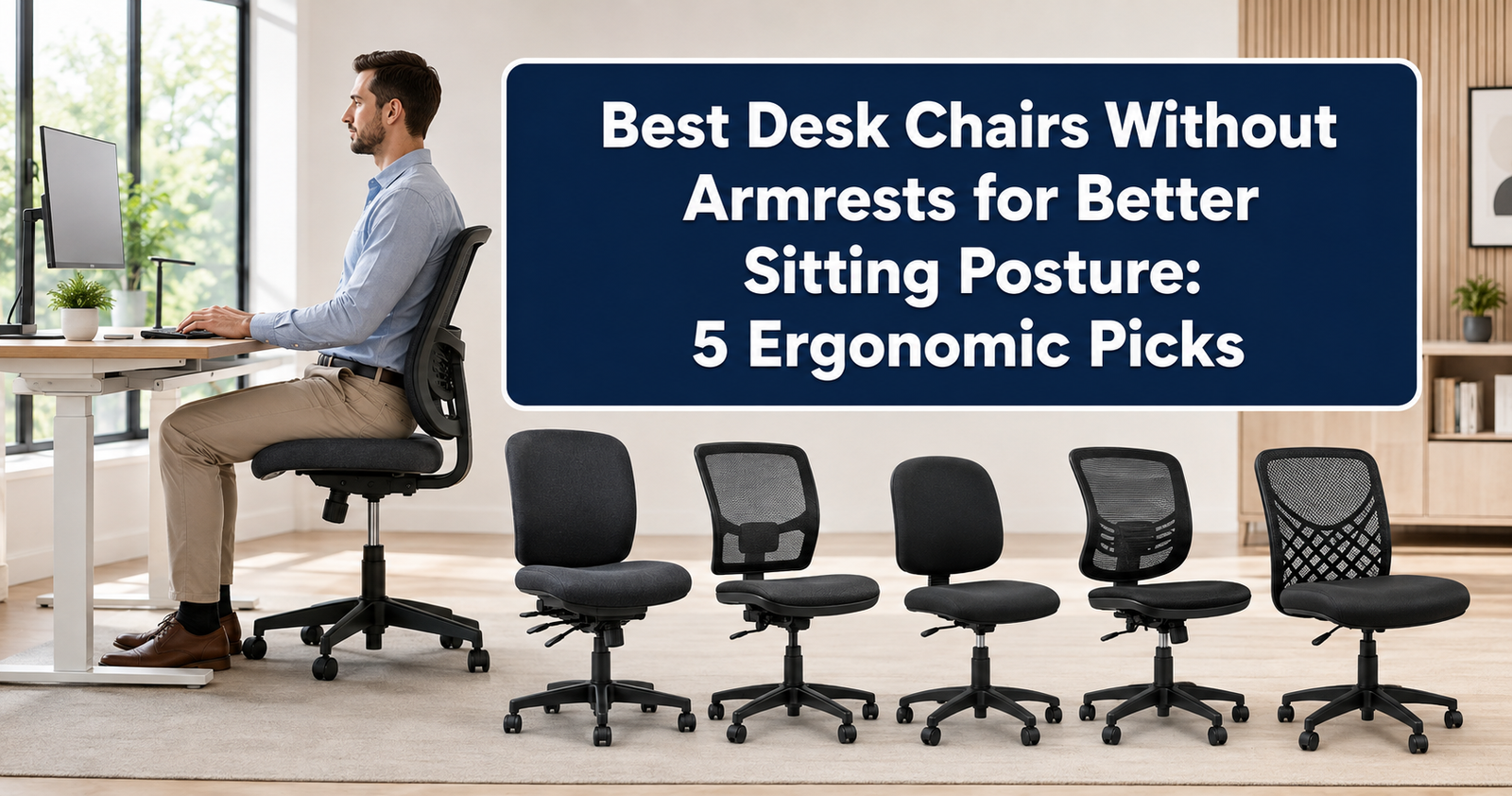
Armrests can be helpful when properly adjusted, but they can also get in the way. Armrests that are too high may elevate your shoulders, while armrests that are too wide can force your elbows away from your body. Fixed armrests may also prevent you from moving close enough to your desk, causing you to lean forward toward your keyboard.
An armless desk chair removes these obstacles. It lets you position the chair close to your work surface, move your arms freely, and store the chair beneath a compact desk when it is not being used.
However, removing the armrests does not automatically make a chair ergonomic. Seat height, seat depth, lumbar support, cushioning, backrest shape, stability, and desk alignment still determine whether the chair supports comfortable sitting.
In this guide, we compare five of the best desk chairs without armrests for better sitting posture. The selected models include compact mesh chairs, traditional task chairs, a professional upholstered option, and a wide cross-legged chair.
Quick Comparison of the Best Armless Desk Chairs
Table of Contents
| Chair | Best For | Backrest | Base |
|---|---|---|---|
| HON Volt Armless Task Chair | Best overall | Padded mid-back | Rolling |
| DUMOS Armless Mesh Desk Chair | Small home offices | Breathable mesh | Rolling |
| Sweetcrispy Armless Office Chair | Budget buyers | Low-back mesh | Rolling |
| HGS Armless Ergonomic Task Chair | Lumbar support | Mesh with lumbar curve | Rolling |
| DUMOS Wide Criss-Cross Chair | Wide-seat comfort | Padded low back | Stationary |
1. HON Volt Armless Task Chair — Best Overall
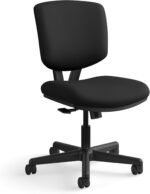
The HON Volt Armless Task Chair is our best overall choice because it offers a straightforward professional design, supportive padding, adjustable height, rolling mobility, and a dependable mid-back structure.
Unlike inexpensive compact chairs that provide only minimal back support, the HON Volt has a substantial upholstered backrest. Its contoured shape supports the lower and middle back while allowing the shoulders to move freely.
The armless configuration helps users pull close to a desk. This can reduce the tendency to reach forward for the keyboard or mouse. Keeping the elbows near the torso and the keyboard within easy reach may help the shoulders remain relaxed.
A center-tilt mechanism allows the chair to move as the user leans back. The tension can be adjusted to suit body weight and personal preference. This movement is valuable because changing positions during the day is generally more comfortable than staying locked in one posture.
The chair is listed with a weight capacity of up to 250 pounds for the standard fabric model. HON also backs selected Volt chairs with its full warranty, which may appeal to shoppers looking for a longer-term office product.
 Key features:
- Contoured padded seat and backrest
- Adjustable seat height
- Center-tilt mechanism
- Tilt-tension adjustment
- Five-wheel rolling base
- Armless professional design
- Listed 250-pound capacity
Pros:
- More substantial than many small armless chairs
- Suitable for professional home offices
- Allows users to approach the desk closely
- Padded back supports longer work sessions
- Tilt mechanism encourages movement
Cons:
- Fabric may feel warmer than mesh
- No adjustable lumbar support
- Costs more than many basic task chairs
Best for: Remote workers who want a durable, professional armless chair for regular desk work.
2. DUMOS Armless Mesh Desk Chair — Best for Small Home Offices
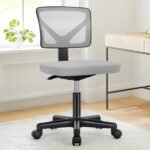
The DUMOS Armless Mesh Desk Chair is designed for bedrooms, apartments, study areas, vanity tables, and other compact workspaces.
Its narrow profile and lack of armrests allow it to slide beneath many desks. This is helpful in rooms where the same area is used for working, studying, sleeping, or other daily activities.
The mesh backrest promotes airflow and includes a gently curved shape intended to support the lower back. Mesh may be preferable to thick upholstery if your office becomes warm during the day.
The padded seat provides a softer surface than an all-mesh chair. Pneumatic height adjustment helps users align their hips, knees, and feet with the desk and floor. The swivel seat and rolling base make it easier to reach nearby items without repeatedly twisting the torso.
Because this is a compact mid-back chair, it does not provide head, neck, or upper-back support. It is better suited to active task work than reclining or resting.
 Key features:
- Breathable mesh backrest
- Curved lower-back support
- Padded seat
- Adjustable height
- 360-degree swivel
- Five-wheel base
- Compact armless profile
Pros:
- Fits well in small spaces
- Slides under many desks
- Breathable backrest
- Easy rolling and swiveling
- Affordable for a home workstation
Cons:
- Limited upper-back support
- Narrower seat may not suit larger users
- Few advanced adjustments
Best for: Students, apartment dwellers, and remote workers with limited floor space.
3. Sweetcrispy Small Armless Office Chair — Best Budget Pick
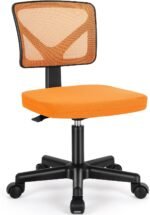
The Sweetcrispy Small Office Chair offers the basic features most people need in a compact computer chair: adjustable height, a cushioned seat, a breathable mesh back, swivel movement, and rolling casters.
Its low-back design supports the lumbar area without extending far behind the shoulders. This keeps the chair visually light and makes it suitable for a bedroom desk, student workstation, craft table, or vanity.
The absence of armrests makes it easy to move closer to the work surface. This can be particularly useful at narrow desks where fixed arms would strike the desktop or prevent proper keyboard positioning.
The backrest has a curved shape designed to follow the lower back. However, its lumbar support is built in rather than independently adjustable. The chair will therefore suit some bodies better than others.
Sweetcrispy offers versions in several colors, allowing the chair to match a home office instead of looking like traditional corporate furniture.
 Key features:
- Low-back mesh design
- Built-in lumbar curve
- Padded seat
- Adjustable seat height
- Swivel and rolling base
- Compact footprint
- Multiple color options
Pros:
- Budget-friendly
- Easy to store beneath a desk
- Breathable mesh back
- Available in distinctive colors
- Suitable for light or moderate desk work
Cons:
- Minimal adjustment options
- Low back does not support the upper body
- May not be ideal for all-day professional use
Best for: Budget-conscious shoppers who need a simple chair for studying or shorter work sessions.
4. HGS Armless Ergonomic Task Chair — Best for Built-In Lumbar Support
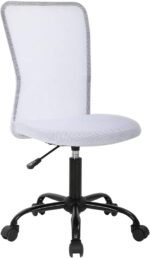
The HGS Armless Task Chair is a compact rolling chair with a more pronounced lumbar shape than many basic armless alternatives.
Its mesh backrest curves forward around the lower spine, helping fill the gap between the user and the chair. This support may make it easier to sit against the backrest instead of perching on the front edge of the seat.
The adjustable-height mechanism allows the chair to fit different desk configurations. When properly adjusted, your feet should rest flat on the floor and your knees should remain approximately level with or slightly below your hips.
The armless structure provides additional freedom for typing, drawing, sewing, playing an instrument, or completing other tasks that involve frequent upper-body movement.
The chair is available in brighter colors as well as conventional office tones. Its compact size is helpful in small rooms, although taller users may prefer a chair with a higher backrest and deeper seat.
 Key features:
- Curved mesh lumbar support
- Padded seat
- Adjustable height
- 360-degree swivel
- Rolling casters
- Compact armless frame
- Multiple color options
Pros:
- More noticeable lumbar curve
- Breathable backrest
- Useful for active desk tasks
- Fits under compact desks
- Easy to move around a workspace
Cons:
- Lumbar support is not adjustable
- Small backrest provides limited upper-back contact
- May feel too compact for taller users
Best for: Users who want an affordable armless chair with a defined lower-back curve.
5. DUMOS Wide Criss-Cross Chair — Best Wide-Seat Option
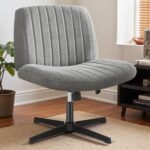
The DUMOS Wide Criss-Cross Chair is different from the other models in this roundup. Instead of a narrow rolling task-chair seat, it provides a broad padded surface that allows users to change leg positions.
This style has become popular among people who like to sit cross-legged, tuck one leg beneath the other, or alternate positions while working. The armless frame avoids restricting the thighs and knees.
The chair swivels and offers adjustable height, but the selected stationary version does not use rolling casters. A fixed base may feel more stable when changing positions, although it makes the chair less convenient to move across the room.
The wide seat encourages posture variation, but sitting cross-legged for an entire workday can still create uneven hip loading or numbness. Use the additional space to change positions rather than holding one folded-leg posture for hours.
The padded backrest is relatively low. Users who need stronger lumbar or upper-back support may prefer the HON Volt or a mesh task chair.
 Key features:
- Extra-wide padded seat
- Armless open design
- Adjustable seat height
- Swivel function
- Stationary cross-shaped base
- Fabric upholstery
- Suitable for multiple sitting positions
Pros:
- Accommodates cross-legged sitting
- Provides room to change position
- Stable base without rolling
- Soft, furniture-inspired appearance
- Useful for bedrooms and creative workspaces
Cons:
- Limited lumbar support
- No wheels on the stationary version
- Wide seat requires more floor space
- Not ideal for users who want traditional task-chair ergonomics
Best for: People who prioritize a wide seat and frequently change their leg position.
Can an Armless Chair Improve Sitting Posture?
An armless chair can support better positioning when conventional armrests prevent you from approaching your desk. Moving closer reduces the need to reach forward, which may help keep your back against the backrest and your shoulders relaxed.
Removing armrests also gives the elbows and shoulders freedom to move. This is useful when typing, drawing, playing an instrument, sewing, crafting, or switching frequently between tasks.
However, armrests are not inherently harmful. Properly positioned armrests can support the forearms and reduce shoulder effort. An armless chair simply transfers that responsibility to the desk, keyboard tray, or periodic rest breaks.
Your forearms should be lightly supported while your shoulders remain relaxed. Avoid leaning heavily on the desk or holding your arms forward without support for extended periods.
What to Look for in a Desk Chair Without Armrests
Adjustable Seat Height
Seat height is one of the most important adjustments. Your feet should rest flat on the floor or on a footrest, while your thighs remain approximately parallel to the floor.
Appropriate Seat Depth
Sit against the backrest and check the distance between the seat edge and the backs of your knees. A small gap should remain so the seat does not press into your calves.
Lumbar Support
The backrest should gently contact the inward curve of your lower back. Built-in lumbar support can work well, but adjustable support offers a better fit across different bodies.
Seat Cushioning
A seat that is too soft can collapse and make movement difficult. Look for supportive cushioning that distributes pressure without making you feel trapped.
Stable Base
Rolling chairs should use a five-point base. If you choose a stationary cross-legged chair, confirm that the base remains stable when you rotate or change position.
Correct Weight Capacity
Select a chair with a listed capacity comfortably above your body weight. Check the current product listing because capacities may vary across colors and configurations.
Breathable Materials
Mesh allows greater airflow, while fabric and synthetic leather provide more cushioning. Choose based on your climate, sitting duration, and cleaning preferences.
How to Set Up an Armless Desk Chair
Start by adjusting the chair until your feet rest securely on the floor. If your desk requires a higher chair position, add a footrest instead of allowing your legs to dangle.
Move close enough to the desk that your elbows remain near your torso. Position the keyboard and mouse so you can reach them without leaning forward.
Adjust the monitor so the upper part of the screen is near eye level. Laptop users may benefit from a laptop stand combined with an external keyboard and mouse.
Sit against the backrest, but do not try to maintain one rigid posture. Lean back occasionally, change your leg position, stand up, and walk regularly.
Frequently Asked Questions
Are desk chairs without armrests ergonomic?
They can be ergonomic when they provide appropriate seat height, depth, lumbar support, stability, and cushioning. The absence of armrests alone does not guarantee good posture.
Are armless chairs better for small desks?
Usually, yes. They can slide beneath desks and allow users to move closer to the work surface without the armrests striking the desktop.
How do I support my arms without armrests?
Keep the keyboard and mouse close and use the desk or a keyboard tray for light forearm support. Your shoulders should remain relaxed rather than elevated.
Are armless chairs suitable for all-day work?
Some professional task chairs are appropriate for long sessions, while small low-back models are better for shorter use. Regardless of the chair, take regular movement breaks.
Is a cross-legged chair good for posture?
A wide chair provides more position options, but no single posture should be maintained all day. Change positions and avoid sitting asymmetrically for long periods.
Final Verdict
The HON Volt Armless Task Chair is our best overall choice because it combines professional construction, supportive padding, adjustable height, tilt movement, and a compact armless profile.
Choose the DUMOS Mesh Chair for a small home office, the Sweetcrispy Chair for an affordable workstation, or the HGS Task Chair for more defined built-in lumbar support. The DUMOS Wide Criss-Cross Chair is the best option for users who prioritize a broad seat and varied leg positions.
The best desk chair without armrests should let you approach your desk comfortably while supporting your lower back, hips, and feet. Pair the chair with correct keyboard placement, monitor height, and regular movement for a healthier and more comfortable workstation.