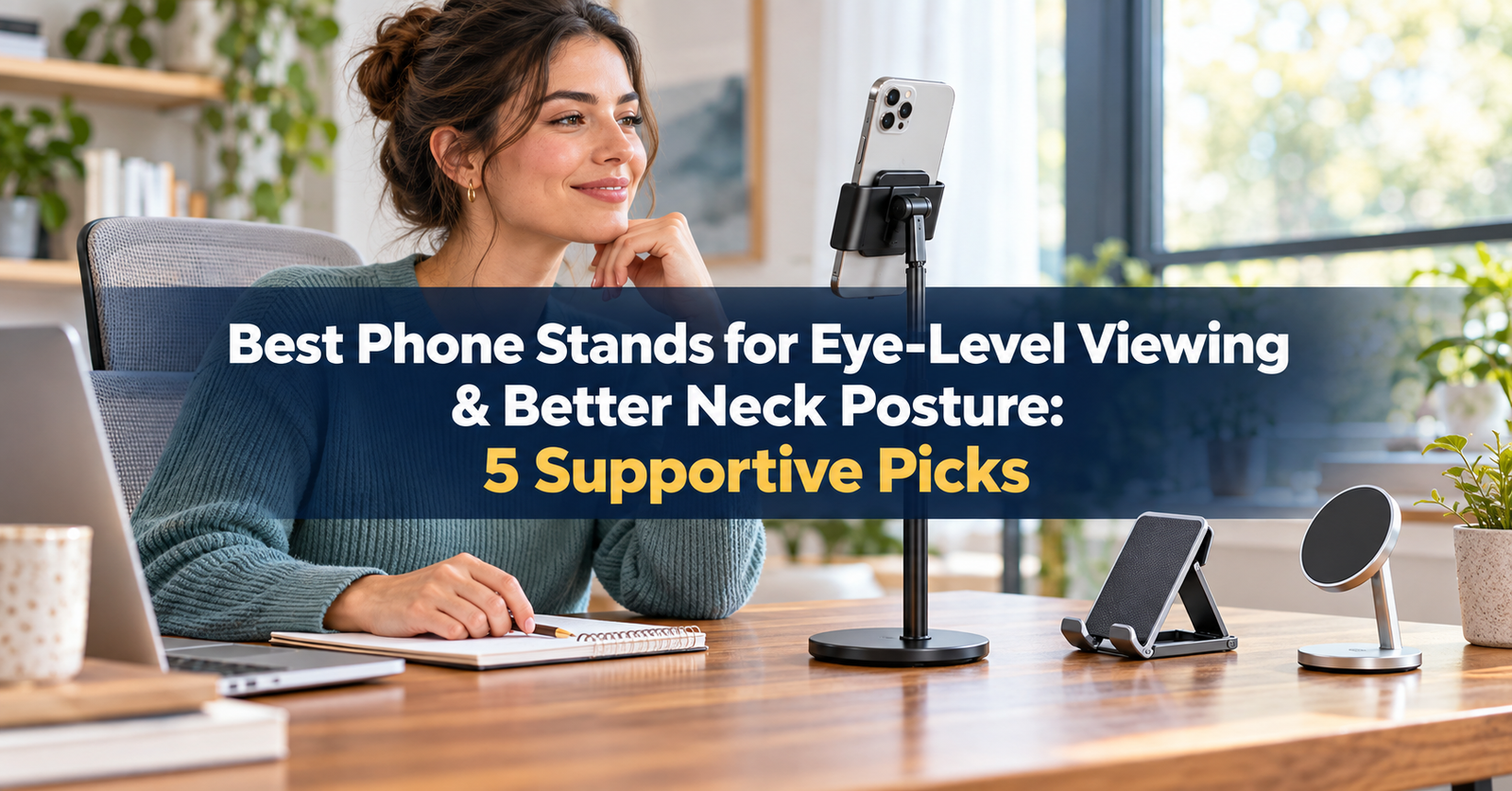
Looking down at a phone for long periods can leave your neck, shoulders, and upper back feeling tired. A good desktop phone stand cannot correct posture by itself, but it can raise the screen, reduce repeated downward viewing, and make video calls or hands-free reading more comfortable.
The most useful models provide both height and angle adjustment. Stability, case compatibility, charging access, and portability also matter. A tall stand that shakes whenever you tap the screen may be less practical than a slightly shorter model with a weighted base.
We compared current manufacturer specifications and selected five phone stands for different needs, from full-height desk setups to compact travel use. Product availability and compatibility can change, so confirm the current listing before buying.
Quick Comparison
Table of Contents
| Phone Stand | Best For | Height Adjustment | Attachment | Main Advantage |
|---|---|---|---|---|
| UGREEN 35152 Adjustable Stand | Best overall | 168–200 mm | Cradle | Strong eye-level potential and 360° base |
| Nulaxy T1 Phone Stand | Best universal desk stand | Yes | Cradle | Broad 4–8-inch phone compatibility |
| Lamicall Height-Adjustable Phone Holder | Best for travel | Up to 3.2-inch extension | Cradle | Foldable and portable |
| UGREEN MagSafe Desk Holder | Best magnetic stand | Yes | Magnetic | Fast mounting and flexible positioning |
| OMOTON C2 | Best budget angle-adjustable stand | No meaningful lift | Cradle | Stable aluminum construction and wide compatibility |
1. UGREEN 35152 Adjustable Phone Stand — Best Overall
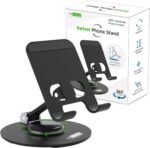
The UGREEN 35152 is the strongest overall option for buyers whose priority is raising a phone closer to eye level. According to UGREEN, its height adjusts from approximately 168 to 200 mm, while the phone platform offers 180-degree angle adjustment. A 360-degree rotating base makes it easy to turn the display toward another person or change orientation without moving the entire stand.
That combination is particularly useful for video meetings, following a workout, watching instructional content, or using a phone as a secondary desk display. The elevated design also leaves room beneath the device and keeps a charging cable accessible.
The tradeoff is portability. A taller stand with a swivel base takes more space than a pocket-sized folding model. It is best treated as a semi-permanent desk accessory rather than something you carry every day.
 Pros
Pros
- Raises the phone from approximately 168 to 200 mm
- 180-degree viewing-angle adjustment
- 360-degree rotating base
- Suitable for portrait or landscape use
- Designed to fold for storage or travel
Cons
- Bulkier than compact folding stands
- Tall positioning may introduce movement when tapping forcefully
- Compatibility should be checked for unusually thick cases
Best for: Office desks, video calls, kitchens, and anyone who wants meaningful screen elevation rather than angle adjustment alone.
2. Nulaxy T1 Phone Stand — Best Universal Desk Stand
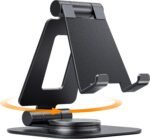
The Nulaxy T1 combines height and angle adjustment with a conventional cradle, so it works without magnets or a special case. Nulaxy lists compatibility with smartphones from 4 to 8 inches, covering most common devices.
This is a practical choice for shared desks or households with different phones. The cradle design also makes it easy to switch between portrait and landscape viewing. Unlike a magnetic stand, however, the lower support hooks remain visible around the bottom edge of the phone. Check that they do not interfere with screen gestures or a bulky case.
The T1 works best for viewing and light interaction. As with most elevated stands, repeated hard tapping can make the phone move. For long messages or document work, pair the phone with voice input or a small Bluetooth keyboard instead of leaning forward and typing directly on the raised screen.
 Pros
Pros
- Height and angle are adjustable
- Universal cradle does not require MagSafe
- Supports phones from 4 to 8 inches
- Useful for portrait and landscape viewing
- Good fit for shared or mixed-device households
Cons
- Not as compact as a basic folding stand
- Cradle hooks may not suit every extra-thick case
- Elevated phone can move during aggressive touchscreen use
Best for: Users who want one adjustable desk stand compatible with a broad range of phones and cases.
3. Lamicall Height-Adjustable Phone Holder — Best for Travel
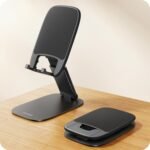
Lamicall’s height-adjustable phone holder is designed for portability. The manufacturer states that its height can extend by up to 3.2 inches, and the viewing platform tilts for a more comfortable angle. It also folds down, making it easier to place in a work bag or suitcase.
The lift is not as substantial as a tall desktop stand, but it can still reduce how far you need to bend your neck compared with placing a phone flat on a table. It is well suited to hotel desks, coffee shops, temporary workspaces, recipes, and casual video calls.
Because the stand is compact and lightweight, positioning matters. Place it close enough that you can read without leaning forward, and avoid extending it higher than necessary if the surface feels unstable.
 Pros
Pros
- Height extends by up to 3.2 inches
- Adjustable viewing angle
- Foldable design is convenient for travel
- Universal cradle works with many phones
- Charging port remains accessible
Cons
- Provides less elevation than taller desktop models
- Lightweight design may be less stable at maximum extension
- Better for viewing than frequent touchscreen typing
Best for: Commuters, students, and travelers who need a compact stand that still provides some screen elevation.
4. UGREEN MagSafe Desk Holder — Best Magnetic Stand
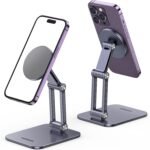
The UGREEN MagSafe Desk Holder is designed for users who want quick one-handed attachment. UGREEN describes a height-adjustable hinge, a 180-degree shaft, and a 360-degree swivel base. Its magnetic array holds compatible phones without lower cradle hooks, leaving the screen and charging port unobstructed.
Magnetic attachment is particularly convenient when a phone moves between your hand and the stand throughout the day. It also makes switching between portrait and landscape orientation simple. However, compatibility is the main limitation. Confirm that your phone or case supports MagSafe or includes the appropriate magnetic ring.
This model is most useful for video calls, StandBy-style displays, timers, and hands-free viewing. If you need wireless charging, read the listing carefully: a magnetic holder is not automatically a charger.
 Pros
Pros
- Height and angle adjustment
- 360-degree swivel base
- Fast magnetic attachment
- Easy portrait-to-landscape rotation
- Unobstructed screen and charging port
Cons
- Requires a compatible magnetic phone or case
- Magnetic holding strength may vary with case thickness
- Magnetic attachment does not necessarily include wireless charging
Best for: MagSafe and magnetic-case users who frequently place and remove their phone during the workday.
5. OMOTON C2 — Best Budget Angle-Adjustable Stand
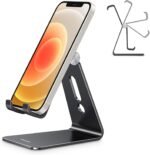
The OMOTON C2 is a simple aluminum stand with up to 270 degrees of angle adjustment. Silicone pads on the base and support hooks help prevent slipping and protect the phone. OMOTON states that the C2 supports devices from 3.5 to 10.5 inches, making it useful for phones and some smaller tablets.
This model is best for buyers who need a stable viewing angle at a low price. It does not provide the same vertical lift as the height-adjustable picks above, so it may need to sit on a stable riser or stack of books to bring the screen closer to eye level.
That distinction is important: tilting the screen makes it easier to see, but angle adjustment alone does not necessarily reduce how far you look down. If posture is the primary reason for buying a stand, choose a model with sufficient height or plan to elevate the entire base safely.
 Pros
Pros
- Up to 270-degree angle adjustment
- Aluminum alloy construction
- Silicone padding for grip and device protection
- Supports devices from 3.5 to 10.5 inches
- Works with many phone cases
Cons
- Minimal vertical height adjustment
- May require a separate desk riser for eye-level placement
- Larger tablets may be less stable during direct interaction
Best for: Budget-conscious buyers who mainly need a stable hands-free viewing angle.
How to Choose a Phone Stand for Better Neck Posture
Start With Height, Not Appearance
 Measure the distance between your desk and a comfortable viewing position. A stand that rises only a few inches may work on a high counter but remain too low on a standard desk. Your goal is to bring the screen toward your natural line of sight without lifting your chin or rounding your upper back.
Adjust Both Height and Tilt
Height raises the device; tilt aims the display toward your face. You usually need both. A tall stand with the wrong angle can create glare, while a low stand with excellent tilt still encourages downward viewing.
Prioritize a Stable Base
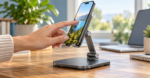 Look for a broad or weighted base, non-slip padding, and firm hinges. Stability matters more when the phone is elevated. If you plan to type or tap frequently, choose a heavier stand or use an external keyboard.
Check Case and Device Compatibility
Cradle depth matters when you use a rugged case. Magnetic stands require MagSafe, Qi2, a compatible case, or an adhesive ring. Also check whether the holder blocks the charging port, side buttons, camera, or bottom-screen gestures.
Decide Whether You Need Portability
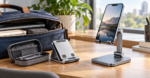 A compact folding stand is convenient for travel but normally provides less height and stability. A taller stand is better for a permanent workstation. Choose based on where you will use it most often.
Set Up Your Phone Stand Correctly
- Sit comfortably with your hips supported and feet resting on the floor or a footrest.
- Place the stand directly in front of you, not far to one side.
- Raise the phone until the center or upper portion of the screen sits near your relaxed line of sight.
- Bring the device close enough to read without leaning forward.
- Tilt the screen to reduce glare while keeping your head balanced over your shoulders.
- Increase text size instead of moving your face toward the display.
- Take regular movement breaks and change position throughout the day.
A stand should make your setup more comfortable, not force you into one rigid “perfect” posture. Persistent pain, numbness, weakness, headaches, or symptoms after an injury should be discussed with a qualified healthcare professional.
Frequently Asked Questions
Can a phone stand improve neck posture?
A stand can reduce repeated downward viewing by raising the screen, but it does not automatically change posture. The result depends on stand height, screen distance, chair setup, viewing time, and how often you move.
How high should a phone stand be?
The appropriate height depends on your body, chair, and desk. Aim to position the screen near your relaxed line of sight so you can view it without dropping your head or lifting your chin. A monitor riser can provide additional height if the stand alone is too short.
Are magnetic phone stands safe for phones?
Stands designed for MagSafe or Qi2-compatible devices are intended for magnetic attachment. However, use the correct case or adapter and follow the phone and accessory manufacturers’ guidance. People with implanted medical devices should also follow medical-device manufacturer recommendations regarding magnets.
Is a taller phone stand always better?
No. A stand can be too tall, too far away, or unstable at maximum extension. Choose a height that keeps the screen comfortably visible while your shoulders remain relaxed. Stability and distance matter as much as elevation.
Can I type while my phone is on an elevated stand?
Light tapping is usually fine on a stable model. Extended typing can make the stand shake and may cause you to reach forward. For longer work sessions, use voice input or a compact Bluetooth keyboard.
Final Verdict
The UGREEN 35152 Adjustable Phone Stand is our best overall pick because its 168–200 mm height range, adjustable tilt, and rotating base provide meaningful positioning flexibility. The Nulaxy T1 is the strongest universal cradle option, while the Lamicall Height-Adjustable Phone Holder is easier to travel with. Choose the UGREEN MagSafe Desk Holder for convenient magnetic attachment or the OMOTON C2 for a simple, stable budget stand.
The right stand is only one part of a comfortable setup. Place the phone high enough, keep it close, enlarge small text, support your body, and move regularly. Those details will usually matter more than the stand’s appearance or number of hinges.