Remote work has become a permanent reality for millions of professionals worldwide. While working from home offers flexibility and convenience, it has also created a new health challenge: poor posture.
Many people spend eight or more hours per day working from kitchen tables, couches, dining chairs, or makeshift workstations that were never designed for prolonged computer use. Over time, these setups can contribute to neck pain, back pain, shoulder tension, headaches, wrist discomfort, and reduced productivity.
The good news is that creating an ergonomic home office doesn’t require a complete renovation. Small adjustments and the right ergonomic products can dramatically improve comfort, posture, and overall well-being.
In this comprehensive guide, you’ll discover the Complete Work From Home Posture Setup Checklist, including expert recommendations and the best ergonomic products available on Amazon to help you create a healthier, more productive workspace.
Why Your Work From Home Setup Matters
Table of Contents
When your workstation isn’t properly configured, your body compensates in unhealthy ways.
Common problems include:
- Forward head posture
- Rounded shoulders
- Lower back strain
- Wrist discomfort
- Hip tightness
- Eye strain
Over months and years, these issues can develop into chronic pain conditions that affect both work performance and quality of life.
A proper ergonomic setup helps:
✅ Reduce neck and back pain
✅ Improve focus and productivity
✅ Increase comfort during long workdays
✅ Support spinal health
✅ Reduce fatigue
✅ Prevent repetitive strain injuries
The Hidden Cost of Poor Posture
Many remote workers don’t realize how much posture affects their daily performance.
Poor posture can lead to:
Neck Pain
Often caused by looking down at screens.
Lower Back Pain
Frequently linked to inadequate chair support.
Shoulder Tension
Results from reaching forward toward a keyboard or mouse.
Wrist Strain
Improper keyboard positioning increases stress on joints.
Fatigue
Poor posture requires extra muscular effort throughout the day.
Reduced Productivity
Discomfort makes it harder to concentrate and maintain energy.
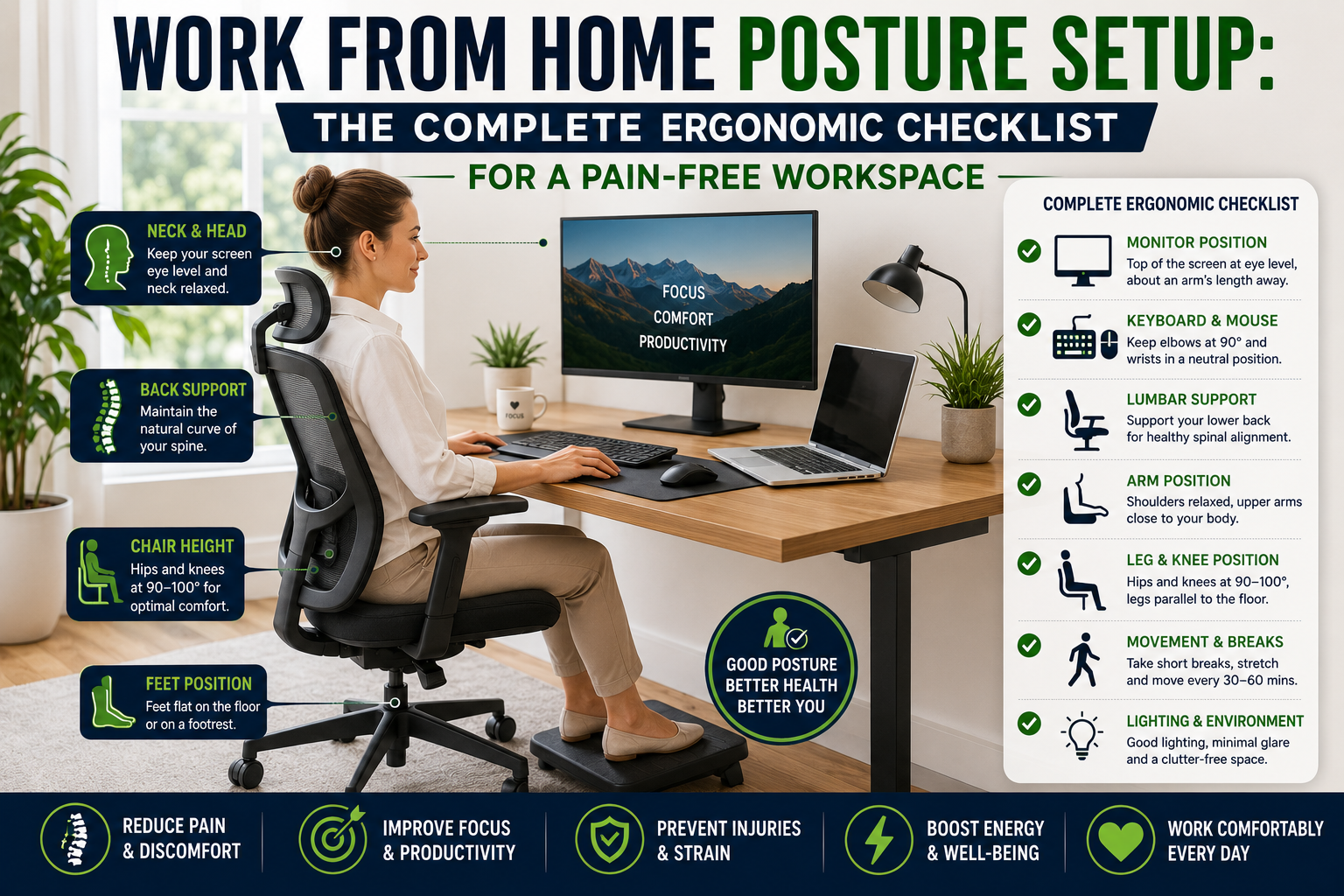
The Complete Ergonomic Work From Home Checklist
Let’s break down every component of an ideal workstation.
1. Choose the Right Ergonomic Chair
 Why It Matters
Your chair is the foundation of your entire posture setup.
A poor chair forces your body into unhealthy positions for hours at a time.
What to Look For
- Adjustable seat height
- Lumbar support
- Adjustable armrests
- Recline function
- Breathable material
Recommended Product
Secretlab TITAN Evo
Benefits
✔ Adjustable lumbar support
✔ Excellent back support
✔ Premium build quality
✔ Suitable for long work sessions
Amazon Affiliate Recommendation
2. Position Your Monitor Correctly
Why It Matters
 Monitor placement is one of the biggest causes of Tech Neck.
If your screen sits too low, you’ll naturally lean forward.
Correct Monitor Position
- Top of screen at eye level
- About an arm’s length away
- Centered directly in front of you
Recommended Product
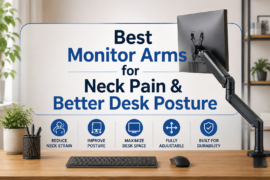
HUANUO Single Monitor Arm
Benefits
✔ Adjustable height
✔ Saves desk space
✔ Reduces neck strain
✔ Easy positioning
Amazon Affiliate Recommendation
3. Support Your Lower Back
Why It Matters
 The natural curve of your lower spine needs support.
Without it, slouching becomes almost inevitable.
Recommended Product
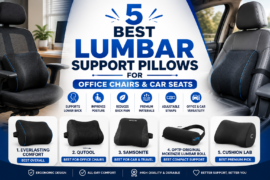
Everlasting Comfort Lumbar Support Pillow
Benefits
✔ Memory foam support
✔ Improved spinal alignment
✔ Fits most office chairs
✔ Affordable upgrade
Amazon Affiliate Recommendation
4. Optimize Keyboard Placement
Why It Matters
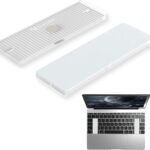 Improper keyboard placement can strain your:
- Wrists
- Forearms
- Shoulders
Ideal Position
- Elbows bent at roughly 90 degrees
- Wrists neutral
- Keyboard close to the body
Recommended Product
Logitech MX Keys S
Benefits
✔ Comfortable low-profile design
✔ Excellent typing experience
✔ Wireless connectivity
✔ Ergonomic layout
Amazon Affiliate Recommendation
5. Upgrade Your Mouse
Why It Matters
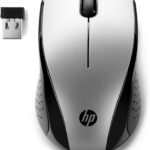 Traditional mice often encourage wrist twisting.
Vertical ergonomic mice promote a more natural hand position.
Recommended Product
Logitech MX Vertical
Benefits
✔ Reduced wrist strain
✔ Comfortable grip
✔ Precision tracking
✔ Ergonomic design
Amazon Affiliate Recommendation
6. Add a Footrest
Why It Matters
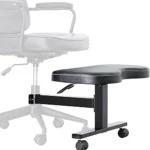 Your feet should rest comfortably on the floor.
If they don’t, your posture suffers.
Benefits of a Footrest
- Better spinal alignment
- Reduced pressure on legs
- Improved circulation
Recommended Product
StrongTek Ergonomic Foot Rest
Benefits
✔ Adjustable angle
✔ Durable construction
✔ Improved comfort
✔ Supports proper posture
Amazon Affiliate Recommendation
7. Improve Laptop Ergonomics
Why It Matters
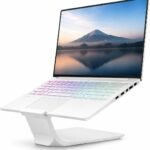 Working directly on a laptop often creates the worst posture problems.
The screen is too low and the keyboard is too high.
Solution
Use a laptop stand combined with an external keyboard and mouse.
Recommended Product
Nulaxy Adjustable Laptop Stand
Benefits
✔ Raises screen to eye level
✔ Portable design
✔ Improved airflow
✔ Better posture
Amazon Affiliate Recommendation
8. Reduce Eye Strain
Why It Matters
 Eye strain contributes to:
- Headaches
- Fatigue
- Reduced productivity
Follow the 20-20-20 Rule
Every 20 minutes:
- Look 20 feet away
- For 20 seconds
Recommended Product
BenQ ScreenBar Monitor Light
Benefits
✔ Reduces glare
✔ Improves visibility
✔ Saves desk space
✔ Adjustable brightness
Amazon Affiliate Recommendation
9. Use a Posture Trainer
Why It Matters
 Most posture problems are habit-based.
Even the best workstation won’t help if you consistently slouch.
Recommended Product
Upright GO 2 Smart Posture Trainer
Benefits
✔ Real-time feedback
✔ Mobile app tracking
✔ Builds healthy habits
✔ Lightweight design
Amazon Affiliate Recommendation
10. Create a Standing Work Option
Why It Matters
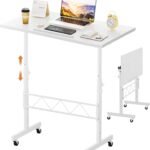 Even perfect sitting posture isn’t ideal for eight consecutive hours.
Alternating between sitting and standing improves:
- Circulation
- Energy levels
- Focus
Recommended Product
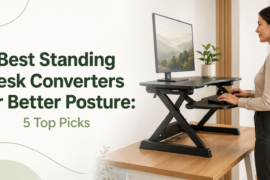
FLEXISPOT Electric Standing Desk
Benefits
✔ Adjustable height
✔ Easy transitions
✔ Improved ergonomics
✔ Increased movement
Amazon Affiliate Recommendation
Ideal Work From Home Posture Checklist
Use this quick checklist daily:
Head & Neck
✅ Chin parallel to floor
✅ Ears aligned over shoulders
✅ Monitor at eye level
Shoulders
✅ Relaxed and neutral
✅ Not rounded forward
Arms
✅ Elbows at 90 degrees
✅ Wrists straight
Back
✅ Lumbar support engaged
✅ Natural spinal curve maintained
Legs
✅ Knees at approximately 90 degrees
✅ Feet flat on floor or footrest
Common Work From Home Posture Mistakes
Avoid these common errors:
Working from the Couch
Encourages slouching and neck strain.
Using a Laptop All Day
Forces poor head and neck positioning.
Sitting Too Long
Movement is essential for healthy posture.
Monitor Too Low
One of the biggest causes of Tech Neck.
Unsupported Lower Back
Leads to chronic back pain.
How Often Should You Take Breaks?
Experts recommend:
Every 30 Minutes
Stand up briefly.
Every Hour
Walk around for 2–5 minutes.
Every 2–3 Hours
Perform stretches for:
- Neck
- Shoulders
- Back
- Hips
These small breaks significantly reduce fatigue and discomfort.
Frequently Asked Questions
What is the most important ergonomic product for remote workers?
An ergonomic chair is typically the most impactful investment because it supports your body for the entire workday.
Can posture really affect productivity?
Yes. Poor posture contributes to discomfort, fatigue, and reduced concentration.
Is a standing desk worth it?
For many people, yes. Alternating between sitting and standing can improve energy levels and reduce stiffness.
How high should my monitor be?
The top of the screen should sit at or slightly below eye level.
Are posture correctors effective?
They can be useful when combined with ergonomic improvements and posture awareness training.
Final Verdict: Build a Workspace That Supports Your Health
Working from home shouldn’t mean sacrificing your physical health.
A well-designed ergonomic setup can dramatically reduce pain, improve posture, increase productivity, and make your workday far more comfortable.
If you’re starting from scratch, prioritize these upgrades:
🥇 Secretlab TITAN Evo Chair
🥈 HUANUO Monitor Arm
🥉 Everlasting Comfort Lumbar Support Pillow
🏆 Upright GO 2 Posture Trainer
💻 FLEXISPOT Standing Desk
Together, these products create a workstation that supports healthy posture and long-term well-being.
Remember: the best posture setup isn’t just about comfort—it’s an investment in your health, productivity, and quality of life. Small ergonomic improvements today can prevent years of discomfort tomorrow.