Sitting at a desk for several hours can make maintaining a comfortable, neutral posture difficult. Even a supportive office chair cannot completely correct a workspace that positions your monitor too low, your keyboard too high, or your body in the same position throughout the day.
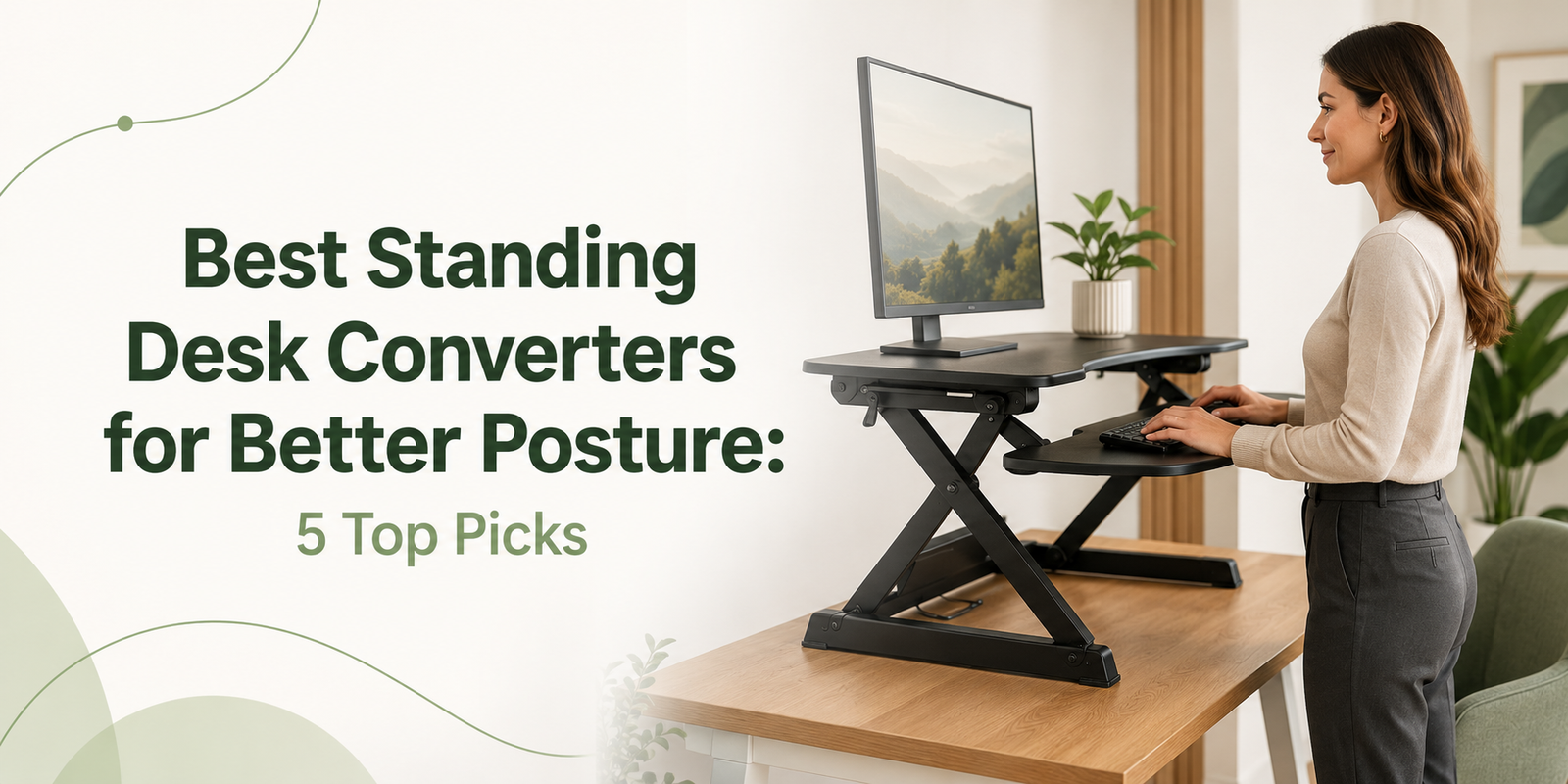
A standing desk converter offers a practical solution without requiring you to replace your existing desk. It sits on top of your current workstation and raises your monitor, keyboard, and mouse, allowing you to alternate between sitting and standing.
The best standing desk converters for better posture make this transition quick, stable, and comfortable. However, standing desk converters vary considerably in size, lifting mechanism, adjustment range, and weight capacity.
Some models are ideal for laptops, while others can support dual monitors and heavier office equipment. This guide compares five of the best options to help you choose the right standing desk converter for your workspace.
Quick Comparison of the Best Standing Desk Converters
Table of Contents
| Standing desk converter | Best for | Lift mechanism | Height adjustment | Weight capacity |
|---|---|---|---|---|
| VariDesk Pro Plus 36 | Best overall | Spring-assisted manual lift | 4.5–17.5 inches | 35 pounds |
| VIVO K Series | Best value | Pneumatic manual lift | 4.5–20 inches | 33-pound desktop |
| UPLIFT E7 Electric | Best premium electric model | Electric motor | Raises up to 21 inches | 110 pounds |
| Mount-It! MI-7927E | Best electric model with USB | Electric motor | Approximately 5.7–17.7 inches | 33 pounds |
| Ergotron WorkFit-T | Best office-grade option | Manual lift | Varies by model | Varies by model |
Product specifications, prices, and availability can change. Verify all details on the current Amazon product page before purchasing.
1. VariDesk Pro Plus 36 — Best Overall
The VariDesk Pro Plus 36 is our best overall standing desk converter because it combines a spacious work surface, straightforward operation, and convenient setup.
Its two-tier design separates your monitor surface from the keyboard and mouse platform. This separation can help you position your screen and input devices at more appropriate heights.
According to Vari’s product specifications, the VariDesk Pro Plus 36 offers 11 height settings ranging from approximately 4.5 to 17.5 inches. Its spring-assisted lifting mechanism makes moving between sitting and standing positions relatively simple.
The converter supports up to 35 pounds and offers enough space for many dual-monitor configurations. It also arrives fully assembled, so you can place it on a compatible desk, add your equipment, and begin using it.
The predefined settings make returning to your preferred height easy. However, people who want completely stepless adjustment may prefer a pneumatic or electric converter.
 Pros
Pros
- Arrives fully assembled
- Spacious 36-inch upper work surface
- Suitable for many dual-monitor configurations
- Separate keyboard and mouse deck
- Eleven height settings
- Spring-assisted lifting mechanism
- Solid 35-pound weight capacity
Cons
- Requires considerable desk space
- Fixed height settings provide less precision than stepless adjustment
- Manual lifting may not be comfortable for every user
- Can be more expensive than entry-level converters
Best for: Remote workers and office professionals who want a dependable, spacious converter for one or two monitors.
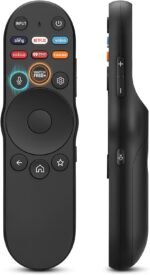
2. VIVO K Series — Best Value
The VIVO K Series Standing Desk Converter is an excellent value option for shoppers who want useful ergonomic features without paying for a premium electric model.
One of its biggest advantages is its range of available sizes. Depending on the current product selection, shoppers can choose from compact 26-inch versions to wide 48-inch models.
VIVO lists a pneumatic spring-assisted lift and an adjustment range of approximately 4.5 to 20 inches. The upper platform supports up to 33 pounds, while the removable keyboard tray has a separate four-pound capacity.
Its two-tier layout allows your monitor and keyboard to move together while remaining on separate levels. This arrangement can help you maintain a more natural relationship between your viewing and typing heights.
A smaller version may suit a laptop workstation or apartment desk, while a 36-inch or wider model may be better for dual monitors. The keyboard tray can be removed, although keeping it attached generally provides better separation between the monitor and typing surfaces.
 Pros
Pros
- Strong value for the price
- Multiple sizes and finishes available
- Wide height-adjustment range
- Smooth pneumatic lifting mechanism
- Removable keyboard tray
- Suitable for laptops and monitor combinations
- Stepless height adjustment
Cons
- Some assembly may be required
- Larger versions occupy considerable desk space
- The keyboard tray has a relatively low weight limit
- Specifications can vary between sizes
Best for: Budget-conscious buyers who want multiple size choices and smooth manual adjustment.
3. UPLIFT E7 Electric — Best Premium Electric Converter
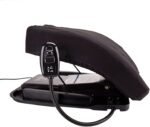
The UPLIFT E7 Electric Desk Converter is designed for professionals who want powered adjustment and substantially more lifting capacity than most conventional desk risers.
Instead of manually raising a platform loaded with monitors and accessories, users can adjust the workstation using an electric control. This can be particularly valuable for users with heavy equipment or those who find manual adjustment uncomfortable.
UPLIFT’s specifications list a maximum lifting capacity of 110 pounds and a maximum height of approximately 21 inches above desk level. The converter also features anti-collision sensitivity and an integrated monitor-mounting structure.
Its high capacity makes the E7 suitable for substantial workstations containing monitors, docking equipment, and other accessories. The electric operation also makes frequent position changes more convenient.
However, the converter itself weighs approximately 92 pounds. Your existing desk must therefore be strong and stable enough to support the converter and all the equipment placed on it.
The UPLIFT E7 may be excessive for someone who works only from a lightweight laptop. For a permanent, equipment-heavy workstation, its powered movement and capacity make it a compelling premium choice.
 Pros
Pros
- Push-button electric adjustment
- Exceptional 110-pound lifting capacity
- Raises up to approximately 21 inches
- Suitable for equipment-heavy workstations
- Anti-collision sensitivity
- Integrated monitor-height adjustment
- Long manufacturer warranty
Cons
- Considerably more expensive than basic manual converters
- Heavy unit requiring a strong desk
- Takes up significant workstation space
- May be unnecessary for a simple laptop setup
Best for: Professionals, analysts, designers, and creators with heavy monitors who want a premium electric workstation.
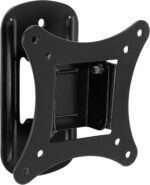
4. Mount-It! MI-7927E — Best Electric Converter With USB
The Mount-It! MI-7927E combines powered adjustment with convenient features for charging and organizing mobile devices.
Its electric motor allows users to move between sitting and standing positions by pressing a button. This eliminates the need to manually lift a workstation containing monitors, a laptop, and other accessories.
Mount-It! lists a 35.4-by-23.22-inch upper platform and a spacious 35.4-by-11-inch keyboard tray. The converter supports up to 33 pounds and offers a continuous adjustment range of approximately 5.7 to 17.7 inches.
The wide keyboard platform provides enough room for many full-size keyboards and mice. The upper surface can accommodate common monitor-and-laptop combinations as long as the total equipment weight remains within the rated capacity.
A built-in USB charging port helps keep a phone or other device powered, while the integrated phone and tablet slot provides a convenient place for a secondary screen.
One manufacturer description references a maximum height of 17.7 inches, while another summary mentions 17.1 inches. Buyers should confirm the exact specification on the current Amazon listing before purchasing.
 Pros
Pros
- Convenient push-button electric operation
- Wide keyboard and mouse platform
- Built-in USB charging port
- Integrated phone or tablet slot
- Suitable for monitor-and-laptop combinations
- No manual lifting required
Cons
- Requires access to an electrical outlet
- Lower capacity than the UPLIFT E7
- More expensive than many manual converters
- Current height range should be verified
Best for: Home-office users who want convenient electric adjustment, device charging, and a spacious keyboard tray.
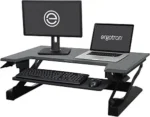
5. Ergotron WorkFit-T — Best for Office-Grade Simplicity
The Ergotron WorkFit-T is designed to convert an existing desk into a sit-stand workstation with minimal disruption.
Unlike converters that extend significantly toward the user while being raised, the WorkFit-T uses primarily vertical movement. This can help preserve space in front of the workstation and make the converter easier to use in busy offices.
Its separate keyboard surface helps maintain a distinction between viewing and typing heights. The professional appearance also makes it suitable for traditional offices, shared workspaces, and reception environments.
The WorkFit-T is a strong option for buyers who prioritize a clean design, straightforward operation, and space-conscious vertical movement. However, it can cost more than many entry-level converters.
Different WorkFit configurations and regional model numbers may have different dimensions, adjustment ranges, and capacities. Carefully compare the exact Amazon listing with Ergotron’s documentation before placing an order.
 Pros
Pros
- Professional, office-friendly appearance
- Space-conscious vertical movement
- Separate keyboard surface
- Straightforward manual operation
- Converts an existing desk without permanent alterations
- Suitable for corporate and home offices
Cons
- Premium pricing compared with budget converters
- Specifications vary between WorkFit models
- Manual lifting may not suit every user
- Exact model details require careful verification
Best for: Corporate offices and professionals who prioritize clean vertical adjustment and an office-grade design.
How to Choose the Best Standing Desk Converter
Measure Your Existing Desk
Measure the usable width and depth of your desk rather than relying only on its total dimensions. Leave sufficient room for cables, lamps, speakers, and accessories.
You should also confirm that the desk can support the converter’s weight plus all the equipment you intend to place on it.
Check the Minimum and Maximum Heights
A converter must be comfortable in both seated and standing positions.
When seated, the platform should not force your keyboard or monitor too high. When standing, your keyboard should be positioned so your shoulders can remain relaxed and your elbows stay close to a comfortable right angle.
Taller users should pay particular attention to the maximum keyboard height.
Calculate Your Equipment Weight
Include the weight of your monitors, stands, laptop, docking station, speakers, keyboard, and other accessories.
Avoid selecting a product that barely supports your current setup. Leaving some capacity available gives you greater flexibility and may make adjustments feel more controlled.
Choose Between Manual and Electric Adjustment
Manual converters are generally more affordable, simple, and independent of electrical outlets. Pneumatic assistance can make them easier to raise and lower.
Electric converters are useful for heavy equipment and users who do not want to lift a loaded platform manually. They can also encourage more frequent position changes because adjustment requires less effort.
Examine the Keyboard Tray
A narrow or shallow keyboard tray can undermine an otherwise good converter. Make sure the tray can accommodate your keyboard and mouse without forcing your arms or wrists into uncomfortable positions.
The tray should also remain stable while you type.
Can a Standing Desk Converter Improve Posture?
A standing desk converter does not automatically correct poor posture. Its main advantage is adjustability.
It allows you to position your monitor, keyboard, and mouse more appropriately while changing positions throughout the day. For a comfortable setup:
- Keep the top of your monitor near eye level
- Position the monitor approximately an arm’s length away
- Keep your elbows close to your body
- Relax your shoulders while typing
- Keep your wrists in a neutral position
- Avoid locking your knees while standing
- Alternate between sitting and standing
Standing continuously is not necessarily better than sitting continuously. Begin with short standing sessions and change positions when you experience fatigue.
A supportive standing mat and comfortable footwear may also help. If you experience persistent pain, weakness, or numbness, consult a qualified healthcare professional rather than treating a desk converter as medical care.
Frequently Asked Questions
Are standing desk converters worth buying?
A standing desk converter can be worthwhile if you want to alternate positions without replacing your current desk. Its value depends on choosing the correct size, height range, and weight capacity.
Can a standing desk converter hold two monitors?
Many converters can hold two monitors, but you must check the platform width and maximum weight capacity. Remember to include the monitor stands when calculating the total weight.
Is an electric converter better than a manual model?
Electric models are easier to adjust when heavily loaded. Manual converters are usually more affordable and do not require power. The best option depends on your equipment, budget, and physical comfort.
How often should you alternate between sitting and standing?
There is no single schedule that works for everyone. Start with manageable standing intervals and change positions regularly according to your comfort and the type of work you are performing.
Final Verdict
The VariDesk Pro Plus 36 is our best overall choice because it offers a spacious two-tier design, simple operation, and fully assembled setup.
The VIVO K Series is the best value option, especially for shoppers who need a specific width. The UPLIFT E7 Electric is an excellent premium choice for heavy equipment, while the Mount-It! MI-7927E combines electric adjustment with convenient USB charging.
The Ergotron WorkFit-T is a strong option for professional offices that favor clean vertical adjustment.
Before purchasing, measure your desk, calculate the weight of your equipment, and compare your seated and standing height requirements with the exact product specifications.
The right standing desk converter will not force you to stand all day. Instead, it will make changing positions easier, more comfortable, and more natural.
Final Amazon CTA: [View Today’s Best Standing Desk Converter Deals on Amazon — insert affiliate collection link]
- Teeter FitSpine X3 review
- Innova ITX9600 review
- Teeter ComforTrak EP-560 review
- Product comparison table
- Pros, cons and recommendations
- Inversion-table buying guide
- Important medical and safety guidance
- Affiliate disclosure
- Amazon CTA placeholders
- Verified manufacturer and resea
Replace each Amazon CTA placeholder with your Amazon Associates link before publishing.
From Back Discomfort to Better Movement: Can an Inversion Table Help?
Back discomfort can affect almost every part of your day. Sitting through a meeting, getting out of bed, driving, exercising, or simply bending down may feel more difficult when your lower back is stiff or sensitive.
It is understandable that people looking for easier movement often explore home stretching equipment, including inversion tables.
An inversion table supports your body while gradually tilting you backward and placing your head below your feet. This position is intended to create a stretching or traction sensation through the spine.
Some users report experiencing temporary relief from pressure or stiffness after using inversion therapy. However, individual results vary, and the available scientific evidence remains limited. An inversion table should therefore be viewed as an optional wellness and stretching tool—not a guaranteed treatment or cure.
This guide explains how to evaluate an inversion table for back discomfort, how to use one conservatively after receiving professional approval, and which popular models may suit different users and budgets.
What Is Inversion Therapy?
Inversion therapy involves positioning the body at a downward angle so that the head is lower than the feet. An inversion table makes this process more controlled by supporting your back and securing your ankles.
After entering the table, the user gradually rotates backward. Most beginners do not need to hang completely upside down. Even a modest angle can create a noticeable stretching sensation while being easier to control.
The theory behind inversion therapy is that changing the direction of gravitational pressure may temporarily reduce compression and create traction through the spine.
A 2021 study involving people with lumbar disc disease reported improvements in several symptom and disability measurements among participants who received inversion therapy. However, it was not a large, definitive study, and its results cannot be applied to every type of back discomfort.
The most realistic expectation is that inversion therapy may provide a temporary stretching or relaxation experience for some appropriately screened users.
An inversion table does not repair every structural problem, permanently correct posture, or replace medical evaluation, exercise, physical therapy, sleep, and regular daily movement.
Moving From Back Discomfort to Better Movement
“Better movement” does not necessarily mean experiencing an overnight transformation.
It may mean feeling less stiff after working at a desk, standing more comfortably after sitting, taking an easier walk, or having another way to stretch and relax after a demanding day.
A healthy routine should support normal activity rather than make you dependent on one device.
If your healthcare professional approves inversion therapy, begin gradually. Adjust the table correctly for your height and confirm that every locking mechanism is secure.
Use a shallow angle for your first session and have another responsible adult nearby. Remain inverted only briefly and return to the upright position slowly.
Stop immediately if you experience:
- Increased pain
- Dizziness or nausea
- Pressure in your head or eyes
- Shortness of breath
- Numbness or tingling
- Changes in vision
- Chest discomfort
- Any unusual symptoms
The goal is not to tolerate the steepest possible angle. The goal is to determine whether a controlled and comfortable stretch can safely complement your broader movement routine.
Best Inversion Tables for Back Discomfort
1. Teeter FitSpine X3 — Best Premium Inversion Table
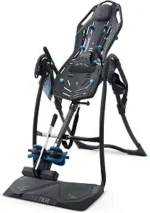
The Teeter FitSpine X3 is a premium inversion table for users who prioritize adjustability, ankle security, stretching accessories, and recognized product certifications.
Teeter identifies the FitSpine X3 as an FDA-registered Class I medical device and a UL safety-certified product. These classifications do not guarantee that the table will work for your particular condition, but they provide useful information about the product’s registration and safety testing.
The X3 accommodates users between 4 feet 8 inches and 6 feet 6 inches and has a maximum weight capacity of 300 pounds.
Its EZ-Angle tether provides marked positions at 20, 40, and 60 degrees. These markings can help beginners select a conservative angle and return to the same setting during future sessions.
The extended ankle-locking handle reduces the amount of bending required to secure and release the ankle supports. This may be particularly helpful for people who find forward bending uncomfortable.
The flexible backrest, traction handles, grip-and-stretch handholds, lumbar bridge, acupressure nodes, and head pillow offer several ways to customize the stretching experience.
The table can be folded for upright storage, although it remains a large and relatively heavy piece of equipment.
 Pros
Pros
- Marked 20-, 40-, and 60-degree settings
- Extended ankle-locking handle
- Ergonomic padded ankle supports
- 300-pound weight capacity
- Suitable for users from 4 feet 8 inches to 6 feet 6 inches
- Lumbar bridge and acupressure nodes included
- Five-year manufacturer warranty
- Folds for storage
Cons
- Higher price than entry-level inversion tables
- Large and relatively heavy
- Requires assembly and adequate floor space
- Additional accessories may be unnecessary for occasional users
Best for: Buyers seeking a premium, highly adjustable inversion table with an easier-to-reach ankle-locking system.
2. Innova ITX9600 — Best Value Inversion Table
The Innova ITX9600 combines useful adjustment features, comfortable padding, and a relatively accessible price.
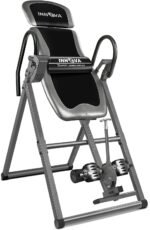
One of its standout features is its six-position angle pin. Instead of depending exclusively on an adjustable strap, users can select a fixed inversion limit. This can help provide a more repeatable angle between sessions.
Innova lists a maximum capacity of 300 pounds and a height range from 4 feet 10 inches to 6 feet 6 inches.
Its True Balance system allows adjustments at three points: the headrest, height tube, and foot area. These adjustments help users position their center of gravity for smoother rotation.
The reversible ankle holders provide two possible configurations. Users can position the U-shaped holders or foam rollers at the front, depending on which arrangement feels more comfortable.
A large padded backrest and foam-covered handlebars provide basic comfort and control. The handlebars can help users return to an upright position slowly.
The six-position angle system may be attractive to beginners who prefer a physical limit on the table’s rotation. However, every locking mechanism must be carefully inspected before each session.
The ITX9600 does not include the same premium accessories or extended warranty offered by the Teeter FitSpine X3. Nevertheless, it provides a strong selection of essential features for the price.
 Pros
Pros
- Six-position angle-selection system
- 300-pound maximum capacity
- Supports users between 4 feet 10 inches and 6 feet 6 inches
- Reversible ankle holders
- Adjustable headrest
- Large padded backrest
- Strong value for budget-conscious buyers
Cons
- One-year limited manufacturer warranty
- Assembly is required
- Less sophisticated ankle-locking design
- Large footprint while in use
Best for: First-time buyers seeking an adjustable inversion table without paying for premium features.
3. Teeter ComforTrak EP-560 — Best Streamlined Teeter Model
The Teeter ComforTrak EP-560 offers many of Teeter’s core features at a lower price than the FitSpine X3.
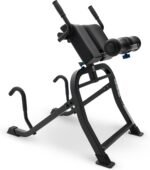
It uses a flexible backrest, ergonomic ankle supports, an adjustable angle tether, and a precision-balancing system.
Like the X3, the EP-560 accommodates users between 4 feet 8 inches and 6 feet 6 inches. It has a maximum user-weight capacity of 300 pounds.
The table includes a lumbar bridge, acupressure nodes, and a head pillow. Users can adjust these accessories to explore different areas of support and pressure.
Teeter lists the EP-560 as UL safety-certified and an FDA-registered Class I medical device. It also includes a five-year manufacturer warranty.
The main compromise is convenience. Its T-pin ankle closure requires more bending than the extended ankle-locking handle on the FitSpine X3.
The standard angle tether is also less detailed than the marked tether included with the X3. However, buyers who do not require the premium handles and adjustment features may find the EP-560 sufficient.
 Pros
Pros
- 300-pound weight capacity
- Flexible backrest
- Ergonomic ankle supports
- Lumbar bridge and acupressure nodes included
- Suitable for users between 4 feet 8 inches and 6 feet 6 inches
- Folds for upright storage
- Five-year manufacturer warranty
- Costs less than the FitSpine X3
Cons
- T-pin ankle closure requires additional bending
- Fewer premium adjustment features
- Significant floor space required during use
- More expensive than many entry-level tables
Best for: Buyers who want Teeter’s principal support features without paying for the premium FitSpine X3.
How to Choose an Inversion Table
Check the Height and Weight Limits
Choose a model designed for your height and weight. Ideally, your weight should remain comfortably below the table’s maximum capacity.
Correct height adjustment is essential because an inversion table’s rotation and balance depend on your center of gravity.
Prioritize Ankle Security
Your ankles secure your body to the table, making the locking mechanism one of its most important components.
Look for comfortable padding, a clearly engaging lock, and an adjustment handle that you can reach without excessive bending. Wear appropriate athletic shoes if recommended by the manufacturer.
Compare the Angle Controls
An adjustable tether provides flexible angle control, while a pin system creates repeatable fixed limits.
Beginners may prefer clearly marked shallow settings. Regardless of the system, do not move directly to full inversion.
Measure Your Available Space
Inversion tables require considerably more space during use than their product photographs may suggest.
Measure the floor space and ceiling clearance needed for the table to rotate. A folding model may become narrower for storage, but it can still be heavy and difficult to move.
Read the Complete Owner’s Manual
Product listings summarize features, but the manual contains essential assembly, inspection, contraindication, locking, and operating instructions.
Do not use an inversion table if it rocks, contains damaged hardware, or fails to lock correctly.
Who Should Avoid Inversion Therapy?
Inversion changes pressure and circulation in ways that may be unsafe for certain people.
Consult a healthcare professional before using an inversion table. Extra caution is particularly important for people with:
- High or poorly controlled blood pressure
- Heart or circulatory conditions
- Glaucoma or other eye-pressure conditions
- Osteoporosis
- Hernias
- Balance disorders
- Joint instability
- Spinal injuries
- Recent surgery
- Pregnancy
This is not a complete list of contraindications.
Never use an inversion table immediately after eating or while affected by alcohol, sedatives, or substances that impair balance or judgment.
Do not exceed the table’s weight capacity, ignore damaged components, or begin using the equipment alone if you are unfamiliar with its operation.
Does an Inversion Table Permanently Fix Back Pain?
No inversion table should be promoted as a permanent solution for back pain.
Some appropriately screened users may experience temporary stretching, relaxation, or symptom relief. However, an inversion table cannot be assumed to correct the underlying cause of discomfort.
Persistent, severe, or worsening pain should be evaluated by a qualified healthcare professional. Seek urgent medical attention if back pain is accompanied by new weakness, loss of bladder or bowel control, major trauma, fever, or numbness around the groin or saddle area.
Final Verdict
Moving from back discomfort toward easier movement usually requires more than one product.
Professional care, appropriate exercise, strength, mobility, sleep, workplace ergonomics, and regular activity can all play important roles.
For people who receive medical approval to try inversion therapy, a well-built inversion table may provide an additional way to stretch and relax.
The Teeter FitSpine X3 is our premium recommendation because of its marked angle tether, extended ankle lock, accessories, and five-year warranty.
The Innova ITX9600 offers excellent value through its six-position angle pin, adjustable balance system, and 300-pound capacity.
The Teeter EP-560 provides a more streamlined and affordable route to Teeter’s primary inversion-table design.
Choose your inversion table according to fit, security, ease of entry, available space, and professional guidance—not promises of a cure.
Begin gently, listen to your body, and remember that better movement is usually a gradual process.
Final Amazon CTA: [Compare Today’s Inversion Table Prices on Amazon — insert affiliate collection link]