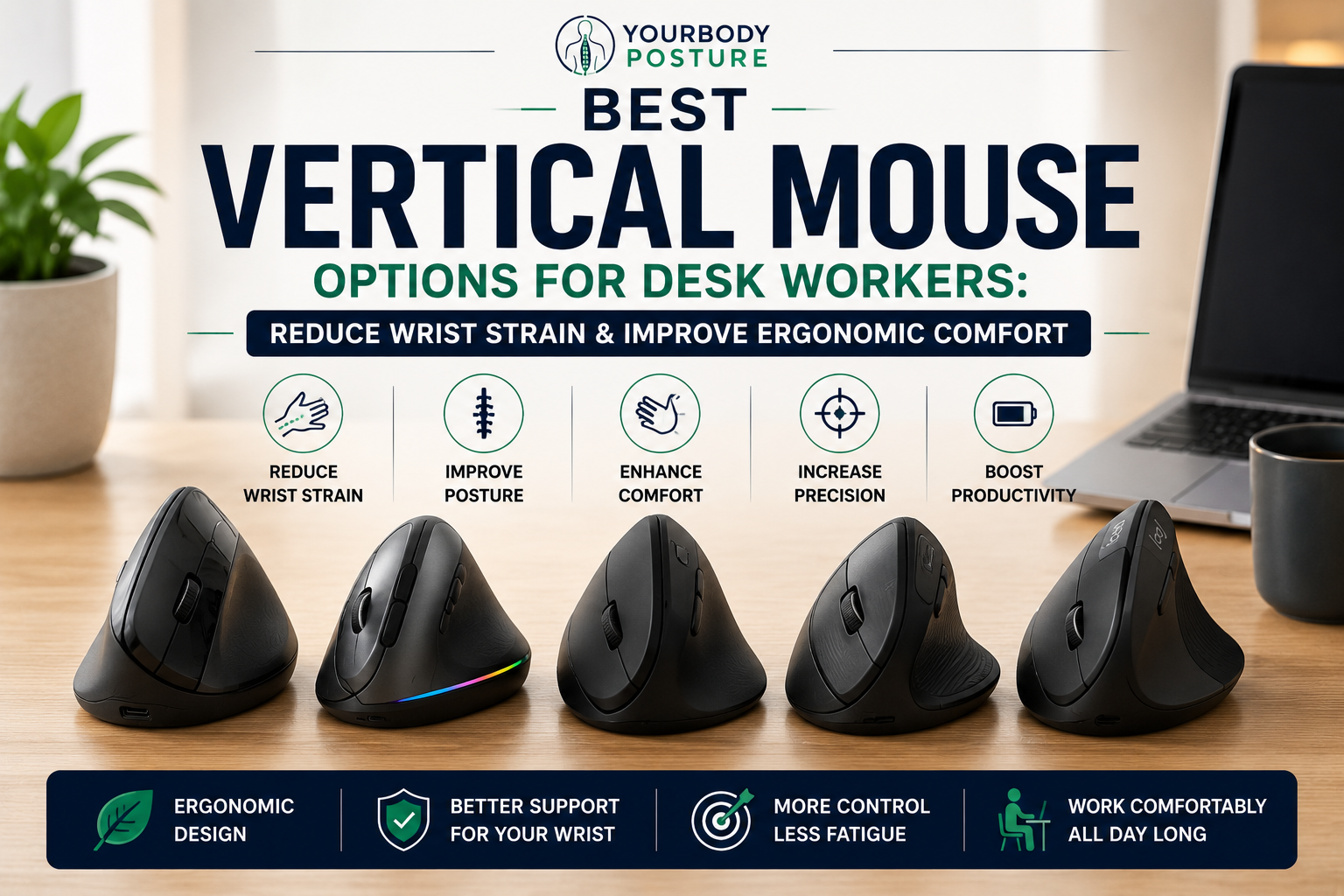
If you spend most of your day working at a computer, your mouse could be one of the biggest contributors to wrist pain, forearm fatigue, and even shoulder discomfort. Traditional computer mice require your hand to rest flat against the desk, forcing your forearm into a pronated position. Over time, this unnatural posture can lead to muscle tension, repetitive strain injuries (RSIs), and reduced productivity.
A vertical ergonomic mouse offers a smarter alternative. Instead of placing your palm flat, a vertical mouse keeps your hand in a natural “handshake” position, reducing the twisting of the forearm and encouraging healthier wrist alignment. This ergonomic design can minimize strain during long work sessions and make everyday tasks like browsing, editing documents, or managing spreadsheets much more comfortable.
Whether you’re a remote worker, office employee, graphic designer, programmer, or student, switching to an ergonomic vertical mouse can be one of the simplest upgrades you make to your workstation.
In this guide, we’ve researched the best vertical mouse options for desk workers, comparing comfort, performance, build quality, and overall value to help you choose the right ergonomic mouse for your needs.
Quick Comparison Table
Table of Contents
| Product | Best For | Connection | DPI | Rechargeable |
|---|---|---|---|---|
| Logitech Lift Vertical Ergonomic Mouse | Best Overall | Bluetooth / USB Receiver | 4000 | ✔ |
| Logitech MX Vertical | Best Premium | Bluetooth / USB-C / Receiver | 4000 | ✔ |
| Anker Wireless Vertical Ergonomic Mouse | Best Value | 2.4GHz Wireless | 1600 | ✘ |
| Delux M618 Plus | Best Adjustable | Bluetooth / Wired / Wireless | 4000 | ✔ |
| J-Tech Digital Vertical Ergonomic Mouse | Best for Large Hands | Wired / Wireless | 3200 | Depends on Model |
Why Choose a Vertical Mouse?
Traditional mice force your wrist and forearm into an inward-rotated position. After hours of use, this can contribute to muscle fatigue and discomfort.
A vertical mouse helps by:
- Keeping your wrist in a neutral position
- Reducing forearm pronation
- Minimizing wrist strain
- Encouraging healthier shoulder posture
- Reducing repetitive stress during long work sessions
- Improving overall comfort
- Supporting better ergonomic workstation habits
While no mouse can completely prevent repetitive strain injuries, many users report improved comfort after switching to a well-designed vertical mouse.
Best Vertical Mouse Options for Desk Workers
1. Logitech Lift Vertical Ergonomic Mouse
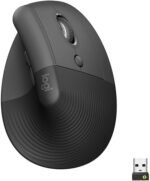 Best Overall Vertical Mouse
The Logitech Lift Vertical Ergonomic Mouse is one of the most comfortable and user-friendly ergonomic mice available today. Designed with a 57-degree vertical angle, it positions your hand naturally while providing excellent support for the palm and thumb.
The soft rubberized finish, quiet buttons, and customizable controls make it ideal for long workdays. It also supports multiple devices, allowing users to switch seamlessly between computers.
Key Features
- 57-degree ergonomic design
- Bluetooth and Logi Bolt USB receiver
- Quiet click technology
- Customizable buttons
- SmartWheel scrolling
- Multi-device connectivity
- Long battery life
Pros
✔ Extremely comfortable
✔ Excellent ergonomic shape
✔ Quiet operation
✔ Multi-device support
✔ Reliable wireless connection
Cons
✘ Best suited for small to medium hands
Best For
Office professionals, remote workers, and anyone seeking maximum comfort during daily computer use.
check price on Amazon
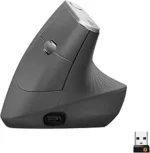
2. Logitech MX Vertical
 Best Premium Vertical Mouse
The Logitech MX Vertical is designed for professionals who spend countless hours using a mouse every day. Its advanced ergonomic design reduces muscular strain while maintaining precision and responsiveness.
With USB-C charging, customizable buttons, and high-precision tracking, it’s an excellent choice for productivity-focused users.
Key Features
- 57-degree vertical angle
- 4000 DPI optical sensor
- USB-C rechargeable battery
- Bluetooth and USB receiver
- Multi-device pairing
- Customizable software
Pros
✔ Premium construction
✔ Highly accurate tracking
✔ Comfortable grip
✔ Rechargeable battery
✔ Excellent software customization
Cons
✘ Higher price
Best For
Professionals, designers, programmers, and productivity enthusiasts.
check price on Amazon
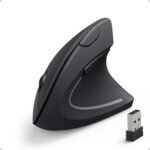
3. Anker Wireless Vertical Ergonomic Mouse
 Best Value Vertical Mouse
The Anker Wireless Vertical Ergonomic Mouse remains one of the most popular budget ergonomic mice available.
Despite its affordable price, it provides a comfortable handshake grip, adjustable DPI settings, and responsive buttons that make it suitable for everyday office work.
Key Features
- Ergonomic handshake design
- Adjustable DPI
- 2.4GHz wireless connection
- Six programmable buttons
- Comfortable thumb rest
- Auto sleep mode
Pros
✔ Affordable
✔ Comfortable grip
✔ Lightweight
✔ Good battery life
✔ Excellent value
Cons
✘ Uses AA batteries instead of rechargeable battery
Best For
Budget-conscious users wanting an ergonomic upgrade.
check price on Amazon
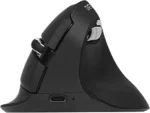
4. Delux M618 Plus
 Best Adjustable Vertical Mouse
The Delux M618 Plus combines ergonomic comfort with versatile connectivity options.
Available in wired, Bluetooth, and wireless versions, it features an adjustable DPI sensor, RGB lighting (on select models), and a removable wrist support that helps reduce pressure during extended use.
Key Features
- Adjustable DPI up to 4000
- Bluetooth and wireless options
- Detachable wrist rest
- Ergonomic vertical design
- Rechargeable battery
- Programmable buttons
Pros
✔ Comfortable wrist support
✔ Multiple connectivity options
✔ Good customization
✔ Rechargeable
✔ Smooth tracking
Cons
✘ Learning curve for first-time users
Best For
Users wanting additional wrist support and flexible connectivity.
check price on Amazon
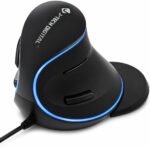
5. J-Tech Digital Vertical Ergonomic Mouse
 Best for Large Hands
The J-Tech Digital Vertical Ergonomic Mouse is an excellent option for users with larger hands who find many ergonomic mice too small.
Its oversized design, integrated wrist support, and adjustable DPI provide excellent comfort during extended work sessions.
Key Features
- Large ergonomic design
- Adjustable DPI
- Integrated wrist support
- Wired and wireless versions
- Thumb buttons
- Comfortable grip
Pros
✔ Excellent for large hands
✔ Comfortable palm support
✔ Adjustable sensitivity
✔ Stable tracking
✔ Good build quality
Cons
✘ Bulky for travel
Best For
Users with larger hands and extended daily computer use.
check price on Amazon
Buying Guide: How to Choose the Best Vertical Mouse
Before buying an ergonomic mouse, consider the following features.
1. Ergonomic Angle
Most vertical mice use an angle between 45 and 60 degrees.
A 57-degree angle is widely considered a comfortable balance between ergonomics and usability.
2. Hand Size
Manufacturers often design mice for:
- Small hands
- Medium hands
- Large hands
Choosing the correct size significantly improves comfort.
3. Connectivity
Most vertical mice are available in:
- Bluetooth
- USB wireless receiver
- Wired USB
Wireless models reduce desk clutter, while wired versions eliminate battery concerns.
4. DPI Adjustment
Adjustable DPI allows you to customize cursor sensitivity.
Typical ranges include:
- 800 DPI
- 1200 DPI
- 1600 DPI
- 2400 DPI
- 4000 DPI
Higher DPI settings benefit users with high-resolution monitors or multiple displays.
5. Battery Life
Rechargeable models are more convenient for daily use, while battery-powered mice can often run for months before needing new batteries.
Benefits of Using a Vertical Mouse
Reduces Wrist Strain
A handshake grip minimizes wrist bending and may help reduce discomfort during prolonged computer use.
Supports Better Forearm Alignment
Keeping your forearm in a more neutral position reduces muscle tension compared with traditional flat mice.
Improves Shoulder Comfort
A relaxed hand position can reduce unnecessary shoulder elevation during extended work sessions.
Encourages Better Posture
Combined with an ergonomic keyboard and proper desk setup, a vertical mouse supports healthier overall workstation ergonomics.
Comfortable for Long Workdays
Many users find vertical mice more comfortable after an initial adjustment period.
Tips for Creating an Ergonomic Mouse Setup
To maximize comfort:
- Keep the mouse close to your keyboard.
- Maintain relaxed shoulders.
- Rest your elbows near your body.
- Adjust your chair so your forearms remain roughly parallel to the floor.
- Use a large mouse pad for smoother movement.
- Take stretching breaks every 30–60 minutes.
- Alternate between keyboard shortcuts and mouse use when possible.
Frequently Asked Questions
Are vertical mice better for wrist pain?
Many users find vertical mice more comfortable because they encourage a more neutral wrist position. While they may help reduce strain, they are not a medical treatment for wrist conditions.
How long does it take to get used to a vertical mouse?
Most people adjust within a few days to two weeks, depending on how frequently they use their computer.
Are vertical mice good for gaming?
They can work for casual gaming, but many competitive gamers still prefer traditional gaming mice designed for rapid movements.
Can a vertical mouse help prevent repetitive strain injuries?
An ergonomic mouse may reduce some risk factors associated with repetitive computer use, especially when combined with proper posture, regular breaks, and an ergonomic workstation.
Should I use a mouse pad with a vertical mouse?
Yes. A smooth mouse pad improves tracking accuracy and helps protect both the mouse feet and your desk surface.
Final Verdict
The best vertical mouse options for desk workers combine ergonomic comfort, precise tracking, and reliable performance to help reduce fatigue during long hours at the computer.
Our top recommendations are:
- Best Overall: Logitech Lift Vertical Ergonomic Mouse
- Best Premium: Logitech MX Vertical
- Best Value: Anker Wireless Vertical Ergonomic Mouse
- Best Adjustable: Delux M618 Plus
- Best for Large Hands: J-Tech Digital Vertical Ergonomic Mouse
Whether you’re working from home, managing spreadsheets, writing code, or attending virtual meetings, upgrading to an ergonomic vertical mouse can make your workstation more comfortable and support healthier wrist and arm positioning.
Conclusion
A vertical mouse is one of the easiest ergonomic upgrades you can make if you spend most of your day using a computer. By encouraging a natural handshake grip and reducing unnecessary wrist rotation, it can improve comfort, support better posture, and make long work sessions less physically demanding. Pair your vertical mouse with an ergonomic keyboard, adjustable chair, and proper monitor positioning to create a workstation designed for long-term health and productivity.