If you finish a long workday rubbing your neck or realizing you’ve spent hours leaning toward your computer, your monitor position may deserve some attention.
A screen that’s too low can encourage you to look downward. A monitor positioned too far away may make you lean forward to read small text. And if your primary display sits off to one side, you may spend hours repeatedly turning your head and neck.
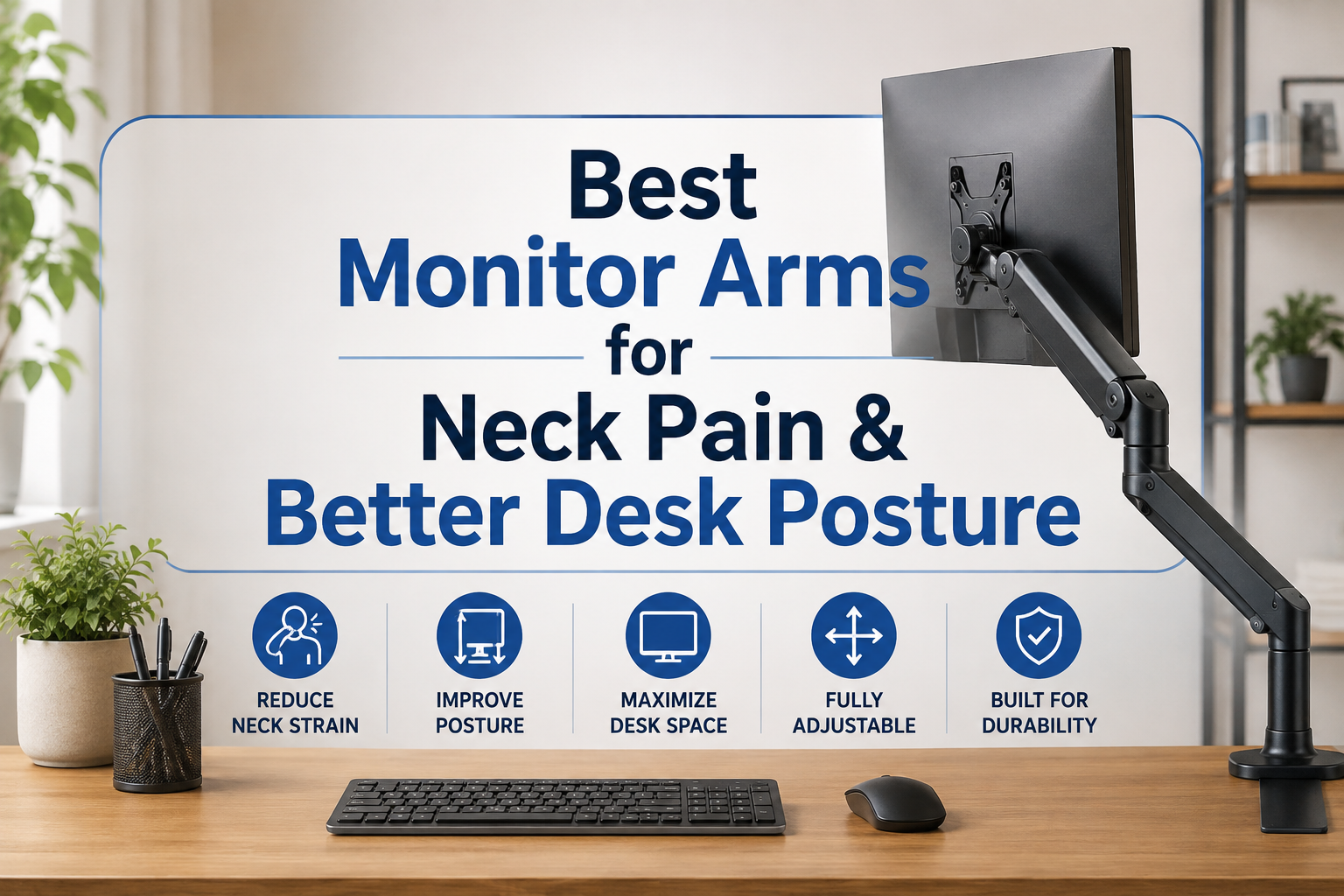
An adjustable monitor arm gives you much more control over all three.
Instead of accepting the height and position determined by your monitor’s factory stand, you can move your screen up, down, forward, backward, and often tilt or rotate it until the display fits your workstation.
That’s why the best monitor arms for neck pain and better desk posture aren’t necessarily the models with the longest list of features. They’re the ones that make it easy to place your monitor in a comfortable viewing position—and keep it there.
We’ve selected five monitor arms for different budgets, monitor sizes, and desk setups.
Note: A monitor arm can help create a more ergonomic workstation, but it isn’t a treatment for neck pain. Persistent, severe, or unexplained neck pain should be evaluated by an appropriate healthcare professional.
Quick Comparison: Our Top 5 Monitor Arms
Table of Contents
| Product | Best For | Setup |
|---|---|---|
| Ergotron LX Desk Monitor Arm | Best Overall | Single Monitor |
| HUANUO Single Monitor Arm | Best Value | Single Monitor |
| VIVO Premium Aluminum Heavy Duty Monitor Arm | Large & Ultrawide Monitors | Single Monitor |
| Amazon Basics Single Monitor Stand | Best Budget Pick | Single Monitor |
| Ergotron LX Pro Monitor Arm | Best Premium Pick | Single Monitor |
Monitor-arm specifications vary by exact model and can change. Always verify your monitor’s weight, dimensions, VESA pattern, and desk compatibility before ordering.
1. Ergotron LX Desk Monitor Arm — Best Overall
The Ergotron LX Desk Monitor Arm is our top overall pick for someone who spends a substantial portion of the day at a computer.
It’s a well-established premium monitor arm with the type of multidirectional adjustment that makes ergonomic positioning considerably easier than relying on a fixed monitor stand.
You can position your screen higher or lower, alter its distance from your eyes, and adjust the angle according to your workstation.
That flexibility is particularly useful if you alternate between sitting and standing or share your workstation with another person.
Another advantage is desk space. Removing a large factory monitor base can free up the area underneath and around your screen, giving you more room for your keyboard, notebook, accessories, or simply a cleaner workspace.
 What We Like
- Excellent range of adjustment
- Premium construction
- Smooth repositioning
- Helps reclaim desk space
- Good cable-management potential
- Established choice for professional workstations
What Could Be Better
Price is the obvious drawback. The Ergotron LX costs considerably more than many entry-level monitor arms.
If you have a lightweight monitor and intend to position it once and never move it again, you may not need to spend this much.
However, users who frequently adjust their monitor may appreciate the additional refinement.
Who Should Buy It?
The Ergotron LX is an excellent match for remote workers, programmers, designers, writers, editors, and other professionals spending several hours per day at a computer.
Our Verdict: The best overall balance of build quality, adjustability, and ergonomic flexibility.
2. HUANUO Single Monitor Arm — Best Value
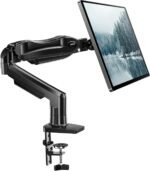
The HUANUO Single Monitor Arm is an attractive alternative if you want the ergonomic advantages of an articulated monitor arm without paying premium Ergotron prices.
HUANUO makes several versions, including arms for conventional displays and larger monitors. This means it’s particularly important to check the exact model rather than assuming every HUANUO arm supports the same screen size or weight.
For a typical home-office workstation, the key appeal is straightforward: you gain significantly more control over monitor positioning for a relatively accessible price.
That means you can raise a monitor that’s currently too low, bring a distant screen closer, or push it farther back when you need additional working space.
 What We Like
- Strong value for money
- Flexible positioning
- Multiple models available
- Cleaner desk setup
- Good option for everyday office use
- More affordable than premium alternatives
What Could Be Better
Less-expensive monitor arms don’t always feel as refined when they’re repositioned frequently.
If you move your screen multiple times every day, smoothness and long-term stability may become more noticeable than they would be for someone who simply sets the monitor once.
Who Should Buy It?
Home-office workers, students, and professionals who want a more ergonomic workstation without investing heavily in a premium monitor mount.
Our Verdict: Our favorite value choice for a conventional home-office setup.
3. VIVO Premium Aluminum Heavy Duty Monitor Arm — Best for Large & Ultrawide Monitors
Large and ultrawide monitors present a different challenge.
Their factory stands can consume an enormous amount of desktop space, while the monitors themselves can be considerably heavier than standard office displays.
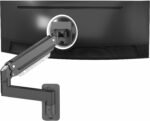
That’s where a heavy-duty option such as the VIVO Premium Aluminum Heavy Duty Monitor Arm becomes interesting.
Rather than choosing the cheapest arm that technically fits your VESA pattern, owners of large displays should pay close attention to weight capacity, construction, mounting strength, and stability.
A suitable heavy-duty arm lets you enjoy the workspace benefits of a large display while gaining greater control over its position.
 What We Like
- Designed for heavier monitor setups
- Particularly attractive for ultrawides
- Frees space occupied by large factory stands
- Adjustable viewing position
- Aluminum construction
- Cleaner appearance for premium workstations
What Could Be Better
Heavy-duty arms are naturally bulkier than mounts intended for small office monitors.
Installation also deserves more attention because you’re attaching a significant amount of weight to a relatively small area of your desk.
Who Should Buy It?
Designers, video editors, programmers, traders, gamers, and anyone using a large or ultrawide display.
Our Verdict: A strong option when a standard lightweight monitor arm isn’t appropriate for your display.
4. Amazon Basics Single Monitor Stand — Best Budget Pick
Not everyone needs a premium gas-spring monitor arm.
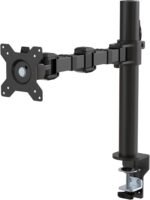
If you’re primarily interested in moving your screen away from its fixed factory position without spending much money, the Amazon Basics Single Monitor Stand provides a more budget-oriented route.
The biggest benefit is still adjustability.
Even a relatively straightforward adjustable mount can make a meaningful difference to your workstation if your monitor currently sits several inches below a comfortable viewing position.
It can also eliminate the large footprint created by some factory monitor stands.
 What We Like
- Budget-friendly
- Straightforward design
- Height adjustment
- Can reclaim desk space
- Good introduction to monitor arms
- Suitable for basic office setups
What Could Be Better
You shouldn’t expect a budget model to offer the same adjustment experience or premium construction as more expensive arms.
People with particularly heavy or expensive displays may also prefer investing in a more substantial mount.
Who Should Buy It?
Students, occasional remote workers, and anyone building an ergonomic workstation on a limited budget.
Our Verdict: A sensible starting point if affordability matters more than premium features.
5. Ergotron LX Pro Monitor Arm — Best Premium Pick
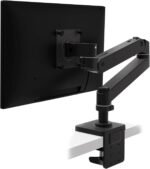
The Ergotron LX Pro is aimed at users willing to spend more for a polished, highly adjustable workstation.
That premium becomes easier to justify when your monitor position changes throughout the day.
Perhaps you move between sitting and standing. Maybe you pull your screen forward for detailed design work and push it backward for meetings. Or perhaps several people use the same workstation.
In those situations, an arm that can be repositioned easily is more useful than one that technically adjusts but is unpleasant to move.
 What We Like
- Premium construction
- Excellent ergonomic flexibility
- Designed for frequent adjustment
- Professional appearance
- Useful for sit-stand workstations
- Strong choice for premium desk setups
What Could Be Better
It’s expensive.
For a basic 24-inch office display that stays in exactly the same position every day, the additional investment may be difficult to justify.
Who Should Buy It?
Professionals building a high-end ergonomic workstation or users who frequently reposition their monitor.
Our Verdict: A premium choice for buyers who prioritize adjustment quality and workstation flexibility.
How Can a Monitor Arm Help With Neck Position?
A monitor arm doesn’t physically correct your posture.
What it does is remove some of the limitations created by a fixed monitor stand.
For example, imagine your screen is six inches lower than you’d like.
Without an adjustable arm, you might unconsciously compensate by looking downward or leaning toward the screen throughout the day.
You could put the monitor on a stack of books, but that doesn’t solve viewing distance or horizontal positioning.
An articulated monitor arm lets you adjust multiple variables independently.
For ergonomic computer work, your goal is generally to create a workstation where your head can remain level and forward-facing rather than continually bending or rotating to see your screen.
How High Should Your Monitor Be?
A commonly recommended starting position is to have the top of the screen at or slightly below eye level.
That means the center of the screen will normally sit below your straight-ahead eye line.
You shouldn’t have to noticeably tilt your head upward or downward just to work normally.
However, individual requirements vary.
Your height, chair, desk, screen size, eyesight, and whether you wear bifocals or progressive lenses can all influence the ideal position.
That’s another reason adjustability is valuable.
How Far Should Your Monitor Be From Your Eyes?
For most conventional desktop setups, you should be able to comfortably read the display without leaning your head or torso toward it.
If you repeatedly find yourself moving your face closer to your screen, don’t automatically assume the solution is moving the entire monitor closer.
First check your text scaling and font size.
Increasing the interface size can sometimes solve the problem while allowing you to maintain a more comfortable viewing distance.
An articulated arm nevertheless makes experimenting with viewing distance much easier.
What to Look for When Buying a Monitor Arm
1. Monitor Weight
 This is arguably the most important specification.
Find your monitor’s weight without its original stand and compare it with the manufacturer’s supported weight range.
Don’t guess.
A 34-inch ultrawide and a lightweight 34-inch conventional display can place very different demands on an arm.
2. VESA Compatibility
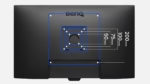 Most modern monitor arms use standard VESA mounting patterns.
However, not every monitor supports the same pattern, and some displays require adapters.
Verify compatibility before purchasing.
3. Height Range
If posture is your main reason for buying an arm, make sure it can actually raise or lower your screen enough for your body and desk.
A tall person using a low desk may require substantially more vertical adjustment than another user.
4. Extension
 Height isn’t everything.
A good articulated arm should also allow you to adjust how close the monitor is to you.
This can be especially valuable on very deep desks.
5. Tilt
Tilt adjustment helps you aim the screen toward your natural viewing position.
It’s a simple feature, but it can make fine-tuning your workstation easier.
6. Rotation
Some monitor arms allow a display to rotate between landscape and portrait orientation.
Portrait mode is particularly useful for coding, writing, reading long documents, or using a vertical secondary monitor.
7. Desk Clamp vs. Grommet Mount
Most monitor arms attach through either a clamp at the back of the desk or a grommet hole.
A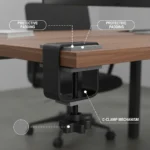 clamp is usually easier because it doesn’t require a hole through the desktop.
A grommet installation can create a very clean and secure setup when your desk supports it.
8. Desk Construction
Don’t overlook the desk itself.
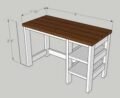 A powerful heavy-duty monitor arm attached to a weak desktop is not a good combination.
Check the manufacturer’s desk-thickness requirements and be cautious with thin, hollow, glass, or otherwise delicate desktops.
Gas-Spring vs. Mechanical Monitor Arms
You’ll encounter both gas-spring and mechanical-spring monitor arms.
Gas-spring designs are popular because they can provide smooth movement and make frequent repositioning convenient.
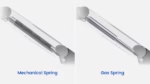 Mechanical designs can also work extremely well.
Rather than choosing purely according to the spring technology, prioritize:
- Appropriate weight capacity
- Stability
- Adjustment range
- Construction quality
- Desk compatibility
- Warranty
- Ease of installation
If you rarely move your monitor, smooth dynamic adjustment matters less than it does for someone with a sit-stand workstation.
Should You Buy One Dual Arm or Two Single Monitor Arms?
Dual-monitor users have another decision.
A dual monitor arm creates a neat, unified setup and can reduce the number of desk clamps.
However, two independent single arms often provide more positioning freedom.
That’s useful when your monitors are different sizes or when one is vertical.
For posture, the most important consideration is where you spend most of your viewing time.
If one monitor is your primary display, position it directly in front of you rather than forcing yourself to keep your head turned toward one side.
If both monitors are used equally, placing them close together can minimize unnecessary head movement.
Monitor Arm vs. Monitor Riser: Which Is Better?
A monitor riser is cheaper and simpler.
If the only problem is that your monitor sits three inches too low, a sturdy riser may solve it perfectly well.
A monitor arm becomes more valuable when you need control over several dimensions:
Riser: primarily changes height.
Monitor arm: can change height, distance, angle, orientation, and horizontal position.
Monitor arms also tend to free more usable desk space.
For a permanent home-office workstation, that flexibility often makes the arm the more versatile option.
Building a More Posture-Friendly Workstation
Don’t treat your monitor in isolation.
A good workstation should allow your body to remain relatively neutral and relaxed.
 Check that:
- Your head can face forward.
- Your shoulders remain relaxed.
- Your keyboard and mouse are within comfortable reach.
- Your elbows aren’t continually reaching forward.
- Your back receives appropriate chair support.
- Your feet are supported.
- You aren’t leaning forward to read your screen.
- Your primary monitor isn’t positioned far to one side.
And remember that even an excellent ergonomic setup doesn’t eliminate the value of changing positions and moving periodically.
FAQs About Monitor Arms and Neck Pain
Can a monitor arm fix neck pain?
No. A monitor arm isn’t a medical treatment.
It can, however, help you place your monitor in a position that reduces the need to continually bend, extend, or rotate your neck while using the computer.
What monitor position is best for posture?
A useful starting point is to position your primary monitor directly in front of you with the top of the screen at or slightly below eye level.
You should be able to read it comfortably without leaning toward the display.
Is a monitor arm worth buying for a home office?
For people who work at a computer for several hours each day, it can be an excellent upgrade.
Besides positioning flexibility, removing the original monitor stand can create significantly more usable desk space.
Are cheap monitor arms safe?
Some budget arms are perfectly adequate for lightweight monitors.
The important issue is compatibility. Your monitor must fall within the arm’s supported size and weight range, and the mounting system must be appropriate for your desk.
Do monitor arms fit every monitor?
No.
Check your monitor’s VESA mounting pattern, dimensions, and weight before purchasing.
Are monitor arms good for standing desks?
Yes. An easily adjustable monitor arm can be particularly useful on a sit-stand desk because you may want to fine-tune the display when changing working positions.
Final Verdict
For most home-office users, the Ergotron LX Desk Monitor Arm is our best overall choice. It offers the type of adjustment range and established build quality that makes sense for someone who spends hours at a workstation every day.
For better value, the HUANUO Single Monitor Arm offers much of the functionality the average office user actually needs without moving into premium pricing.
Owners of large or ultrawide displays should consider a heavy-duty option such as the VIVO Premium Aluminum Heavy Duty Monitor Arm, while the Amazon Basics Single Monitor Stand provides an accessible option for budget-conscious shoppers.
Finally, the Ergotron LX Pro makes the most sense for someone building a premium workstation where frequent, smooth adjustment matters.
Whichever monitor arm you choose, don’t buy based on screen size alone.
Check monitor weight, VESA compatibility, desk construction, mounting method, and adjustment range first.
The goal isn’t simply to make your desk look cleaner.
It’s to create a workstation where the screen comes to you, rather than spending every workday moving your head and body toward the screen.