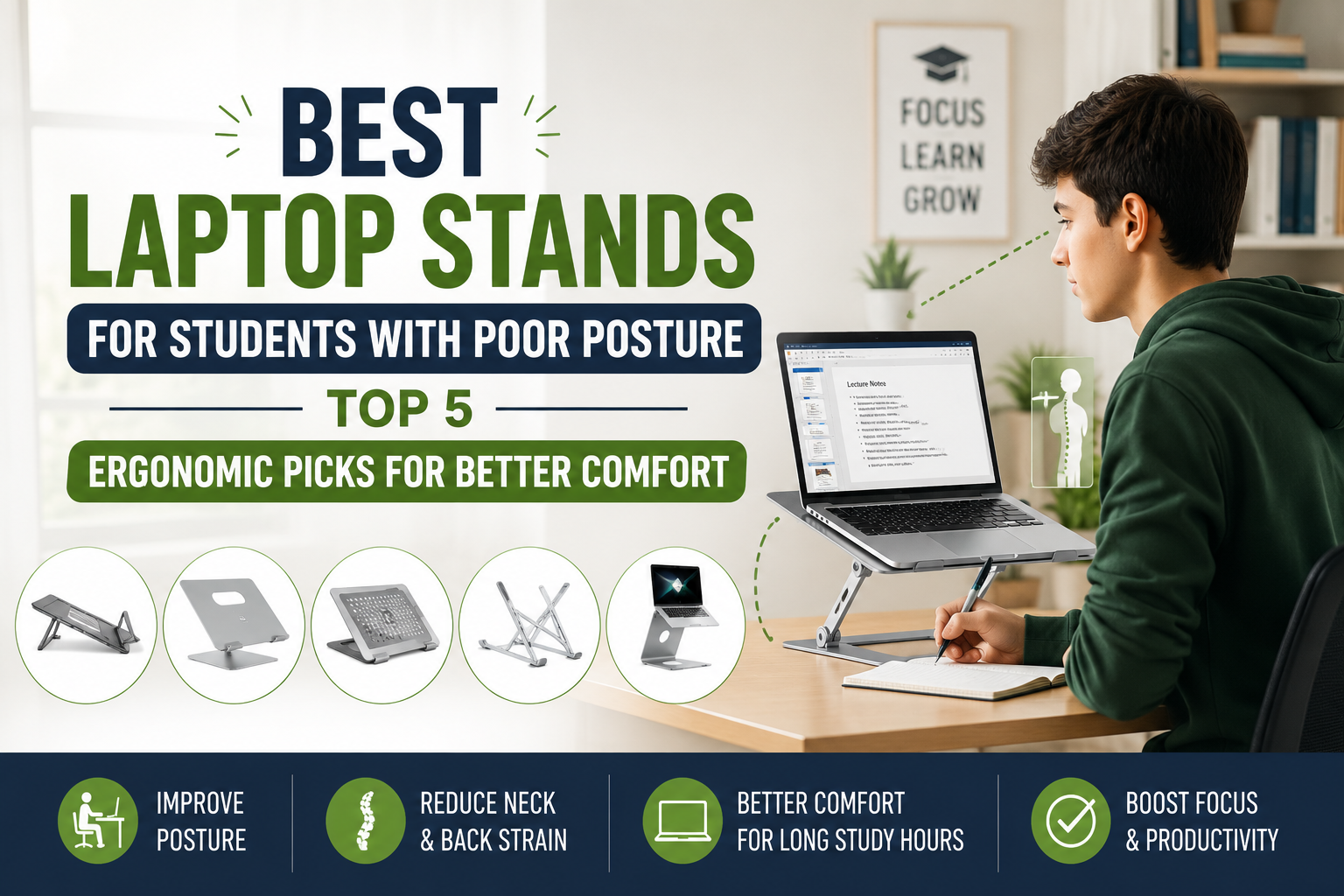
Whether you’re attending online classes, writing research papers, coding late into the night, or studying for exams, chances are you spend several hours every day hunched over a laptop. While laptops are incredibly convenient, their low screen height often forces you into poor posture, leading to neck pain, rounded shoulders, eye strain, and lower back discomfort.
The good news is that a quality laptop stand can make a significant difference. By elevating your screen to eye level, a laptop stand encourages a more natural sitting position, helping you maintain proper spinal alignment while improving comfort during long study sessions.
In this guide, we’ve reviewed the best laptop stands for students with poor posture based on ergonomics, adjustability, portability, build quality, cooling performance, and overall value. Whether you’re studying at home, in the library, or on campus, these stands can help you build a healthier and more productive workspace.
Quick Comparison Table
Table of Contents
| Product | Type | Best For | Material |
|---|---|---|---|
| Twelve South Curve Flex | Fully Adjustable | Best Overall | Aluminum |
| Roost Laptop Stand | Portable | Students on the Go | Lightweight Plastic |
| Nulaxy C5 Adjustable Stand | Budget Adjustable | Best Value | Aluminum Alloy |
| Rain Design mStand | Fixed Height | Apple Users | Aluminum |
| SOUNDANCE Laptop Stand | Fixed Ergonomic | Budget Choice | Aluminum Alloy |
Why Students Should Use a Laptop Stand
Using a laptop directly on a desk often causes you to tilt your head downward for hours. Over time, this poor posture can contribute to:
- Neck pain
- Upper back stiffness
- Rounded shoulders
- Wrist discomfort
- Eye strain
- Poor breathing mechanics
- Reduced concentration
A laptop stand raises your screen closer to eye level, encouraging a neutral spine and more comfortable working position. Pairing it with an external keyboard and mouse creates an even more ergonomic workstation.
Top 5 Best Laptop Stands for Students With Poor Posture
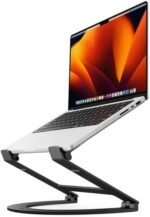
1. Twelve South Curve Flex – Best Overall
 Key Features
- Fully adjustable height and angle
- Premium aluminum construction
- Supports laptops from 10″ to 16″
- Foldable design
- Includes travel sleeve
- Excellent stability
Pros
✔ Wide range of height adjustment
✔ Premium build quality
✔ Portable for campus use
✔ Excellent airflow
✔ Stylish modern design
Cons
✘ Higher price than basic stands
Why We Recommend It
The Twelve South Curve Flex offers exceptional flexibility, making it easy to customize your screen height for proper posture. Whether you’re sitting at a dorm desk or studying in a coffee shop, this stand adapts to your preferred working position while keeping your laptop secure.
Its premium aluminum construction also helps dissipate heat, improving laptop performance during long study sessions.
Best For: Students who want a premium ergonomic setup.
check price on Amazon
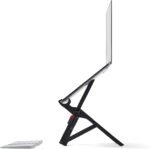
2. Roost Laptop Stand – Best Portable Laptop Stand
 Key Features
- Ultra-lightweight
- Folds into a compact size
- Adjustable height
- Compatible with most laptops
- Durable engineering-grade materials
Pros
✔ Extremely portable
✔ Quick setup
✔ Excellent ergonomics
✔ Ideal for travel
✔ Stable despite its lightweight design
Cons
✘ Requires an external keyboard and mouse
Why We Recommend It
For students constantly moving between classrooms, libraries, and study groups, the Roost Laptop Stand is one of the best portable options available. It folds small enough to fit into most backpacks while providing ergonomic screen elevation almost anywhere.
Best For: College students who frequently study on the move.
check price on Amazon
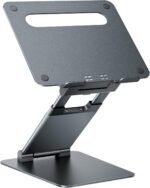
3. Nulaxy C5 Adjustable Laptop Stand – Best Value
 Key Features
- Adjustable height and angle
- Strong aluminum alloy construction
- Open ventilation design
- Silicone pads for protection
- Supports laptops up to 17 inches
Pros
✔ Affordable
✔ Highly adjustable
✔ Excellent stability
✔ Good airflow
✔ Easy assembly
Cons
✘ Slightly heavier than travel-focused models
Why We Recommend It
The Nulaxy C5 delivers premium ergonomic features at a budget-friendly price. It allows students to fine-tune both screen height and viewing angle, making it an excellent option for long study sessions.
The sturdy aluminum frame also provides outstanding durability for everyday use.
Best For: Students seeking maximum value.
check price on Amazon
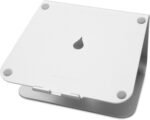
4. Rain Design mStand – Best for MacBook Users
 Key Features
- Single-piece aluminum design
- Ergonomic fixed height
- Cable management hole
- Excellent cooling
- Elegant minimalist appearance
Pros
✔ Premium finish
✔ Excellent stability
✔ Great cooling performance
✔ Simple setup
✔ Durable construction
Cons
✘ No height adjustment
Why We Recommend It
The Rain Design mStand remains a favorite among MacBook users thanks to its clean design and reliable ergonomics. Its fixed height positions the screen closer to eye level while the open aluminum frame improves airflow.
If your desk setup remains in one place, this stand offers an attractive and dependable solution.
Best For: Apple laptop users.
check price on Amazon
5. SOUNDANCE Laptop Stand – Best Budget Choice
 Key Features
- Aluminum alloy frame
- Ergonomic fixed height
- Open cooling design
- Anti-slip silicone pads
- Supports laptops up to 15.6 inches
Pros
✔ Budget-friendly
✔ Easy to assemble
✔ Strong construction
✔ Better airflow
✔ Compact footprint
Cons
✘ Fixed height
Why We Recommend It
The SOUNDANCE Laptop Stand proves that improving your posture doesn’t require a large investment. Its ergonomic height encourages better neck alignment while maintaining excellent stability and ventilation.
It’s perfect for students setting up their first ergonomic study space.
Best For: Budget-conscious students.
check price on Amazon
How to Choose the Best Laptop Stand
1. Height Adjustment
Adjustable stands provide the greatest ergonomic benefit because you can align your screen with your eye level regardless of your desk or chair height.
If multiple people use the same desk, adjustability becomes even more important.
2. Portability
Students often work in multiple locations.
If you regularly move between classes, libraries, or coffee shops, choose a lightweight foldable model that fits easily inside your backpack.
3. Stability
A quality laptop stand should remain stable while typing or adjusting your screen. Wide bases, strong hinges, and durable materials help minimize wobbling.
4. Cooling Design
Laptops generate heat during extended use.
Look for stands with:
- Open-frame construction
- Ventilation cutouts
- Aluminum materials
- Elevated airflow
These features help maintain better performance and prolong your laptop’s lifespan.
5. Build Material
Most premium laptop stands use aluminum because it offers:
- Excellent durability
- Better heat dissipation
- Lightweight construction
- Modern appearance
Plastic stands may be lighter but often sacrifice stability and longevity.
6. Compatibility
Before purchasing, verify that the stand supports your laptop’s:
- Screen size
- Weight
- Thickness
Most quality stands accommodate laptops between 10 and 17 inches.
How Laptop Stands Improve Posture
Many students unknowingly develop “tech neck” by constantly looking down at their screens. Over time, this forward head posture places extra stress on the neck, shoulders, and upper back.
An ergonomic laptop stand helps by:
- Raising the screen closer to eye level
- Reducing neck flexion
- Encouraging upright sitting
- Improving spinal alignment
- Reducing shoulder tension
- Supporting healthier study habits
For the best ergonomic setup, pair your laptop stand with an external keyboard and mouse so your elbows can remain at approximately 90 degrees while typing.
Additional Ergonomic Tips for Students
Even with the best laptop stand, healthy work habits matter.
Sit Properly
- Keep both feet flat on the floor.
- Sit back against your chair.
- Relax your shoulders.
- Avoid crossing your legs for long periods.
Follow the 20-20-20 Rule
Every 20 minutes:
- Look at something 20 feet away.
- For at least 20 seconds.
This simple habit helps reduce digital eye strain.
Take Movement Breaks
Stand, stretch, or walk for a few minutes every hour to improve circulation and reduce muscle stiffness.
Use Proper Lighting
Avoid screen glare by positioning your workspace near natural light or using an adjustable desk lamp.
Frequently Asked Questions
Are laptop stands really good for posture?
Yes. Laptop stands elevate your screen, reducing the need to bend your neck downward. This promotes better spinal alignment and helps minimize neck and shoulder strain.
Should students use an external keyboard?
Yes. Once your laptop screen is raised, an external keyboard and mouse allow your arms and wrists to stay in a more natural, comfortable position.
What height should a laptop stand be?
Ideally, the top of your laptop screen should be at or slightly below eye level while you’re sitting upright.
Are aluminum laptop stands better?
Generally, yes. Aluminum stands are durable, stable, lightweight, and help dissipate heat more effectively than many plastic alternatives.
Can a laptop stand reduce neck pain?
A laptop stand can help reduce posture-related neck pain by encouraging a more neutral head position. However, regular movement, stretching, and an ergonomic workstation are also important.
Final Verdict
If you spend hours studying on a laptop, investing in an ergonomic laptop stand is one of the simplest ways to improve your posture and reduce everyday discomfort.
Our top recommendations are:
- Best Overall: Twelve South Curve Flex
- Best Portable: Roost Laptop Stand
- Best Value: Nulaxy C5 Adjustable Stand
- Best for MacBooks: Rain Design mStand
- Best Budget: SOUNDANCE Laptop Stand
Choosing the right stand depends on your study habits, workspace, and budget. Pair your stand with an external keyboard, ergonomic mouse, and supportive chair to create a healthier, more comfortable setup that supports better focus and long-term posture.