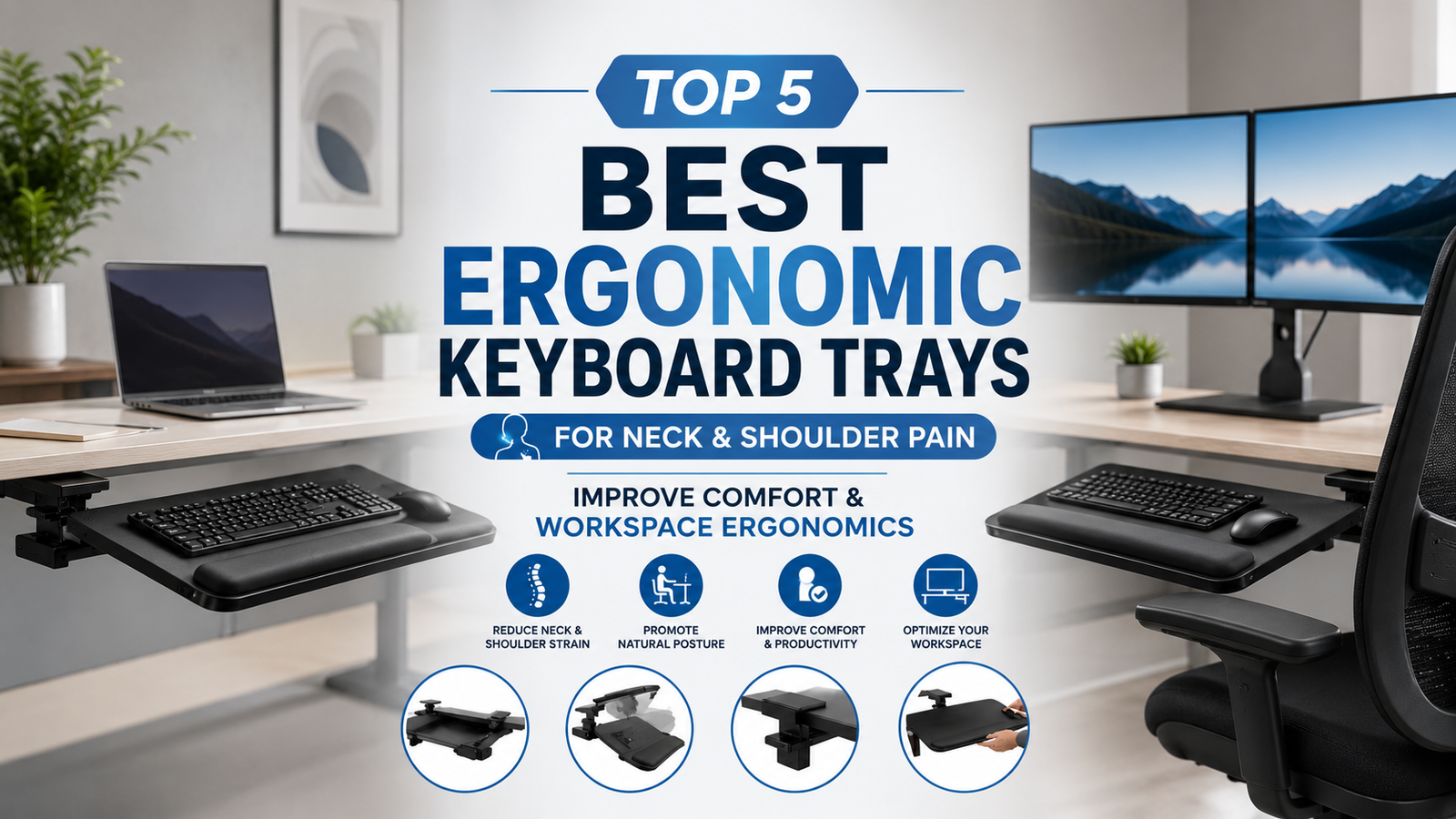
If you spend several hours each day typing at a computer, chances are you’ve experienced neck stiffness, shoulder tension, or wrist discomfort. While many people invest in ergonomic chairs and standing desks, they often overlook one of the most important components of an ergonomic workstation—the keyboard tray.
An ergonomic keyboard tray positions your keyboard and mouse at the proper height and angle, allowing your elbows to remain close to your body, your wrists to stay neutral, and your shoulders to relax naturally. This seemingly simple adjustment can significantly reduce muscle strain while improving posture and productivity.
Whether you’re working from home, in a corporate office, or setting up a dedicated gaming station, choosing the best ergonomic keyboard tray for neck and shoulder pain can transform the way you work. The right tray helps prevent repetitive strain injuries (RSIs), encourages healthy typing posture, and creates a more comfortable workspace for long hours at the desk.
In this guide, we’ll review some of the best ergonomic keyboard trays available today, explain what features matter most, and help you choose the ideal model for your workspace.
Quick Comparison Table
Table of Contents
| Product | Best For | Height Adjustable | Tilt | Keyboard & Mouse Platform |
|---|---|---|---|---|
| VIVO Adjustable Under Desk Keyboard Tray | Best Overall | ✔ | ✔ | ✔ |
| HUANUO Keyboard Tray | Best Value | ✔ | ✔ | ✔ |
| 3M Adjustable Keyboard Tray AKT170LE | Best Premium | ✔ | ✔ | ✔ |
| Fellowes Office Suites Keyboard Drawer | Best Budget | ✘ | Fixed | ✔ |
| Mount-It! Under Desk Keyboard Tray | Best for Large Desks | ✔ | ✔ | ✔ |
Why Use an Ergonomic Keyboard Tray?
Many office desks position the keyboard too high, forcing your shoulders to elevate and your wrists to bend upward while typing. Over time, this poor positioning can contribute to neck pain, shoulder fatigue, wrist discomfort, and poor posture.
An ergonomic keyboard tray solves these issues by lowering the typing surface and allowing your arms to remain in a more natural position.
Some key benefits include:
- Reduces neck and shoulder strain
- Encourages neutral wrist positioning
- Improves typing posture
- Supports better spinal alignment
- Frees up desk space
- Helps reduce repetitive strain injuries
- Increases comfort during long work sessions
- Complements ergonomic chairs and standing desks
Best Ergonomic Keyboard Trays for Neck & Shoulder Pain
1. VIVO Adjustable Under Desk Keyboard Tray
 Best Overall Keyboard Tray
The VIVO Adjustable Under Desk Keyboard Tray is one of the most popular options for creating an ergonomic workstation. It mounts securely beneath your desk and slides in and out smoothly, providing a spacious platform for both your keyboard and mouse.
Its adjustable height and tilt allow you to customize your typing position for maximum comfort.
Key Features
- Height-adjustable design
- Adjustable tilt
- Large keyboard and mouse platform
- Smooth sliding mechanism
- Heavy-duty steel brackets
- Easy installation
Pros
✔ Excellent ergonomic adjustment
✔ Large work surface
✔ Durable construction
✔ Smooth sliding action
✔ Great value
Cons
✘ Requires desk drilling for installation
Best For
Professionals working long hours who want a highly adjustable keyboard tray.
link on price Amazon
2. HUANUO Keyboard Tray
 Best Value
The HUANUO Keyboard Tray offers excellent functionality at an affordable price. It provides a spacious platform that accommodates a full-size keyboard and mouse while sliding neatly under your desk when not in use.
Its ergonomic design encourages relaxed shoulders and proper wrist positioning.
Key Features
- Under-desk installation
- Smooth sliding tracks
- Large platform
- Sturdy steel construction
- Easy assembly
- Scratch-resistant finish
Pros
✔ Affordable
✔ Spacious platform
✔ Strong construction
✔ Smooth movement
✔ Good ergonomic positioning
Cons
✘ Limited tilt adjustment
Best For
Home office users seeking a budget-friendly ergonomic upgrade.
link on price Amazon
3. 3M Adjustable Keyboard Tray AKT170LE
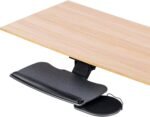 Best Premium Keyboard Tray
The 3M Adjustable Keyboard Tray AKT170LE is designed for users who prioritize maximum ergonomic customization. It offers a wide range of height and tilt adjustments, making it easy to achieve an ideal typing position.
The integrated gel wrist rest provides additional support during extended typing sessions.
Key Features
- Height adjustment
- Adjustable tilt
- Gel wrist support
- Mouse platform
- Premium build quality
- Smooth articulation
Pros
✔ Outstanding adjustability
✔ Comfortable wrist support
✔ Professional-grade construction
✔ Excellent stability
✔ Highly ergonomic
Cons
✘ Premium price
Best For
Professionals, writers, and programmers who spend all day at a computer.
link on price Amazon
4. Fellowes Office Suites Keyboard Drawer
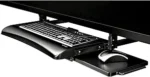 Best Budget Option
The Fellowes Office Suites Keyboard Drawer is a straightforward solution for users who want to improve ergonomics without a large investment.
Although it lacks advanced adjustment features, it provides a comfortable typing position and helps free up valuable desk space.
Key Features
- Sliding keyboard drawer
- Sturdy construction
- Compact design
- Easy installation
- Full-width platform
- Space-saving layout
Pros
✔ Budget-friendly
✔ Durable
✔ Easy to install
✔ Saves desk space
✔ Reliable performance
Cons
✘ Fixed height
Best For
Students, home offices, and budget-conscious buyers.
5. Mount-It! Under Desk Keyboard Tray
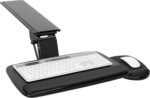 Best for Large Workstations
The Mount-It! Under Desk Keyboard Tray offers a generous platform with adjustable height and tilt, making it an excellent choice for larger desks and users who need additional workspace.
Its sturdy frame ensures stability even during heavy typing sessions.
Key Features
- Adjustable height
- Adjustable tilt
- Wide platform
- Heavy-duty frame
- Smooth sliding rails
- Durable construction
Pros
✔ Large typing surface
✔ Excellent stability
✔ Ergonomic adjustments
✔ Smooth operation
✔ Strong weight capacity
Cons
✘ Installation takes longer than some models
Best For
Professionals with spacious workstations and multiple peripherals.
link on price Amazon
Buying Guide: How to Choose the Best Ergonomic Keyboard Tray
Selecting the right keyboard tray depends on your workspace, desk type, and ergonomic needs.
1. Height Adjustability
The keyboard should allow your elbows to remain at roughly a 90-degree angle while typing. Adjustable trays provide greater flexibility for users of different heights.
2. Tilt Adjustment
Negative tilt positions your wrists in a more neutral posture, reducing strain during prolonged typing sessions.
Look for trays that offer both positive and negative tilt adjustments.
3. Platform Size
Ensure the tray is large enough to accommodate both your keyboard and mouse comfortably.
If you use a full-size keyboard, choose a wider platform.
4. Installation Method
Most ergonomic keyboard trays mount underneath the desk using brackets.
Before purchasing, verify:
- Desk thickness
- Available clearance
- Mounting compatibility
5. Build Quality
A high-quality tray should feature:
- Steel support brackets
- Smooth sliding rails
- Durable platform materials
- Stable locking mechanism
A sturdy construction prevents wobbling while typing.
How Keyboard Trays Help Reduce Neck & Shoulder Pain
Encourages Relaxed Shoulders
Lowering the keyboard allows your shoulders to remain relaxed instead of elevated, reducing tension.
Improves Wrist Alignment
Proper positioning keeps your wrists in a neutral posture, minimizing stress on tendons and nerves.
Supports Better Posture
With your keyboard positioned correctly, it’s easier to sit upright with your back supported by your chair.
Reduces Forward Head Position
An ergonomic typing position helps prevent leaning toward the monitor, one of the leading causes of neck pain.
Promotes Comfortable Typing
Better arm positioning decreases muscle fatigue during long typing sessions.
Tips for Creating an Ergonomic Workstation
A keyboard tray works best as part of a complete ergonomic setup.
For optimal comfort:
- Keep your monitor at eye level.
- Position your elbows close to your body.
- Keep your wrists straight while typing.
- Use an ergonomic mouse.
- Sit with your feet flat on the floor or a footrest.
- Take short movement breaks every 30–60 minutes.
- Stretch your neck, shoulders, and wrists regularly.
Frequently Asked Questions
Do keyboard trays really help with neck pain?
Yes. A properly positioned keyboard tray helps reduce shoulder elevation and encourages a more natural typing posture, which can decrease neck strain over time.
Are keyboard trays worth buying?
If you spend several hours typing each day, an ergonomic keyboard tray can improve comfort, support better posture, and reduce repetitive strain.
Should the keyboard be above or below desk height?
For most users, the keyboard should sit slightly below desk height, allowing elbows to remain close to a 90-degree angle and wrists to stay neutral.
Can I use a keyboard tray with a standing desk?
Yes. Many adjustable standing desks are compatible with under-desk keyboard trays, provided there is enough clearance for installation and movement.
Do keyboard trays fit all desks?
Not always. Before purchasing, check your desk’s thickness, underside clearance, and mounting requirements to ensure compatibility.
Final Verdict
The best ergonomic keyboard trays for neck and shoulder pain help create a healthier, more comfortable workstation by improving typing posture and reducing strain on your upper body.
Our recommendations are:
- Best Overall: VIVO Adjustable Under Desk Keyboard Tray
- Best Value: HUANUO Keyboard Tray
- Best Premium: 3M Adjustable Keyboard Tray AKT170LE
- Best Budget: Fellowes Office Suites Keyboard Drawer
- Best for Large Workstations: Mount-It! Under Desk Keyboard Tray
Whether you’re working from home or in a professional office, upgrading to an ergonomic keyboard tray is a simple investment that can significantly improve your daily comfort and long-term posture.
Conclusion
Neck and shoulder pain often develop gradually due to poor workstation ergonomics, but small adjustments can make a significant difference. An ergonomic keyboard tray helps position your keyboard at the proper height and angle, reducing muscle tension and promoting a healthier typing posture. Combined with an ergonomic chair, monitor stand, and regular movement breaks, it can help create a workspace that supports comfort, productivity, and long-term musculoskeletal health.