Living in a small apartment doesn’t mean you have to choose between valuable floor space and a comfortable home office.
The bigger challenge is using the space you already have intelligently.
A conventional office setup spreads everything horizontally: monitor stand, laptop, keyboard, mouse, lamp, speakers, notebooks, chargers, and accessories all compete for the same desktop. On a 30- or 40-inch desk, that approach quickly becomes uncomfortable.
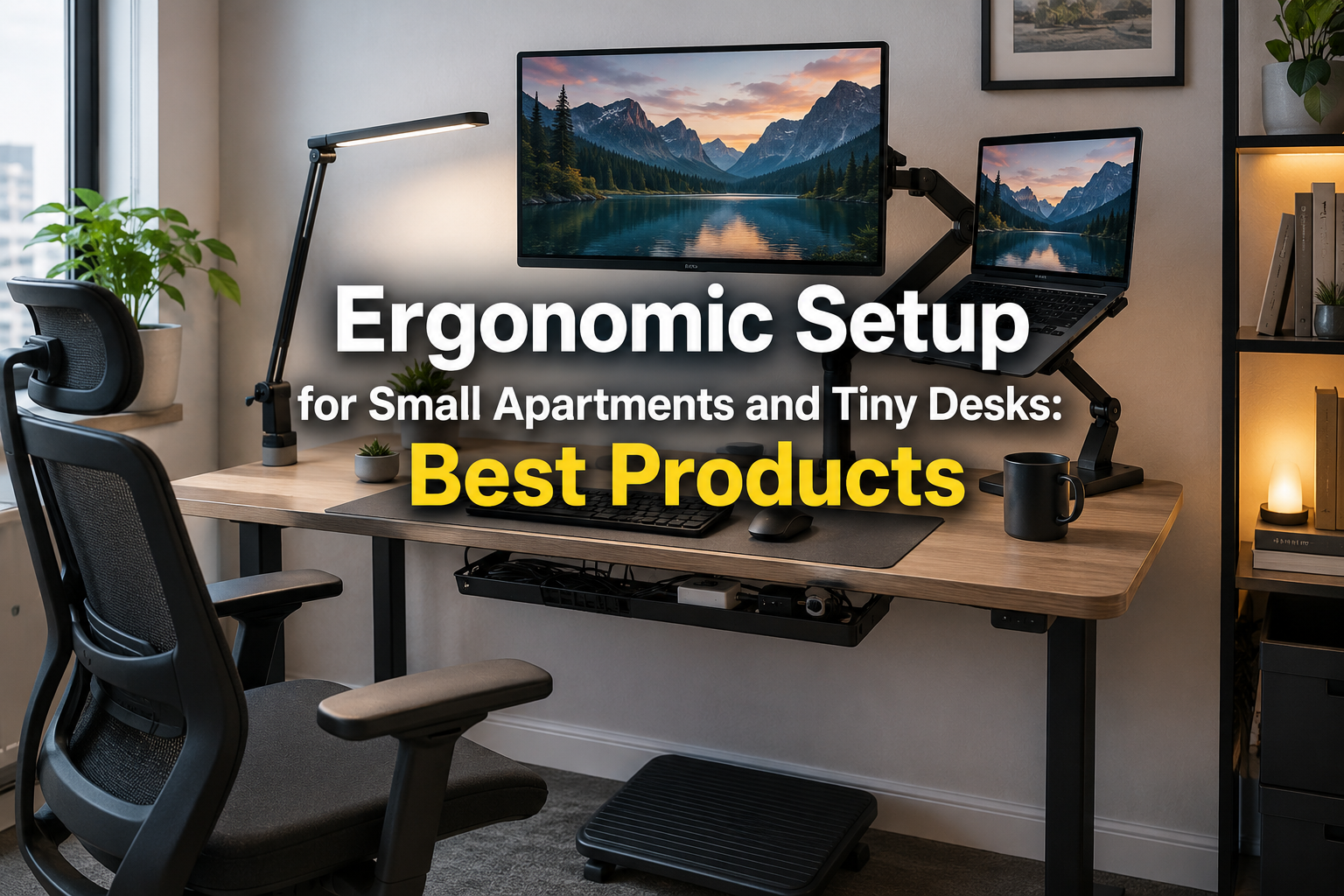
The solution is to think vertically rather than horizontally.
A monitor arm can remove a bulky monitor base. A laptop stand raises your screen while using a relatively small footprint. An under-desk keyboard tray can create extra working depth. A compact keyboard reduces the distance between your keyboard and mouse, while cable management keeps chargers and power strips away from the usable work surface.
Small-space workstation guides make the same point: on a very compact desk, every object needs to justify the space it occupies.
Here’s how to create an ergonomic setup for small apartments and tiny desks without turning your living room or bedroom into a corporate cubicle.
Quick Picks for a Tiny Ergonomic Workspace
Table of Contents
| Product Type | Recommended Option | Why It Helps |
|---|---|---|
| Monitor Arm | MOUNTUP Single Monitor Arm | Frees desktop space |
| Laptop Setup | HUANUO Monitor Arm + Laptop Tray | Moves laptop and monitor upward |
| Keyboard Tray | VIVO Under-Desk Keyboard Tray | Creates additional desk depth |
| Laptop Stand | Nulaxy C1 Laptop Stand | Raises laptop screen |
| Footrest | ErgoFoam Adjustable Foot Rest | Helps support feet |
| Compact Keyboard | Logitech MX Keys Mini | Smaller desktop footprint |
| Mouse | Logitech Lift | Compact ergonomic mouse |
| Cable Management | Under-desk cable tray/clips | Removes cable clutter |
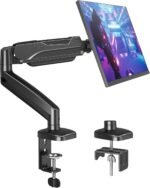
1. MOUNTUP Single Monitor Desk Mount — Best Space-Saving Upgrade
If you can make only one substantial change to a tiny workstation, consider getting the monitor off its factory stand.
Monitor stands consume valuable depth.
A clamp-mounted arm attaches near the rear of your desk and suspends the monitor above the work surface. On a particularly shallow desk, reclaiming that space can be the difference between having room for your keyboard and constantly bumping into your screen.
Recent small-desk comparisons similarly emphasize clamp-on monitor arms because they free the space beneath and in front of the display.
 Why We Like It
- Removes a bulky monitor base
- Adjustable screen positioning
- Uses vertical rather than horizontal space
- Leaves room beneath the monitor
- Cleaner-looking workstation
- Useful on shallow desks
Before You Buy
Check your monitor’s VESA compatibility, weight, and screen size, as well as the arm’s specifications.
Also inspect the desk itself. Some hollow-core, glass, unusually thin, or delicate desktops may not be suitable for clamp mounting without reinforcement.
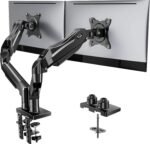
2. HUANUO Monitor Arm With Laptop Tray — Best for Laptop + Monitor Setups
Trying to fit both a laptop and external monitor on a tiny desk creates another problem.
The laptop can consume almost half the usable surface.
A monitor-arm system with a laptop tray moves both displays upward and lets you use the desktop primarily for input devices and actual work.
That can be especially valuable in studio apartments and bedrooms where your “office” might simply be a narrow desk against one wall.
Why We Like It
- Holds a monitor and laptop
- Frees significant desk space
- Helps elevate screens
- Makes dual-screen working possible on smaller desks
- Reduces dependence on bulky desktop stands
 Best For
Remote workers who use a laptop as their primary computer but want an external monitor.
Important
Never assume an inexpensive arm can safely support your equipment. Check the laptop tray dimensions, monitor weight, mounting specifications, desk clamp requirements, and manufacturer limits.
Small-desk users commonly raise concerns about both space and the long-term stability of combined monitor/laptop arms, so mounting quality matters.
3. VIVO Under-Desk Keyboard Tray — Best for Shallow Desks
A shallow desk can create an ergonomic puzzle.
Push your monitor backward and there’s barely enough room for the keyboard.
Move the keyboard forward and your wrists end up near the edge.
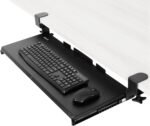
An under-desk keyboard tray can create another usable layer underneath your existing desktop.
A current small-space ergonomic roundup specifically highlights VIVO’s under-desk keyboard tray as a space-saving accessory.
 Why We Like It
- Moves keyboard off the desktop
- Can increase usable desk depth
- Creates more writing space
- Helps separate monitor and input-device zones
- Slides away on suitable models when not needed
Measure Carefully
Keyboard trays aren’t universally compatible.
Before purchasing, measure:
- Available desk width
- Desk thickness
- Clearance underneath
- Chair armrest clearance
- Keyboard and mouse dimensions
- Your legroom
A tray that improves hand position but hits your knees isn’t an ergonomic improvement.
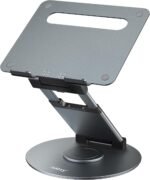
4. Nulaxy C1 Laptop Stand — Best for Laptop-Only Workstations
For an apartment dweller working exclusively from a laptop, a stand is one of the easiest upgrades.
The problem with prolonged laptop use is straightforward: the keyboard and screen are physically attached.
Position the keyboard comfortably and the display tends to sit low.
Raise the display and the built-in keyboard becomes difficult to use.
A laptop stand addresses the screen half of that problem.
A recent small-space accessory roundup lists the Nulaxy C1 as a compact aluminum laptop riser suited to limited workspaces.
 Why We Like It
- Compact footprint
- Raises laptop display
- Creates some usable space underneath
- Cleaner than stacking books
- Easy addition to a rented apartment
Pair it with an external keyboard and mouse so you aren’t reaching upward to type on the elevated laptop.
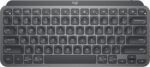
5. Logitech MX Keys Mini — Best Compact Keyboard
Full-size keyboards aren’t necessarily ideal for small desks.
A numeric keypad adds considerable width, which pushes your mouse farther away from the center of your body.
For people who don’t regularly use the number pad, a compact keyboard can make a tiny workstation feel substantially larger.
The Logitech MX Keys Mini provides a compact layout while retaining dedicated function controls and wireless connectivity.
 Why It Works for Small Spaces
- Compact footprint
- No dedicated number pad
- Wireless
- Less cable clutter
- Leaves more room for mouse movement
- Easy to store when the desk serves multiple purposes
If you frequently work with spreadsheets and rely heavily on a number pad, however, a full-size keyboard or separate wireless numeric keypad may be more practical.
6. Logitech Lift Vertical Ergonomic Mouse — Best Compact Ergonomic Mouse
Keyboard size isn’t the only consideration.
Your mouse should also fit comfortably beside it without forcing you to reach.
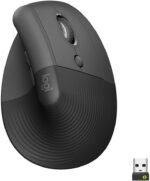
The Logitech Lift uses a vertical orientation designed to position the hand differently from a conventional flat mouse.
Its relatively compact format makes it attractive for smaller workstations.
 Why We Like It
- Compact enough for small desks
- Wireless connectivity
- Vertical orientation
- Reduces cable clutter
- Available in different handed configurations depending on market
No mouse shape is universally comfortable, so hand size and personal preference matter.
7. ErgoFoam Adjustable Foot Rest — Best for Improving Lower-Body Position
A footrest occupies no desktop space whatsoever, which makes it particularly useful in small offices.
Why would you need one?
Suppose your fixed-height desk is slightly too tall. You raise your chair so your elbows sit more comfortably at keyboard height—but now your feet don’t rest securely on the floor.
A footrest fills that gap.
Recent ergonomic guidance for small desks recommends establishing comfortable lower-body positioning and using a footrest when needed rather than allowing the feet to dangle.
 Why We Like It
- Uses otherwise empty floor space
- Supports feet when chair height is increased
- No permanent installation
- Easy to move
- Suitable for renters
Best For
People using fixed-height desks that are slightly too tall for their comfortable seated position.
8. Clamp-On Desk Lamp — Best Lighting Upgrade
A conventional desk lamp might consume six to ten inches of valuable surface.
That’s unnecessary when space is already limited.
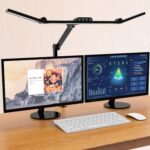 A clamp lamp attaches to the edge of the desk, shelf, or nearby structure.
The concept follows the same principle as a monitor arm:
move useful objects off the primary work surface.
Current small-desk recommendations specifically suggest clamp lamps instead of base lamps for this reason.
Look for:
- Adjustable arm
- Dimmable brightness
- Multiple color temperatures
- Secure clamp
- Low-profile design
Position the lamp to illuminate your workspace without creating distracting screen glare.
9. Under-Desk Cable Management Tray — Best for Eliminating Clutter
Nothing makes a tiny workspace feel smaller than a pile of charging bricks, extension cords, and cables.
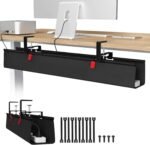 Instead of simply bundling cables on top of the desk, move as much of the power infrastructure underneath as possible.
An under-desk cable tray can hold:
- Power strip
- Laptop charger
- Monitor power cable
- USB hub cables
- Excess cable length
Then use reusable ties or clips to route individual wires.
The result isn’t merely aesthetic.
Removing cables gives you more usable surface and makes it easier to convert the workstation back into a dining, hobby, or general-purpose area.
10. Compact Sit-Stand Converter — Best for Flexible Apartment Workspaces
A complete electric standing desk isn’t always practical in a studio apartment.
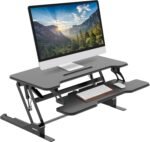
A converter provides another option.
You place it on an existing desk and raise the work surface when you want to change position.
Recent standing-desk recommendations highlight compact converters such as the Yo-Yo Desk Lite for laptop users who need portability rather than a permanent full-size standing desk.
 Advantages
- No need to replace existing furniture
- Useful for renters
- Can provide sitting and standing positions
- Easier to move than a full standing desk
Disadvantages
A converter also occupies desktop space.
For extremely shallow desks, a monitor arm may produce more benefit for less clutter.
If you’re buying an entirely new desk, compact standing desks are increasingly available; recent testing specifically identifies the Progressive Mini Ryzer as an option aimed at tighter spaces.
The Best Products for Tiny Desk Ergonomics
Mount-It! Sit-Stand Monitor Arm with Keyboard Tray
How to Build an Ergonomic Tiny-Desk Setup
 Buying accessories randomly can actually make the problem worse.
Instead, build your workstation in the correct order.
Step 1: Start With Your Chair
Sit comfortably with your shoulders relaxed.
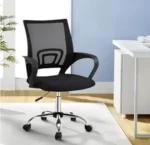 Adjust your chair so your arms can reach the keyboard without repeatedly shrugging your shoulders upward.
Your chair should determine your working position—not the other way around. Current ergonomic guidance similarly recommends setting the chair first, followed by the monitor and input devices.
If your feet don’t comfortably reach the floor after adjusting the chair, use a footrest.
Step 2: Position Your Keyboard and Mouse
Keep them close enough that you don’t have to repeatedly reach forward.
 Your elbows should remain relatively close to your torso and your wrists should feel neutral rather than dramatically bent upward.
If your desk is too shallow or high, an under-desk keyboard tray may help.
Step 3: Raise the Screen
Now position the display.
 The monitor should be high enough that you’re not constantly dropping your head downward.
You don’t need to freeze yourself into a single “perfect” posture. The goal is a comfortable viewing position that doesn’t repeatedly force your neck into an extreme angle.
A monitor arm gives you considerably more adjustment than stacking the screen on books.
Step 4: Create Viewing Distance
This is where tiny desks become difficult.
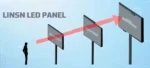 Even if your monitor is at a good height, placing it extremely close to your face isn’t ideal.
A monitor arm can reclaim precious depth because the display can sit near or even partially behind the back edge of the desktop, depending on the arm and room layout.
Step 5: Move Everything Else Off the Desk
Once the essentials are positioned, remove unnecessary objects.
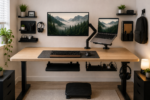 Mount or relocate:
- Power strips
- Chargers
- Headphones
- Cables
- Speakers
- Lighting
- Documents
- Stationery
Use walls, desk edges, under-desk space, shelves, and vertical storage.
Use Vertical Space
 This is the single most useful principle for small apartments.
Instead of asking:
“How can I fit more things on my desk?”
Ask:
“Which things don’t actually need to be on my desk?”
A 31-inch-wide desk can still support a surprisingly capable workstation if the monitor floats above it, cables live underneath it, lighting clamps to the side, and accessories hang from nearby vertical storage.
Don’t Sacrifice Legroom for Storage
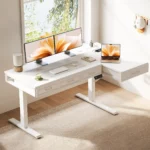 Small apartments tempt people to use every cubic inch.
But stuffing drawers, computer towers, boxes, and shelves underneath the desk can leave your legs trapped.
That’s a bad trade.
You need enough room to change leg position and comfortably get in and out of the chair.
Real-world small-desk users frequently report that support bars, narrow keyboard tables, and crowded under-desk areas restrict leg positioning even when they appear space-efficient on paper.
Keep your primary leg area clear.
Laptop Users: Don’t Forget Airflow
Moving a laptop off your desktop can free substantial space, but don’t hide it somewhere that 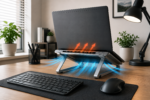 blocks its cooling vents.
Avoid tightly enclosed shelves unless the laptop’s ventilation design and available clearance make the location appropriate.
Users building tiny laptop-and-monitor workstations specifically cite airflow and heat buildup as concerns when moving laptops onto lower shelves.
A vertical laptop holder can be useful when operating the laptop closed, provided the manufacturer supports closed-lid operation and ventilation remains unobstructed.
Small Desk vs. Bigger Desk: When Should You Upgrade?
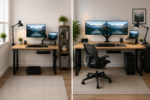 Accessories can solve many problems, but not physics.
If your workstation cannot provide sufficient room for your essential equipment and comfortable movement, replacing the desk may eventually make more sense.
Compact desks are available specifically for apartment-sized spaces. One recent example measures roughly 39 inches wide and only 15.5 inches deep, demonstrating just how small a functional desk footprint can become—although very shallow depth creates its own ergonomic compromises.
For monitor-based work, we’d generally prioritize enough depth to establish a comfortable viewing distance over unnecessary shelves or decorative storage.
What You Don’t Need
Small-space offices benefit just as much from what you don’t buy.
You probably don’t need:
- Giant desk speakers
- Oversized monitor stands
- Huge desk mats
- Multiple decorative lights
- Full-size keyboard if you never use the number pad
- Large desktop organizers
- Permanent printer placement
- Multiple charging stations
- Excessive smart-office gadgets
Every object should earn its footprint.
A Simple Tiny-Apartment Setup
If you want to keep things minimal, start with:
Monitor: One 24–27-inch display on a clamp arm.
Computer: Laptop on an elevated stand or compatible tray.
Keyboard: Compact wireless keyboard.
Mouse: Comfortable wireless mouse.
Chair: Adjustable chair that can tuck underneath the desk.
Feet: Footrest if required.
Lighting: Clamp-on LED lamp.
Power: Power strip mounted underneath.
Cables: Under-desk tray plus reusable cable ties.
That’s enough to create a capable workstation without filling the room with office furniture.
Frequently Asked Questions
How do I make a tiny desk more ergonomic?
Start by establishing comfortable chair, keyboard, and mouse positions. Then elevate the monitor using a stand or arm. Use a footrest if your feet don’t reach the floor comfortably and move cables, lighting, and storage off the main desktop.
What is the best accessory for a small desk?
For monitor users, a monitor arm is one of the highest-impact upgrades because it frees the space occupied by the factory monitor base.
Is a laptop stand worth it?
Yes, particularly when paired with an external keyboard and mouse. A stand can raise the laptop display without requiring a separate monitor.
Should I use a keyboard tray?
A keyboard tray can be particularly useful if your desk is shallow or too high. Make sure it doesn’t reduce your legroom or interfere with your chair.
Are standing desks good for small apartments?
They can be, but check dimensions carefully. Compact standing desks exist specifically for tighter rooms, while converters can add sit-stand functionality to existing furniture. Recent standing-desk testing includes dedicated small-space models.
How can I hide an office setup in a studio apartment?
Choose wireless peripherals, clamp-mounted accessories, a chair that fits beneath the desk, and vertical or under-desk storage. When work is finished, store the keyboard and mouse and leave the surface relatively clear.
Final Verdict
Creating an ergonomic setup for small apartments and tiny desks isn’t about squeezing a conventional office into half the available space.
It’s about redesigning the workstation around the constraint.
Start with the fundamentals: comfortable chair height, supported feet, accessible keyboard and mouse, and a properly positioned display. Then reclaim your limited desktop using vertical space.
A MOUNTUP monitor arm is an excellent first upgrade for an external-monitor workstation because removing the monitor base immediately creates more usable surface. Laptop users can consider the HUANUO monitor arm with laptop tray, while a Nulaxy laptop stand offers a simpler solution.
Add a compact keyboard, comfortable mouse, footrest when needed, clamp-on lighting, and under-desk cable management, and even a small apartment corner can become a surprisingly capable workspace.
The guiding principle is simple:
Your desk surface is premium real estate.
Keep only the things your hands genuinely need on it. Move everything else above it, below it, beside it, or off it entirely.