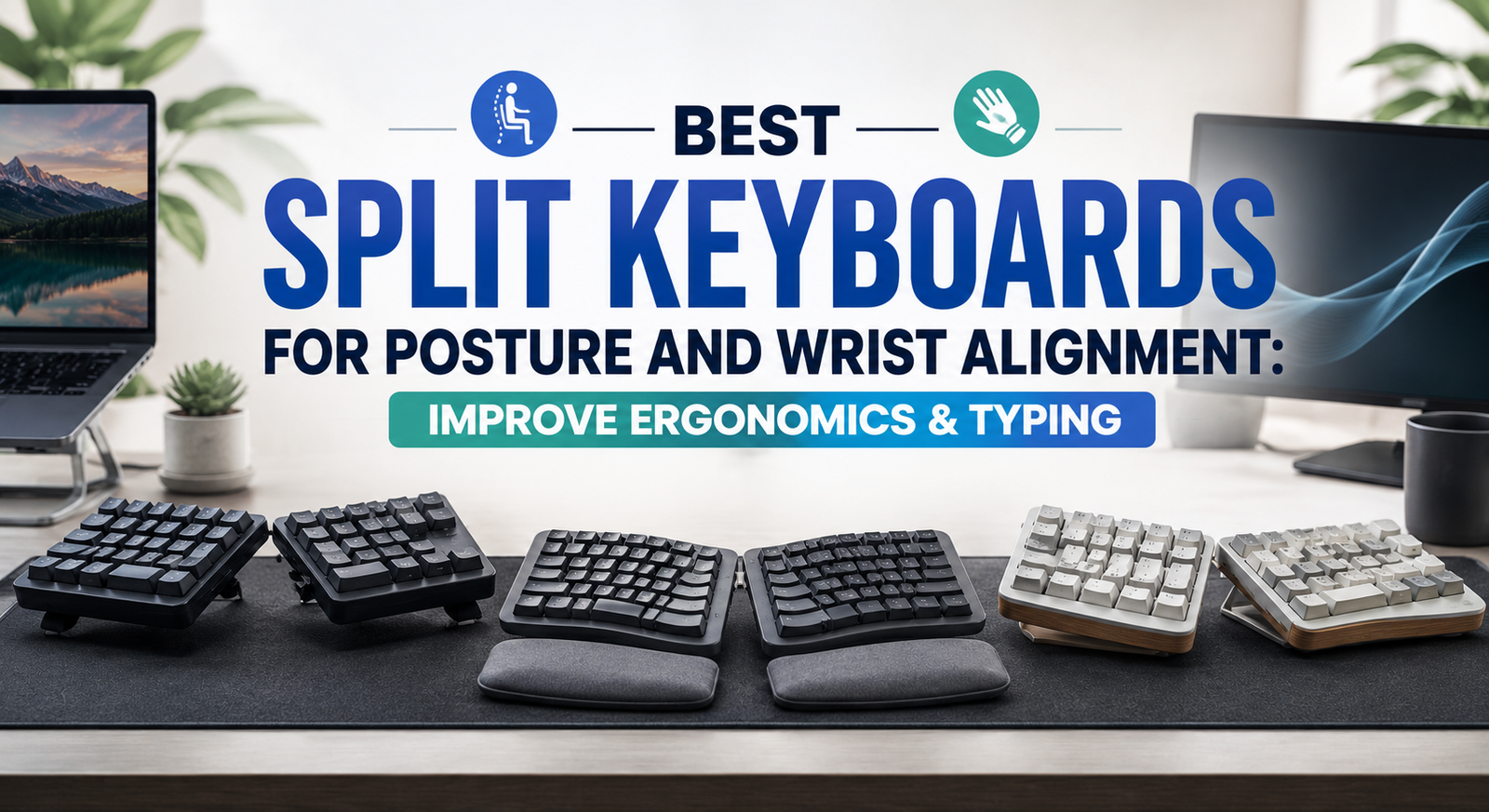
If you spend hours typing every day, your keyboard could be contributing to wrist pain, shoulder tension, neck stiffness, and poor posture. Traditional keyboards force your hands into a narrow, inward-facing position that often causes your wrists to bend unnaturally and your shoulders to round forward. Over time, these awkward positions can increase the risk of repetitive strain injuries (RSIs), carpal tunnel syndrome, and chronic discomfort.
A split ergonomic keyboard is designed to solve these problems. By separating the left and right halves of the keyboard, split keyboards allow your arms to remain shoulder-width apart while keeping your wrists in a more neutral position. Many models also feature tenting, negative tilt, cushioned palm rests, and programmable keys, making them an excellent investment for anyone who types for extended periods.
Whether you’re a programmer, writer, office professional, gamer, or remote worker, switching to one of the best split keyboards for posture and wrist alignment can significantly improve comfort, reduce muscle strain, and promote healthier typing habits.
In this guide, we’ll review the best ergonomic split keyboards available today, compare their features, discuss their pros and cons, and help you choose the ideal model for your workspace.
Quick Comparison Table
Table of Contents
| Product | Best For | Wireless | Adjustable Tenting | Palm Rest |
|---|---|---|---|---|
| Logitech ERGO K860 | Best Overall | ✔ | Fixed Curved Design | ✔ |
| Microsoft Sculpt Ergonomic Keyboard | Best Value | ✔ | Natural Split Layout | ✔ |
| Kinesis Freestyle2 | Best Adjustable | Optional | ✔ | Optional |
| Keychron Q11 | Best Mechanical | Wired | Adjustable | ✘ |
| Goldtouch V2 Adjustable Keyboard | Best for Professionals | Wired | ✔ | Optional |
Why Choose a Split Keyboard?
Unlike conventional keyboards, split keyboards are designed around the body’s natural posture rather than forcing your arms and wrists into uncomfortable positions.
Some of the biggest ergonomic benefits include:
- Promotes neutral wrist alignment
- Reduces shoulder tension
- Encourages better sitting posture
- Decreases forearm pronation
- Helps minimize repetitive strain injuries
- Improves long-term typing comfort
- Reduces neck and upper back strain
- Increases productivity during extended work sessions
For people who spend six to eight hours or more at a computer each day, these ergonomic improvements can make a noticeable difference.
Best Split Keyboards for Posture and Wrist Alignment
1. Logitech ERGO K860
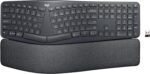 Best Overall Split Keyboard
The Logitech ERGO K860 is widely regarded as one of the best ergonomic keyboards available. Its curved split layout naturally positions your hands, wrists, and forearms in a more relaxed posture while reducing unnecessary muscle strain.
The integrated cushioned wrist rest provides excellent support, while the adjustable front legs allow you to create a slight negative tilt that encourages healthier wrist positioning.
Despite its ergonomic design, the learning curve is relatively short, making it an excellent choice for first-time ergonomic keyboard users.
Key Features
- Curved split keyboard layout
- Integrated memory foam wrist rest
- Adjustable negative tilt
- Bluetooth and USB receiver connectivity
- Multi-device support
- Quiet, responsive keys
Pros
✔ Outstanding ergonomic design
✔ Comfortable wrist support
✔ Excellent typing experience
✔ Easy transition from traditional keyboards
✔ Reliable wireless performance
Cons
✘ Premium price
Best For
Office professionals, writers, and remote workers looking for all-day typing comfort.
link on price Amazon
2. Microsoft Sculpt Ergonomic Keyboard
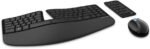 Best Value Split Keyboard
The Microsoft Sculpt Ergonomic Keyboard has been a favorite among office workers for years thanks to its thoughtful ergonomic design and affordable price.
Its gently curved split layout encourages a natural wrist position, while the detachable number pad allows users to place their mouse closer to the keyboard, reducing shoulder reach.
The cushioned palm rest also helps minimize wrist fatigue during extended typing sessions.
Key Features
- Split ergonomic layout
- Detachable numeric keypad
- Cushioned palm rest
- Wireless connectivity
- Domed keyboard design
- Dedicated Windows shortcut keys
Pros
✔ Comfortable layout
✔ Affordable
✔ Detachable number pad
✔ Excellent wrist support
✔ Quiet typing
Cons
✘ No backlighting
Best For
General office work, home offices, and students.
link on price Amazon
3. Kinesis Freestyle2
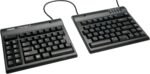 Best Adjustable Split Keyboard
If maximum customization is your priority, the Kinesis Freestyle2 stands out. Unlike fixed split keyboards, its two keyboard halves are connected by a flexible cable, allowing you to position them at shoulder width for optimal ergonomics.
Optional tenting accessories further improve wrist alignment by reducing forearm rotation.
This flexibility makes it a favorite among programmers, developers, and users with existing wrist discomfort.
Key Features
- Fully adjustable split design
- Flexible connecting cable
- Optional tenting kit
- Lightweight construction
- Low-force membrane keys
- Available for Windows and Mac
Pros
✔ Highly adjustable
✔ Excellent ergonomic positioning
✔ Comfortable typing
✔ Compact footprint
✔ Great for long workdays
Cons
✘ Accessories sold separately
Best For
Developers, coders, and users seeking maximum ergonomic customization.
link price on Amazon
4. Keychron Q11
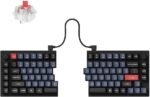 Best Mechanical Split Keyboard
The Keychron Q11 combines the benefits of a split layout with the premium feel of a mechanical keyboard.
Constructed from CNC-machined aluminum, it offers hot-swappable switches, programmable keys, and full QMK/VIA compatibility, making it highly customizable for enthusiasts.
Its split design promotes healthier wrist positioning while delivering the satisfying tactile feedback mechanical keyboard users appreciate.
Key Features
- Split mechanical layout
- Hot-swappable switches
- QMK/VIA programmable firmware
- Aluminum construction
- RGB backlighting
- Detachable USB-C connection
Pros
✔ Premium build quality
✔ Fully customizable
✔ Excellent typing feel
✔ Mechanical switch options
✔ Long-lasting durability
Cons
✘ No built-in wrist rest
Best For
Mechanical keyboard enthusiasts, programmers, and gamers.
link on price Amazon
5. Goldtouch V2 Adjustable Keyboard
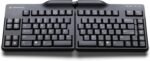 Best for Professional Ergonomic Setups
The Goldtouch V2 Adjustable Keyboard offers one of the most customizable ergonomic experiences available.
Users can independently adjust the keyboard’s split angle and tenting position to match their preferred typing posture. This level of flexibility makes it especially valuable for individuals managing chronic wrist or shoulder discomfort.
Its compact design also reduces mouse reach, promoting a more ergonomic workstation.
Key Features
- Adjustable split angle
- Adjustable tenting
- Compact layout
- Soft-touch keys
- Lightweight design
- Plug-and-play compatibility
Pros
✔ Highly customizable
✔ Excellent posture support
✔ Compact footprint
✔ Durable construction
✔ Comfortable typing
Cons
✘ Takes time to find the ideal adjustment
Best For
Professionals focused on long-term ergonomic health.
Buying Guide: How to Choose the Best Split Keyboard
Selecting the right split keyboard depends on your typing habits, comfort preferences, and workspace.
1. Fixed vs. Adjustable Split
Fixed Split Keyboards
- Easier to learn
- More affordable
- Better for beginners
Adjustable Split Keyboards
- Greater customization
- Better posture optimization
- Ideal for experienced users
link on price Amazon
2. Wrist Support
Many ergonomic keyboards include padded palm rests that reduce wrist pressure during long typing sessions.
If a keyboard doesn’t include one, consider purchasing a separate ergonomic wrist rest.
3. Mechanical vs. Membrane
Mechanical
- Better tactile feedback
- Longer lifespan
- Highly customizable
Membrane
- Quieter
- Lower cost
- Softer keypresses
Choose the style that best suits your typing preferences.
4. Tenting Adjustment
Tenting raises the center of the keyboard, allowing your forearms to rotate into a more natural handshake position.
This can reduce strain on the wrists and forearms.
5. Connectivity
Depending on your setup, consider:
- Bluetooth
- USB receiver
- Wired USB-C
- Multi-device pairing
Wireless keyboards help reduce desk clutter, while wired models offer consistent connectivity with no need to recharge.
How Split Keyboards Improve Posture
Encourages Natural Shoulder Position
Keeping the keyboard halves farther apart allows your shoulders to remain relaxed instead of rolled inward.
Reduces Wrist Deviation
Split layouts minimize the sideways bending of the wrists, promoting a more neutral hand position.
Improves Elbow Alignment
Typing with your elbows close to a 90-degree angle helps reduce muscle tension in the upper body.
Supports Better Neck Posture
With improved arm positioning, users are less likely to hunch forward while typing.
Reduces Repetitive Strain
Maintaining neutral wrist and forearm positions can help lower the risk of repetitive stress injuries over time.
Tips for Setting Up an Ergonomic Keyboard
To get the most from your split keyboard:
- Position your keyboard close to your body.
- Keep elbows at approximately 90 degrees.
- Maintain straight wrists while typing.
- Place your monitor at eye level.
- Use an ergonomic chair with proper lumbar support.
- Consider an adjustable keyboard tray.
- Take short movement and stretching breaks every 30–60 minutes.
A split keyboard is most effective when combined with a complete ergonomic workstation.
Frequently Asked Questions
Are split keyboards better for posture?
Yes. Split keyboards encourage a more natural arm and wrist position, helping reduce shoulder tension and improve overall typing posture.
Do split keyboards help with wrist pain?
Many users experience reduced wrist discomfort because split keyboards promote neutral wrist alignment and reduce awkward hand positioning.
How long does it take to adjust to a split keyboard?
Most users adapt within a few days to two weeks, depending on the keyboard layout and the amount of daily typing.
Are mechanical split keyboards worth it?
If you enjoy tactile feedback and want greater customization, mechanical split keyboards can provide an excellent typing experience alongside ergonomic benefits.
Can split keyboards prevent carpal tunnel syndrome?
While no keyboard can guarantee prevention, ergonomic split keyboards may help reduce risk factors by promoting healthier wrist and arm positions. If you have persistent pain or numbness, consult a healthcare professional.
Final Verdict
The best split keyboards for posture and wrist alignment help create a healthier workstation by improving typing posture, reducing muscle strain, and supporting long-term comfort.
Our top recommendations are:
- Best Overall: Logitech ERGO K860
- Best Value: Microsoft Sculpt Ergonomic Keyboard
- Best Adjustable: Kinesis Freestyle2
- Best Mechanical: Keychron Q11
- Best for Professionals: Goldtouch V2 Adjustable Keyboard
Whether you’re typing reports, writing code, editing documents, or working from home, upgrading to an ergonomic split keyboard can significantly improve comfort and help support better posture throughout the day.
Conclusion
A split keyboard is more than just an ergonomic accessory—it’s an investment in your long-term health and productivity. By promoting natural wrist alignment, reducing shoulder tension, and encouraging proper posture, these keyboards can make extended typing sessions more comfortable and less physically demanding. Pair your split keyboard with an ergonomic chair, adjustable monitor stand, and supportive keyboard tray to build a workstation that helps you stay productive while minimizing the risk of discomfort and repetitive strain injuries.