Introduction
Table of Contents
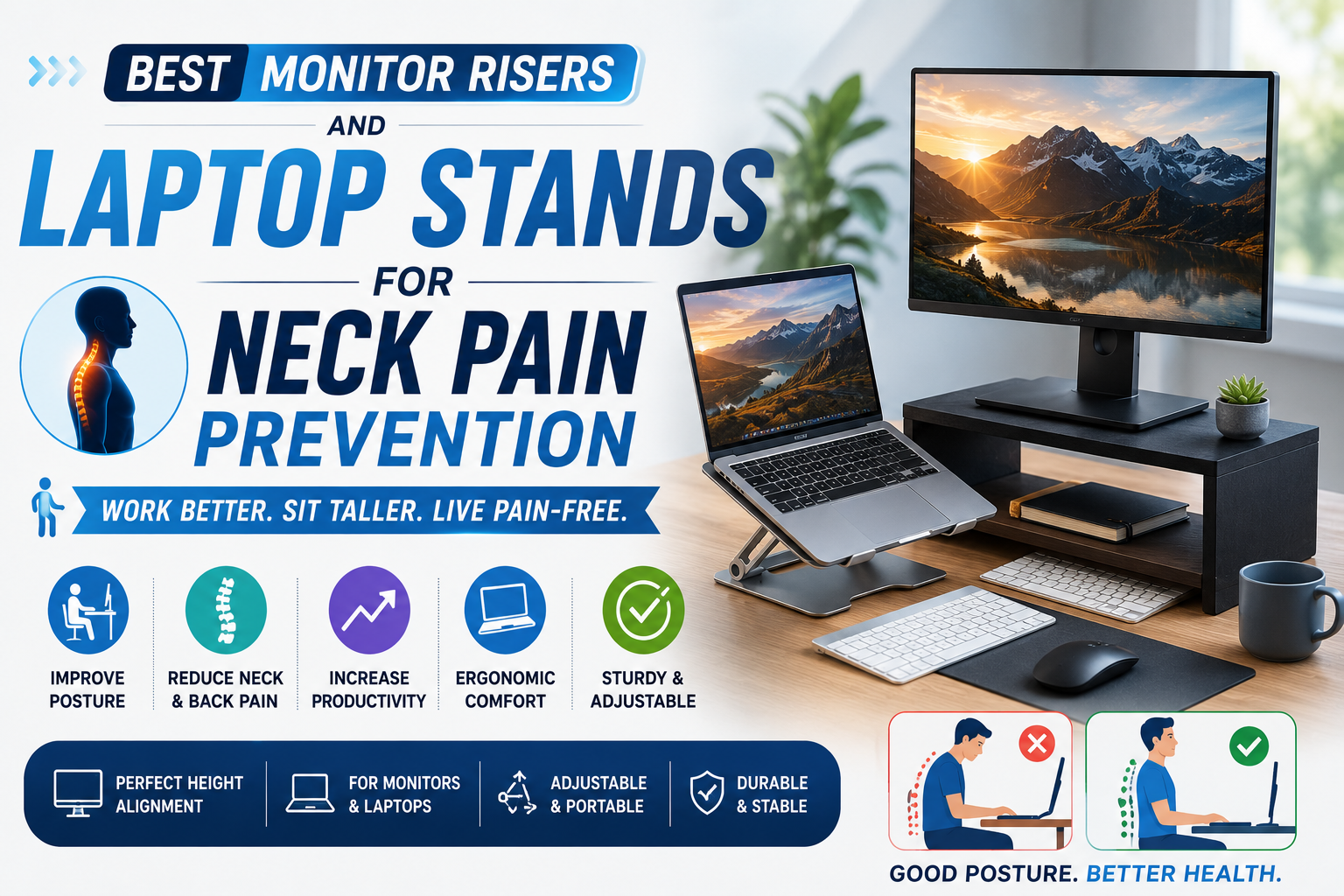
If you spend long hours working on a laptop or desktop monitor, your screen height can make a big difference in how your neck, shoulders, and back feel at the end of the day. Many people place their laptop directly on a desk, which forces the head to tilt downward for hours. Over time, this poor posture can contribute to neck stiffness, shoulder tension, upper-back discomfort, and the common problem many people call “tech neck.”
A good monitor riser or laptop stand is one of the easiest ways to improve your desk setup. It raises your screen closer to eye level, helping you sit more upright instead of bending your neck forward. Mayo Clinic’s office ergonomics guide recommends placing the monitor straight in front of you, about an arm’s length away, with the top of the screen at or slightly below eye level. OSHA also notes that proper monitor placement can help reduce awkward postures, fatigue, eye strain, and neck and back pain.
For laptop users, a stand is especially important because the keyboard and screen are connected. When the laptop sits flat on a desk, the screen is usually too low. Raising the laptop with a stand and using an external keyboard and mouse can create a much healthier workstation. Wake Forest’s ergonomic guidance recommends using a laptop stand or stable riser to adjust screen height and pairing it with an external keyboard and mouse at or slightly below elbow height.
In this 2026 updated guide, we review the best monitor risers and laptop stands for neck pain prevention so you can choose the right option for your home office, work desk, study setup, or small workspace.
Quick Comparison: Best Monitor Risers and Laptop Stands 2026
| Rank | Product | Best For |
|---|---|---|
| 1 | Rain Design mStand | Best overall laptop stand |
| 2 | Twelve South Curve Flex | Best adjustable laptop stand |
| 3 | HUANUO Monitor Riser | Best budget monitor riser |
| 4 | VIVO Dual Monitor Desk Mount | Best for dual monitors |
| 5 | Nulaxy Adjustable Laptop Stand | Best value laptop stand |
1. Rain Design mStand — Best Overall Laptop Stand
 The Rain Design mStand is one of the best laptop stands for people who want a simple, stable, and elegant desk setup. It is made from a single piece of aluminum and is designed to raise your laptop screen closer to eye level, helping reduce the need to bend your neck while working.
Rain Design describes the mStand as having a solid single-piece aluminum design for stability, an aluminum body that helps cool the notebook by acting as a heat sink, a tilted design that brings the screen closer, and improved airflow around the laptop. It also includes a cable outlet and space underneath to store a keyboard when not in use. Amazon’s listing notes that the mStand raises a notebook screen by about 5.9 inches, which can make a meaningful difference for users who normally look down at a laptop screen.
This stand is especially good for people who keep their laptop in one place most of the time. It does not fold flat for travel, but it feels very stable on a desk. The open area underneath is useful for storing a keyboard, notebook, mouse, or small accessories, which helps keep your workspace cleaner.
For neck pain prevention, the mStand works best when paired with an external keyboard and mouse. Once the laptop is raised, typing directly on the laptop keyboard can become uncomfortable because your arms are too high. With a separate keyboard and mouse, your hands can stay lower while your screen stays higher.
Key Features: Single-piece aluminum design, raises laptop screen about 5.9 inches, tilted viewing angle, improved airflow, cable management hole, keyboard storage space, and stable desk setup.
Why We Like It: The Rain Design mStand is simple, durable, and attractive. It is a great long-term choice for laptop users who want a cleaner and more ergonomic workstation.
What Could Be Better: It is not adjustable, so it may not be the perfect height for every user. Taller users may need an adjustable stand like the Twelve South Curve Flex.
Best For: Laptop users who want a stable, premium-looking stand for a permanent home office or desk setup.
2. Twelve South Curve Flex — Best Adjustable Laptop Stand
 The Twelve South Curve Flex is the best choice for users who want adjustability. Unlike fixed laptop stands, the Curve Flex lets you raise and angle your laptop screen to match your height, desk, chair, and monitor setup.
Twelve South says the Curve Flex can elevate a MacBook screen and camera up to 22 inches and adjust the keyboard angle from 0 to 45 degrees. It also folds flat, making it easier to carry between home, office, school, or travel. The official Twelve South product page describes it as a flexible stand that can work as a desktop wedge or elevate the laptop for a more complete desktop setup.
This stand is especially useful for video calls because it can raise the camera closer to eye level. That helps you avoid the awkward low-angle laptop camera view and can also encourage better posture during meetings.
For neck pain prevention, adjustability is a major advantage. Everyone’s ideal screen height is different depending on body height, chair height, desk height, and whether they use an external monitor. A flexible stand allows you to find a more comfortable position instead of forcing your body to fit a fixed stand.
Key Features: Adjustable height, adjustable angle, raises screen and camera up to 22 inches, 0–45-degree keyboard angle, fold-flat design, travel sleeve, metal build, and portable ergonomic setup.
Why We Like It: The Twelve South Curve Flex gives users more control than a fixed stand. It is excellent for people who move between workspaces or want better screen height for video calls.
What Could Be Better: It costs more than basic laptop stands. Also, for the best ergonomic setup, you should still use a separate keyboard and mouse.
Best For: Remote workers, hybrid workers, students, and laptop users who want an adjustable and portable stand.
3. HUANUO Monitor Riser — Best Budget Monitor Riser
 The HUANUO Monitor Riser is a simple and affordable way to raise a monitor, laptop, printer, or small desktop accessory. It is a good choice for people who want better screen height without spending much.
A common HUANUO metal monitor riser listing shows a compact design measuring about 14.57 x 9.25 x 3.94 inches, with a powder-coated metal build and perforated holes for airflow. The listing also notes that it can work as a laptop ventilation stand, monitor stand, printer platform, or desk organizer. HUANUO also offers adjustable monitor risers built with reinforced steel and designed to lift screens to a better viewing height.
This type of riser is best for desktop monitors or laptops that only need a modest height boost. It is also helpful for organizing small desks because you can store a keyboard, notebooks, sticky notes, or accessories underneath.
For neck pain prevention, the HUANUO riser works by bringing the monitor closer to the recommended viewing height. If your monitor sits too low, you may naturally bend your neck forward. Raising it even a few inches can help your head and neck stay more balanced.
Key Features: Budget-friendly price, metal construction, perforated airflow design, compact footprint, monitor/laptop/printer compatibility, and under-stand storage space.
Why We Like It: The HUANUO Monitor Riser is affordable, simple, and practical. It is a good first upgrade for people who want to improve desk ergonomics without buying a full monitor arm.
What Could Be Better: Fixed-height risers may not place every screen at the perfect height. If you need more precise adjustment, consider an adjustable laptop stand or monitor arm.
Best For: Budget-conscious users who want a simple monitor riser for home office, study desk, or small workspace use.
4. VIVO Dual Monitor Desk Mount — Best for Dual Monitors
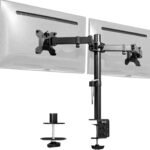 The VIVO Dual Monitor Desk Mount is a great choice for people who use two monitors and want better screen positioning. Unlike a basic riser, a monitor arm can raise, tilt, swivel, and rotate screens so you can align them more precisely with your posture.
This type of setup is especially useful for dual-monitor users because poorly placed monitors can cause constant neck turning. If one screen is too low, too far to the side, or angled awkwardly, your neck and shoulders may feel strained after a long workday.
Although VIVO offers many monitor arm models, the biggest advantage is flexibility. A dual monitor mount can free up desk space, raise both screens closer to eye level, and help create a cleaner workstation. For users with small desks, this can be better than two separate monitor risers because the screens are lifted off the desk surface.
When setting up two monitors, place your main monitor directly in front of you and the secondary monitor slightly to the side. If you use both monitors equally, center them together so you do not constantly twist in one direction.
Key Features: Dual-monitor support, adjustable height, tilt, swivel, rotation, desk-clamp design, improved desk space, and better screen alignment.
Why We Like It: A dual monitor arm is one of the best ergonomic upgrades for people who work with multiple screens. It helps reduce desk clutter while improving screen height and viewing angle.
What Could Be Better: Monitor arms require compatible monitors, usually with VESA mounting holes. You should also check desk thickness and monitor weight before buying.
Best For: Programmers, designers, traders, office workers, students, and anyone using two monitors.
5. Nulaxy Adjustable Laptop Stand — Best Value Laptop Stand
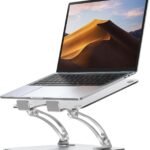 The Nulaxy Adjustable Laptop Stand is a popular value-friendly option for users who want an adjustable laptop stand without paying premium prices. It is a practical choice for home offices, students, remote workers, and people who want a more comfortable laptop setup.
Adjustable stands like this are useful because they let you raise your laptop higher than fixed low-profile stands. That makes it easier to bring your screen closer to eye level and reduce downward neck bending. Many Nulaxy-style stands also fold or collapse, making them easier to store or move.
This stand is best used with an external keyboard and mouse. Once your laptop is raised, typing on the built-in keyboard may put your wrists and shoulders in an awkward position. A separate keyboard keeps your arms lower and allows the laptop screen to stay elevated.
For users who work from multiple locations, a value adjustable stand can be a smart investment. It can improve a bedroom desk, dining table, dorm room, office desk, or coworking setup without taking up much space.
Key Features: Adjustable height and angle, foldable-style design on many models, laptop cooling airflow, sturdy desktop use, affordable price, and compatibility with common laptop sizes.
Why We Like It: The Nulaxy Adjustable Laptop Stand gives users ergonomic flexibility at a reasonable price. It is a good option if you want better screen height but do not need a premium brand.
What Could Be Better: Stability and height range can vary by exact model. Check the product dimensions and supported laptop size before buying.
Best For: Students, remote workers, and budget buyers who want an adjustable laptop stand for everyday desk use.
How to Choose the Best Monitor Riser or Laptop Stand
When choosing a monitor riser or laptop stand, the first thing to check is height. Your screen should be positioned so the top of the display is at or slightly below eye level, and the monitor should be roughly an arm’s length away. If your laptop or monitor is too low, you may bend your neck forward throughout the day.
The second factor is adjustability. Fixed stands are simple and stable, but adjustable stands give you more control. If you are taller, shorter, or use different desks, an adjustable stand may be more comfortable.
You should also consider whether you use a laptop or monitor. Laptop users should usually pair a laptop stand with an external keyboard and mouse. This helps separate screen height from typing height, which is important for a healthier posture.
For monitor users, think about whether you need a simple riser or a monitor arm. A riser is easier and cheaper, but a monitor arm gives more flexibility and saves desk space.
Material also matters. Aluminum stands often look premium and feel stable. Metal risers can be strong and affordable. Plastic stands may be cheaper but can feel less sturdy.
Finally, think about desk space. If your desk is small, choose a stand that provides storage underneath or a monitor arm that lifts the screen off the desk. A good stand should improve both posture and workspace organization.
Final Verdict
If you want the best overall laptop stand for neck pain prevention in 2026, the Rain Design mStand is a strong choice because it is stable, stylish, and raises the laptop screen closer to eye level.
If you want more flexibility, the Twelve South Curve Flex is the best adjustable laptop stand. If you want a simple budget monitor riser, the HUANUO Monitor Riser is a practical pick. If you use two monitors, a VIVO Dual Monitor Desk Mount can give you the best screen positioning and desk space improvement. And if you want an affordable adjustable laptop stand, the Nulaxy Adjustable Laptop Stand is a good value option.
A monitor riser or laptop stand is a small upgrade that can make a big difference in daily comfort. It will not cure serious neck problems, but it can help reduce awkward posture and make your workstation more ergonomic. Pair it with a good chair, proper desk height, an external keyboard, a mouse, and regular movement breaks for the best results.
FAQs About Monitor Risers and Laptop Stands
Can a laptop stand help prevent neck pain?
A laptop stand can help reduce neck strain by raising the screen closer to eye level. It works best when used with an external keyboard and mouse.
What is the best monitor height for posture?
Mayo Clinic recommends placing the monitor directly in front of you, about an arm’s length away, with the top of the screen at or slightly below eye level.
Is a monitor riser better than a monitor arm?
A monitor riser is cheaper and easier to use, while a monitor arm gives more height, tilt, swivel, and rotation adjustment. For dual monitors, a monitor arm is often better.
Should I use an external keyboard with a laptop stand?
Yes. If you raise your laptop screen, use an external keyboard and mouse so your hands can stay at a comfortable typing height.
What is the best laptop stand for neck pain prevention in 2026?
The Rain Design mStand is a strong overall choice for a stable desk setup, while the Twelve South Curve Flex is better if you want adjustable height and portability.